How Upload Links Work in Razuna
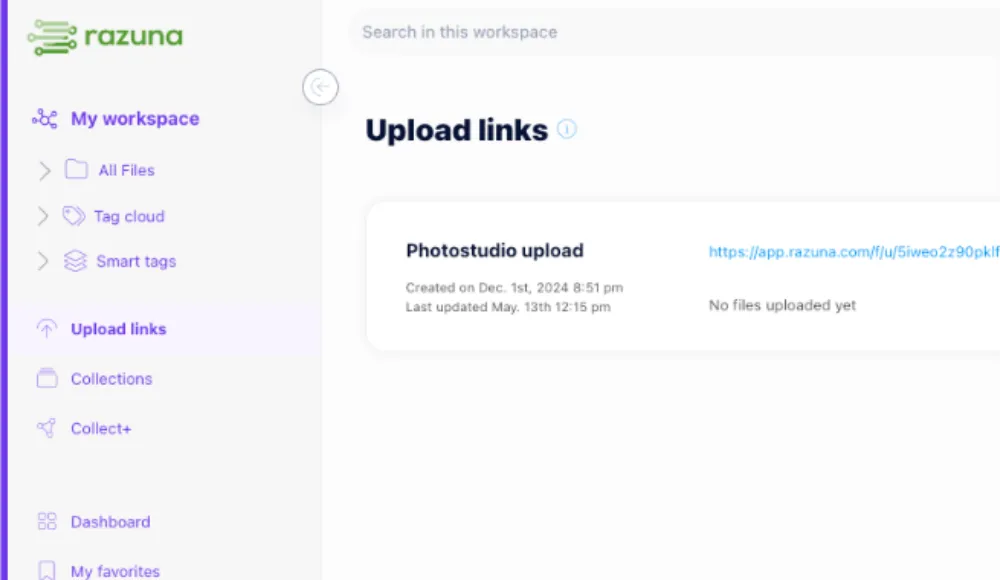
Upload links are a simple way to collect files from people outside your team without giving them access to your whole library. In Razuna, you create a secure link, send it to a client or contributor, let them enter their name and email, and collect files directly into your workspace for review.
This is useful when you need to receive brand assets, documents, media files, or other project files from outside your organization, but still want permissions, traceability, and a clean review process.
How upload links work
A Razuna upload link gives external users a focused place to submit files into the right workspace or collection. Instead of back-and-forth email attachments, you control where files go and what happens next.
Here is the basic flow:
- Create the upload link: Set up a link for the specific workspace or collection that should receive files.
- Share it externally: Send the link to clients, freelancers, partners, or internal stakeholders outside your team.
- Collect name and email: Ask uploaders to identify themselves so submissions are easier to track.
- Accept up to 500 files: Uploaders can submit a large batch in one go, which is useful for campaigns, shoots, or document handoffs.
- Review files asynchronously: Uploaded files are processed in the background so your team can review them after submission without slowing the uploader down.
If you want a broader view of how Razuna handles governed libraries, start with the main digital asset management guide and the feature breakdown.
Why teams use upload links instead of email attachments
Email attachments are fine for one-off files. They break down fast when people need to send multiple versions, large files, or project folders.
Upload links are better because they:
- keep submissions in one place
- reduce version confusion
- make it easier to find who sent what
- support structured file intake instead of scattered inboxes
- fit into a larger file organization workflow
For teams that already manage brand assets, marketing files, media, or documents in Razuna, upload links make external collection feel like part of the system rather than a separate process.
Secure file sharing for business teams
If you are comparing tools for business sharing, this is the real question: can you share files without losing control?
Razuna is built for secure sharing with business-friendly controls. That means you can manage access, keep files organized, and avoid turning a general-purpose file drop into a free-for-all. For teams handling brand work, campaign files, or client deliverables, controlled sharing matters as much as storage.
A good file sharing setup should give you:
- clear permissions
- controlled distribution
- searchable assets
- traceable activity
- collaboration without unnecessary access
Razuna supports those needs with permissions, collections, audit trails, secure links, and searchable metadata. If you are asking which file sharing site is the best, the answer depends on whether you only need a drop-off box or a governed file system for business teams.
What makes a good file sharing site?
If you are evaluating tools and asking what is a good file sharing site, look for five things first.
- Security: Can you control who uploads, views, or downloads files?
- Permissions: Can you limit access by workspace, folder, or collection?
- File handling: Can the platform support large batches and different file types?
- Search: Can teams find assets later without digging through folders?
- Collaboration: Can people submit, review, and work from the same source of truth?
Razuna is designed around those criteria. It combines secure links, AI-powered discovery, metadata, and version control so file sharing is not just about transfer. It is about keeping files usable after they arrive.
What is media asset management?
Media asset management is the practice of organizing, storing, finding, and distributing media files such as images, video, and related creative assets. It usually focuses more tightly on media workflows than broader DAM use cases, but the two overlap heavily.
If you are searching for media asset management, you are usually looking for a system that helps you manage large volumes of visual or multimedia files with better search and control. Razuna supports both media assets and broader brand assets, which makes it a strong fit for teams that do not want separate tools for each file type.
File organization software for growing teams
Razuna also works well as file organization software for teams that have outgrown shared drives and ad hoc naming conventions. The goal is not just to store files. It is to make them easier to retrieve, reuse, and govern.
That matters when your team manages:
- campaign files
- brand collateral
- documents
- creative exports
- video and image assets
- approval versions
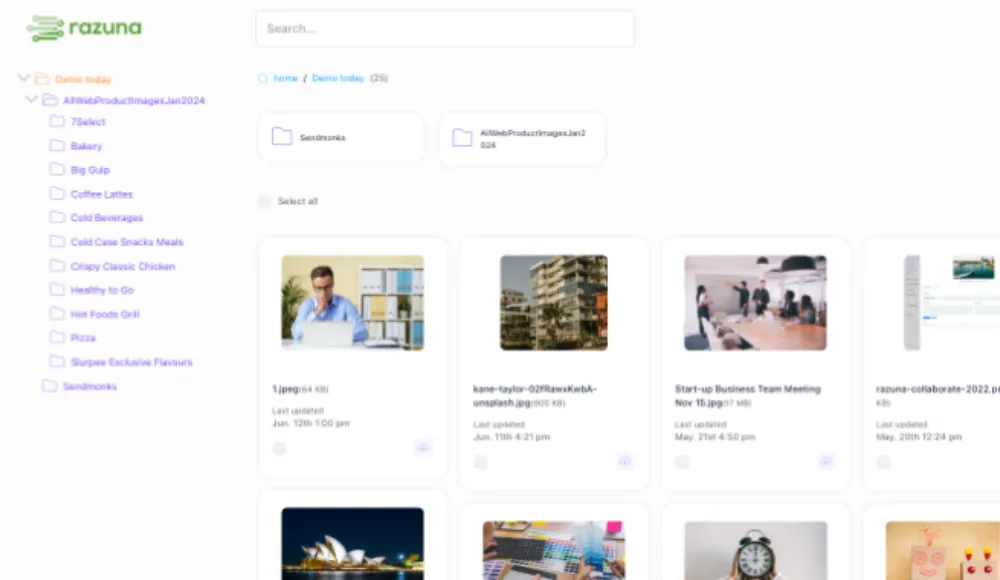
Razuna organizes these assets with metadata, custom fields, tags, collections, and permissions. AI-powered discovery makes files easier to find later, even when a folder structure starts to get messy.
If you are comparing tools for file organization software, the biggest difference is whether the platform helps you manage files after upload, not just move them around.
What makes the best file sharing site for business?
The best file sharing site for business is not the one with the fewest clicks. It is the one that helps teams share files safely, keep them organized, and avoid repeat work.
Quick checklist
A strong business file sharing site should offer:
- secure external sharing
- name and email capture for uploads
- permission controls
- support for large file batches
- searchable metadata
- version control
- auditability
- collaboration across teams
Razuna addresses these needs by combining secure links with governed asset management. That means your team can collect files from outside contributors, then review and organize them in the same system you use for ongoing work.
Best Brandfolder alternatives and Bynder competitors
If you are comparing DAM tools, you may also be looking for Brandfolder alternatives or Bynder competitors. The right alternative depends on how much control you need, how your team collaborates, and whether you want pricing that scales with storage rather than seats.
| Tool type | Best for | Main tradeoff | Razuna fit |
|---|---|---|---|
| Generic file-sharing tool | Simple file transfer | Weak governance and limited DAM structure | Better for teams that need file control and search |
| Enterprise DAM platform | Complex brand operations | Often higher cost and more setup | Razuna is lighter to adopt |
| Brand asset management system | Central brand control | May be less flexible for broader file types | Razuna handles both brand and media files |
| Document-first platform | Internal document workflows | Less useful for creative and media assets | Razuna supports documents plus richer asset management |
For teams asking about brand asset management or brand management solutions, Razuna is a strong fit when you want one platform for brand control, collaboration, and searchable storage.
Is Razuna a document management tool?
Razuna is not just for media or brand files. It is also useful for document management when your priority is keeping files organized, searchable, and permissioned.
It works well for documents because you can:
- store files in a central library
- tag them with custom metadata
- search by labels, keywords, and descriptions
- control access with permissions
- keep versions aligned across teams
So if you are coming from document-centric terminology, Razuna can still help. It is especially useful when documents sit alongside images, videos, and other asset types in the same workflow.
How upload links fit into a bigger workflow
Upload links are most useful when they are part of a wider intake and review process.
A common workflow looks like this:
- a client submits raw assets through an upload link
- Razuna captures the sender's name and email
- files are stored in the right workspace
- your team reviews them asynchronously
- approved files are tagged, organized, and shared onward
- version control keeps the final asset clear
That makes upload links more than a convenience feature. They become a controlled entry point into your file system.
If you are comparing this to a generic file sharing website, the difference is that Razuna does not stop at delivery. It helps you manage what happens after delivery, which is where most teams lose time.
Related file and brand workflows
If your use case stretches beyond upload links, these pages may help:
- What is DAM software?
- What is a digital asset management tool?
- Top brand management solutions
- Slogan vs. motto: what is the difference
- The benefits of cloud digital asset management
Frequently Asked Questions
What is a good file sharing site?
A good file sharing site gives you more than storage and a link. It should support secure sharing, permissions, searchable files, and collaboration. Razuna is built for business teams that want controlled file sharing plus DAM-style organization, so files stay useful after they are uploaded.
Is Razuna a file sharing website or document sharing platform?
Razuna is a secure DAM platform that also supports file sharing and document sharing workflows. It is designed for teams that need a governed library for brand, media, and document files, not just a simple upload-and-send tool.
Is Razuna also useful for document management?
Yes. Razuna helps teams organize and search documents with metadata, custom fields, and permissions. It is a good fit when documents are part of a broader asset library that also includes images, video, and other content.
What is media asset management?
Media asset management is the process of organizing, storing, searching, and distributing media files. It usually focuses on images, video, and related creative content. Razuna supports this use case while also covering broader digital asset management needs.
How do upload links work in Razuna?
You create an upload link, share it externally, collect the sender's name and email, and let them upload up to 500 files. The files are then processed asynchronously so your team can review and manage them inside Razuna.
Ready to collect files in one controlled place?
If your current process depends on email attachments, shared drives, or scattered transfer tools, upload links can make intake much cleaner. Razuna gives you a secure way to receive files, organize them, and keep them connected to the rest of your asset workflow.
Start with a free account and see how upload links, permissions, and searchable asset management work together.
For more on collecting and delivering files, see New in Razuna: Upload links and New in Razuna: Collections & sharing of individual files.
Explore secure file sharing with Razuna to see how these practices fit your team’s workflow.