Digital File Organization Software for Teams: How Razuna Helps You Organize Files
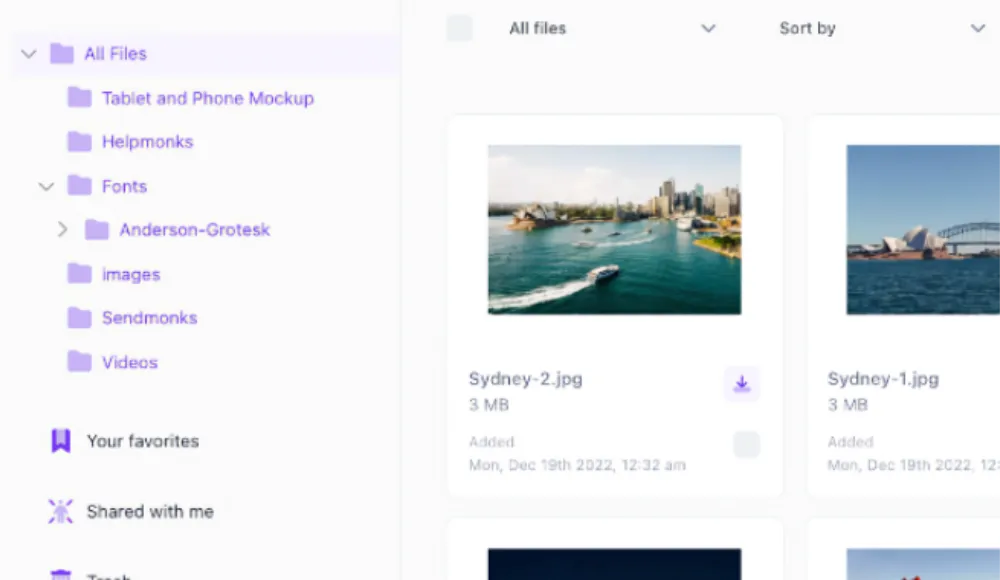
If your team is still digging through shared drives, email threads, and random folders, the problem is not storage. It is organization.
Digital file organization software gives teams one place to structure files, tag them, search them, and keep them usable over time. For marketing teams, brand teams, and cross-functional groups, that matters because the same file often needs to be found, reused, approved, and shared by different people without creating duplicates or version confusion.
Razuna is built for that kind of work. It turns scattered brand, media, and document files into a governed library with folders, tags, workspaces, version control, permissions, secure links, and fast search. If you need more than a simple transfer tool, Razuna gives you a way to organize files across teams without adding enterprise complexity.
What is digital file organization software?
Digital file organization software helps you store, sort, label, and retrieve digital files in a structured way. Instead of relying on loose folder naming or personal desktop habits, the software gives your team shared rules for how files are grouped and found.
For business teams, that usually means a mix of folder structure, metadata, tags, search, permissions, and version tracking. The goal is not just to keep files in one place. It is to make files easy to locate and safe to reuse.
This is different from basic cloud storage or one-off file sharing. A good file organization system supports ongoing work, not just one-time uploads. It helps you keep track of what a file is, who can access it, which version is current, and where it belongs in a larger workflow.
Why teams need better file organization
File sprawl creates small problems that quickly become big ones:
- People upload the same asset in multiple places
- Old versions get used after a campaign changes
- Teams waste time asking where something lives
- Approved files are hard to separate from drafts
- Documents and media lose context when they are detached from the workflow
That gets worse as teams grow. Marketing, sales, creative, and operations all need the same files for different reasons, but they do not always organize them the same way.
Razuna helps reduce that friction by giving teams a shared system for structure and retrieval. You can store files in workspaces, add metadata, use labels and tags, control access, and search across the library instead of chasing files across drives and inboxes.
Organize files with folders, tags, and workspaces
A strong digital file organization system usually starts with three layers: folders, tags, and workspaces. Razuna supports all three, so teams can organize by both structure and context.
Folders for clear hierarchy
Folders are useful when your team needs a predictable path for storage. They work well for departments, campaigns, clients, regions, or project stages.
Razuna supports folder tree retrieval, which makes it easier to keep nested structures usable over time. That is helpful when a team manages large libraries and needs to preserve the original file structure instead of flattening everything into one long list.
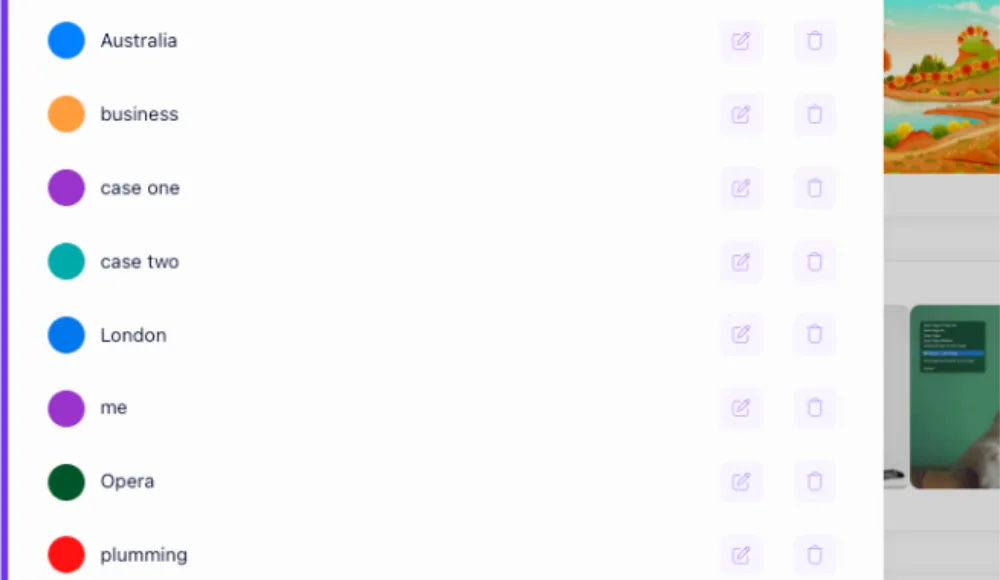
Tags for flexible discovery
Folders alone are not enough when the same file belongs to multiple categories. That is where tags help.
Razuna supports tagging so teams can group files by topic, use case, format, campaign, or status without moving them out of their main location. Tag copying also helps when teams want to apply the same organization logic to related assets instead of rebuilding it manually each time.
Workspaces for team-level organization
Workspaces are useful when different teams need different areas of the library. For example, marketing may need one workspace for campaign assets, while legal or operations uses another for documents and controlled resources.
That structure helps keep content organized without hiding it from the people who need it. It also supports cleaner permissions, so users only see the files relevant to their role.
What makes good file organization software?
If you are comparing tools, look for more than upload and download features. A good file organization platform should help you manage files throughout their full lifecycle.
1. Search that understands your library
Search should work across file names, metadata, descriptions, labels, and tags. Razuna indexes metadata and supports AI-powered discovery, so teams can find assets faster without remembering exact file names.
2. Metadata and custom fields
Metadata is what makes files searchable at scale. Without it, a growing library becomes harder to use every month.
Razuna supports automatic metadata and custom fields, which helps teams add consistent context to assets. That makes it easier to sort, filter, and locate files later, especially when the library includes images, videos, and documents.
3. Version control
When teams update a file, they need to know which version is current. Version control helps avoid the common mistake of using an outdated logo, brochure, or presentation.
Razuna gives teams version control so files stay organized as they change. That is especially useful for brand assets and documents that move through review cycles.
4. Permissions and secure sharing
Not every file should be available to every user. A file organization tool should let you control access, share securely, and keep an audit trail.
Razuna includes permissions, secure links, and audit trails, which makes it easier to manage files across teams without losing oversight.
5. Collaboration built into the library
If teams need to approve, comment on, or review assets, file organization should support that workflow directly.
Razuna combines organization with collaboration, so users can work from the same source of truth instead of sending files around in separate tools.
Razuna for digital file organization
Razuna is more than a place to store files. It is a governed library for teams that need structure, search, and control across brand, marketing, media, and document files.
Here is where it stands out for file organization:
- Folders and folder tree retrieval: preserve nested structures and keep large libraries manageable
- Tags and tag copying: reuse organization patterns across related files
- Workspaces: separate content by team, client, or project
- Metadata and custom fields: add the context that makes files searchable later
- AI-powered discovery: find files faster across a growing library
- Version control: keep current and approved files easy to identify
- Permissions and secure links: share files safely with the right people
- Audit trails: track file activity for governance and accountability
For teams that do not want a heavy enterprise platform, that combination matters. You get DAM-level organization without the overhead of per-seat pricing or overly complex setup.
File organization software vs. file sharing tools
A file sharing tool helps move files from one person to another. Digital file organization software helps you manage files after they arrive.
That difference matters when your team needs to do more than transfer a document. If people are collaborating on assets, updating files, reusing approved content, or managing a growing library, a transfer tool will eventually become a bottleneck.
Razuna is built for the second job. It helps teams organize files so they are easy to find, share, and control across the full workflow.
What is a good file sharing site?
A good file sharing site is one that lets people upload, access, and distribute files securely with the controls a business team actually needs.
For business use, the basics should include:
- access control
- large file support
- version handling
- collaboration features
- secure links
- clear visibility into who can see what
If your team shares files only once in a while, a simple transfer service may be enough. If you share files as part of ongoing work, you need more structure. Razuna gives teams that structure while still making sharing simple.
What is document management?
Document management is the process of storing, organizing, tracking, and retrieving business documents. It focuses on keeping documents controlled over time so people can find the right version, manage access, and use the right file in the right context.
While file sharing moves files between people, document management focuses on document versions, access, and retrieval across the organization. That is why it is commonly used for contracts, policies, onboarding documents, compliance files, and internal records.
Document management is related to file organization, but it is not the same thing. A file organizer helps you arrange digital content broadly. Document management is more specific to controlled business documents. Razuna supports both use cases by giving teams a central library with permissions, search, version control, and metadata.
Document management vs. digital asset management vs. file sharing
Here is the simplest way to separate the three:
| Category | Primary purpose | Best for |
|---|---|---|
| Document management | Control, track, and retrieve business documents | Contracts, policies, onboarding files, internal records |
| Digital asset management | Organize and distribute media and brand assets | Images, videos, brand files, campaign assets |
| File sharing | Send files from one person to another | Quick transfers, external delivery, one-time sharing |
The overlap is real, but the intent is different. A business can use all three, yet still need one platform to keep everything organized.
Razuna is strongest when teams need organization across documents, media, and branded content in one system.
Media asset management vs. digital asset management
Media asset management and digital asset management are closely related, but they are not identical.
| Category | Focus | Typical use case |
|---|---|---|
| Media asset management | Managing video, audio, and rich media workflows | Production teams, media libraries, broadcast content |
| Digital asset management | Managing brand and digital files across teams | Marketing, brand, sales, operations, and creative teams |
Media asset management is often centered on media-heavy workflows. Digital asset management is broader and usually includes images, videos, documents, brand files, and related content.
Razuna supports both kinds of needs, which is useful for teams that work across image, video, and document workflows and want one organized library instead of separate systems.
File organization software for brand and marketing teams
Brand teams do not just need storage. They need consistency.
That is why file organization software is especially useful for brand asset management. A marketing team may be handling logos, campaign visuals, templates, slogans, guidelines, and approved documents at the same time. Without a clear structure, the team can lose track of what is current and what is just a draft.
Razuna helps teams organize brand files with folders, tags, workspaces, version control, and permissions. That makes it easier to keep brand assets consistent across channels and easier to hand files off between designers, marketers, and approvers.
If you are already creating brand-related content, these resources may help:
- What is brand marketing?
- What does a brand manager do?
- What is brand equity?
- Slogan vs. motto: what is the difference?
When file organization software is a better fit than shared drives
Shared drives are fine until the library gets big enough that people stop trusting the folder structure.
File organization software is a better fit when you need:
- shared rules for naming and tagging
- fast search across mixed file types
- version control for changing assets
- controlled access for different teams
- secure sharing outside the organization
- a system that works for both media and documents
If your team is asking who changed a file, where the latest version is, or why the same asset exists in five places, the library has outgrown basic storage.
Frequently Asked Questions
What is file organization software?
File organization software is a system that helps teams store, sort, label, search, and manage digital files in one place. It usually includes folders, tags, metadata, permissions, and version control so people can find files quickly and keep them organized as the library grows.
What is digital file organization software used for?
Digital file organization software is used to keep business files structured and searchable. Teams use it to manage documents, images, videos, brand assets, and other content without losing track of versions or access rights.
Is Razuna a file organization tool?
Yes. Razuna helps teams organize files with folders, tags, workspaces, metadata, custom fields, and search. It also adds collaboration, permissions, secure sharing, and version control, which makes it useful for teams that need more than basic storage.
What is the difference between file sharing and file organization?
File sharing sends files from one person to another. File organization keeps those files structured, searchable, and controlled over time. A business may use file sharing for quick delivery, but it needs file organization software to manage files at scale.
Can one platform handle documents, brand assets, and media files?
Yes. That is one of the main reasons teams choose Razuna. It gives you one governed library for brand, marketing, media, and document files, so you can organize different asset types without splitting them across separate tools.
The bottom line
If your team is still relying on scattered folders and one-off sharing tools, you probably do not have a file problem. You have an organization problem.
Digital file organization software solves that by giving teams structure, search, permissions, and workflow control in one place. Razuna is built for teams that need to keep files easy to find, easy to share, and easy to govern without adding unnecessary complexity.
If you want a cleaner way to manage digital files across the team, Razuna is a practical place to start.
For practical ways to organize and find assets, see Organizing Digital Media Assets: 9 Practical Strategies and Metadata Debt in DAM: Why Marketing Teams Keep Losing Assets They Already Own.
Explore Razuna features to see how these practices fit your team’s workflow.