Media asset management software
Organize footage, photos, and audio in one searchable media library. Preview files, find assets with metadata and AI search, and share versions for review. Compare plans for advanced video and audio AI.
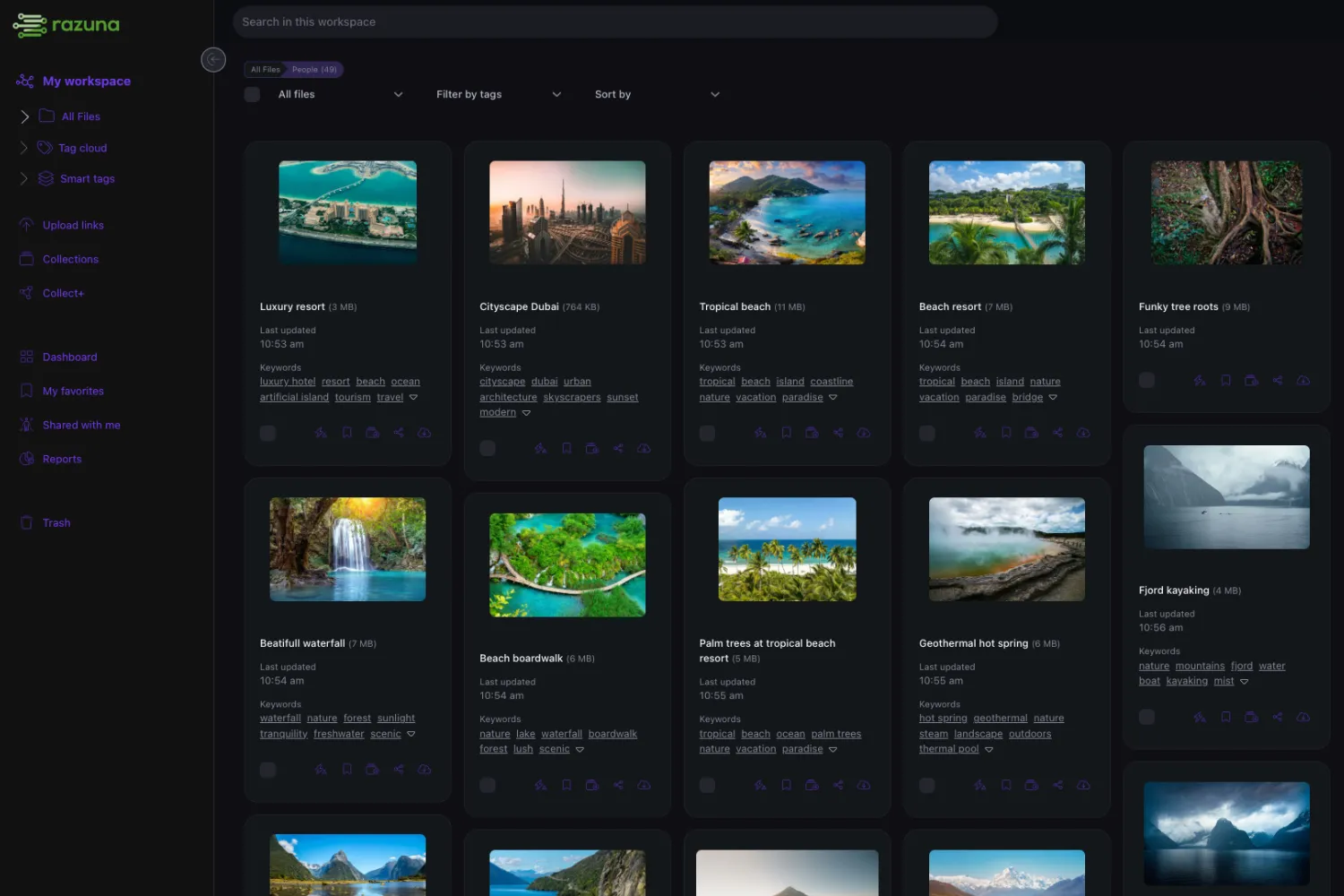
Media asset management that keeps up with your content
Video files piling up on hard drives. Audio tracks scattered across cloud folders. Images lost in email threads. Sound familiar? Razuna's media asset management system brings all your rich media together in one searchable, intelligent platform.
Store video, audio, images, and creative files with AI that automatically analyzes content — detecting scenes, transcribing speech, recognizing faces, and identifying objects. Try Razuna free and see why production teams, agencies, and content creators trust us to manage their most valuable media assets.
What is media asset management?
Media asset management focuses on rich media workflows: video, audio, images, production files, campaign creative, and large-format content. A MAM system needs more than storage because media teams need previews, thumbnails, metadata, search, versioning, review, secure transfer, and distribution support. Razuna provides DAM and MAM capabilities in one platform, including AI-assisted tagging, semantic search, preview generation, audio and video intelligence, collections, secure links, and storage-based pricing. This is useful for agencies, production teams, marketers, corporate communications, education, sports, and ecommerce teams that manage large libraries of visual content. Instead of searching through hard drives or guessing filenames, users can find media by metadata, transcript text, visual meaning, project context, or approval status. Razuna helps media-heavy teams move faster while keeping client review, sharing, and governance in the same system for daily production work worldwide.
Jump to:
What is media asset management?
Media asset management (MAM) is the practice of storing, organizing, finding, and distributing rich media files — video, audio, images, and multimedia content — through specialized software. MAM systems are built for the unique demands of media-heavy workflows: large file sizes, preview generation, transcoding, frame-level search, and high-speed transfer.
While any file manager can store a video file, a MAM platform like Razuna goes further — generating previews and thumbnails automatically, transcribing speech within videos, detecting scenes, recognizing faces, and helping teams search analyzed media. Advanced video and audio capabilities depend on the plan.
MAM vs. DAM — what's the difference?
DAM (Digital Asset Management) is the broader category. MAM is a specialized subset focused on rich media:
- DAM covers all digital assets — documents, images, creative files, brand materials.
- MAM focuses on video, audio, and multimedia — with features like video preview, transcoding, speech-to-text, and frame-level annotation.
Razuna does both. It serves as a complete DAM platform with deep MAM capabilities: AI-powered video analysis, automatic transcription, format conversion, and large-file transfer optimization.
The problems MAM solves
- Lost footage: video files spread across drives, cloud services, and external storage with no central index.
- Slow discovery: searching for a specific clip means watching hours of footage or guessing file names.
- Version confusion: multiple cuts, edits, and exports with no clear "current" version.
- Transfer bottleneck: sending large video files via email or consumer file-sharing tools.
- Format chaos: needing different formats and resolutions for broadcast, web, mobile, and social platforms.
- Review friction: getting client or stakeholder feedback requires downloading large files or attending playback sessions.
Key features: AI search, previews, transcoding, collaboration
1) AI-powered video and audio analysis
Razuna's AI analyzes video and audio content automatically — scene detection to identify key moments, speech transcription for searchable dialogue, facial recognition to find people across your library, and object detection in images and video frames.
2) Automatic previews and thumbnails
Razuna generates previews for supported video, image, and document formats. Review footage directly in the browser without downloading massive files. Thumbnails make visual browsing fast.
3) Format conversion and transcoding
Different platforms need different formats. Razuna handles transcoding automatically — create web-optimized MP4, broadcast-ready formats, mobile-friendly sizes, and social media variants without separate editing software.
4) Time-stamped collaboration
Team members and clients can add comments at specific timestamps on video content. Review, approve, or request changes with precise frame-level feedback — no more vague notes about "that part near the middle."
5) Fast transfer for large files
Razuna's Fast-Transfer technology optimizes upload speeds for large media files. Upload 4K, 8K, and RAW footage efficiently, even on standard internet connections.
How Razuna supports media asset management
Purpose-built for teams that create, manage, and distribute video, audio, and image content at scale.

AI-powered media intelligence
Razuna analyzes your media automatically: scene detection in video, speech transcription, facial recognition, object detection, and color analysis. Find the exact shot you need by describing it.
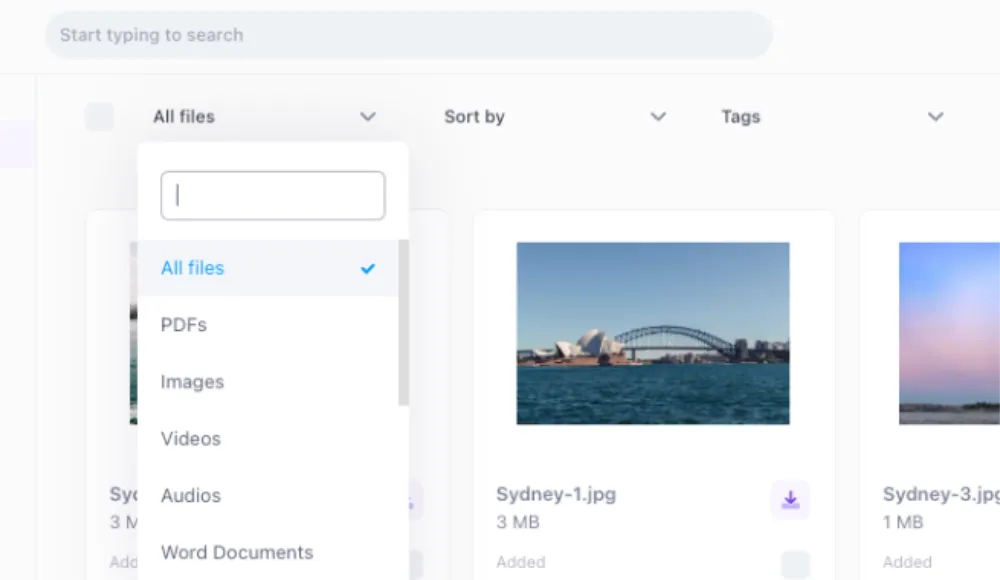
Browser previews for supported formats
Preview video, audio, images, and documents directly in the browser. No downloads needed. Test your production formats and resolutions to confirm preview and conversion support.
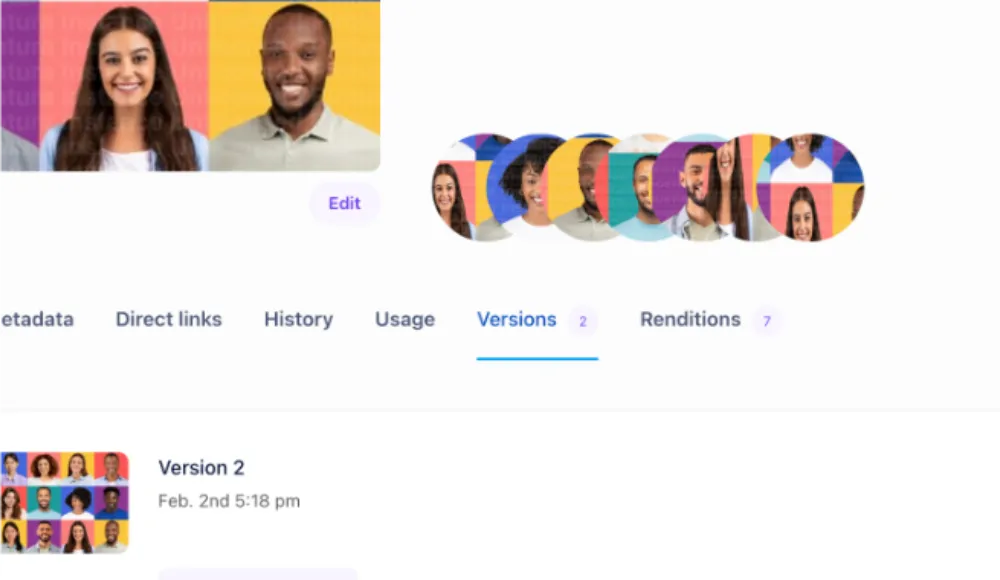
Automatic format conversion
Generate web, broadcast, mobile, and social variants automatically. Razuna handles transcoding so you deliver the right format to every channel.
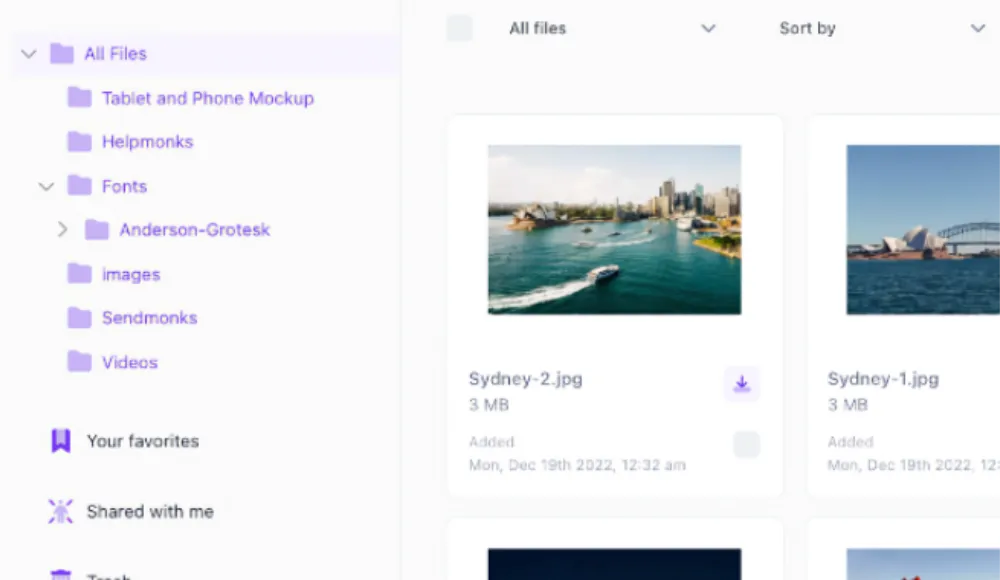
Unlimited users on paid plans
Invite editors, producers, clients, and partners with unlimited users on paid plans. The free plan supports up to 5 users.
Organize, discover, and distribute media assets
Tools for the full media lifecycle — from ingest and review to distribution and archival.
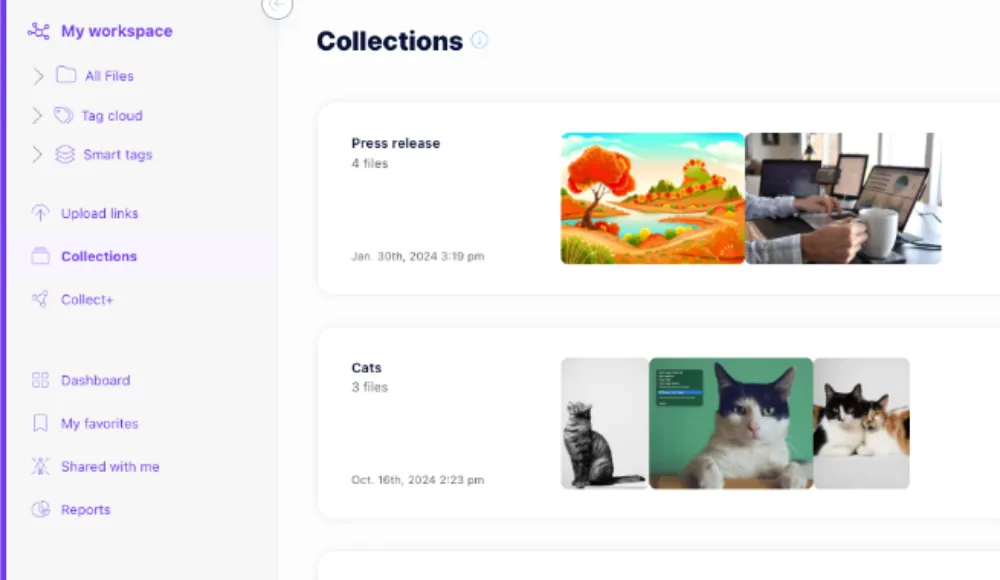
Collections and smart folders
Group media by project, campaign, client, or season. Smart folders auto-populate based on metadata, tags, or AI-detected content — keeping media organized as your library grows.
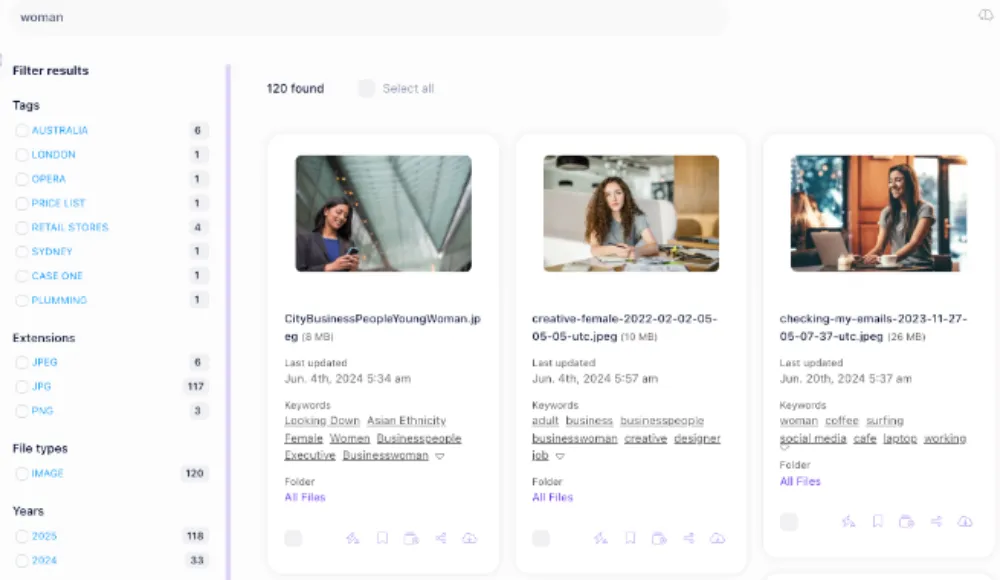
Advanced search and filtering
Search by content description, transcript text, detected faces, metadata fields, or file properties. Combine filters — find all approved 4K video clips from Q1 containing the CEO.

Secure sharing and client review
Share media with password-protected, expiring links. Clients can preview and add time-stamped comments in the browser — no account needed. Track views and approvals.

Enterprise security
Role-based access controls, sharing permissions, and audit trails help govern media access. Review Enterprise hosting options for dedicated infrastructure and specific compliance requirements.
Industry use cases
- Broadcast & Production: manage footage libraries, rushes, and final cuts with frame-level search and review.
- Marketing & Agencies: organize campaign assets, share creative for approval, and distribute to channels.
- Sports Organizations: index game footage, training video, and media for press and social distribution.
- Corporate Communications: store training videos, event recordings, executive messaging, and internal media.
- E-Learning: manage course videos, audio lectures, interactive content, and supplementary materials.
- Photography: organize shoots by project, auto-tag with AI, and deliver selects to clients via branded portals.
Pricing models and what to watch for
MAM pricing is notoriously complex — per seat, per storage, per encoding minute, per download, per workflow. Watch for:
- Per-seat pricing that penalizes team growth and limits external collaboration.
- Encoding/transcoding charges that add up fast with video-heavy workflows.
- Bandwidth or download fees for sharing and distributing assets.
- Feature gating that locks AI, search, or collaboration behind higher tiers.
Razuna's model: start free with 500 GB, 5 users, and 2 workspaces. Paid plans start at $99 per month with unlimited users and workspaces. Advanced video, audio, and AI capabilities vary by plan. See pricing.
How to evaluate MAM vendors
Test with your actual media files and real team members:
- Upload speed: try uploading a 10GB video file. How long? Is there a file size limit?
- Preview quality: can you review video in the browser at useful quality?
- AI accuracy: does auto-tagging, transcription, and scene detection actually help you find things?
- Search depth: can you find a clip by searching for dialogue or visual content?
- Client review: can an external reviewer add time-stamped feedback without an account?
- Format handling: upload your actual production formats — ProRes, RAW, MXF. Do they work?
- Total cost: calculate pricing for your team size and storage needs, including all extras.
Frequently Asked Questions About Media Asset Management
Looking for an alternative?
Ready to unfur your files?
500GB free. No credit card. Set up in 2 minutes.
