Moving from Frontify? Compare Razuna.
Plan your move to a DAM with published pricing, unlimited paid users, brand portals, and practical upload automation. Start with a representative library, then agree on the migration scope.
Start Free with 500 GB — No Credit CardPlanning a switch? Discuss your Frontify migration

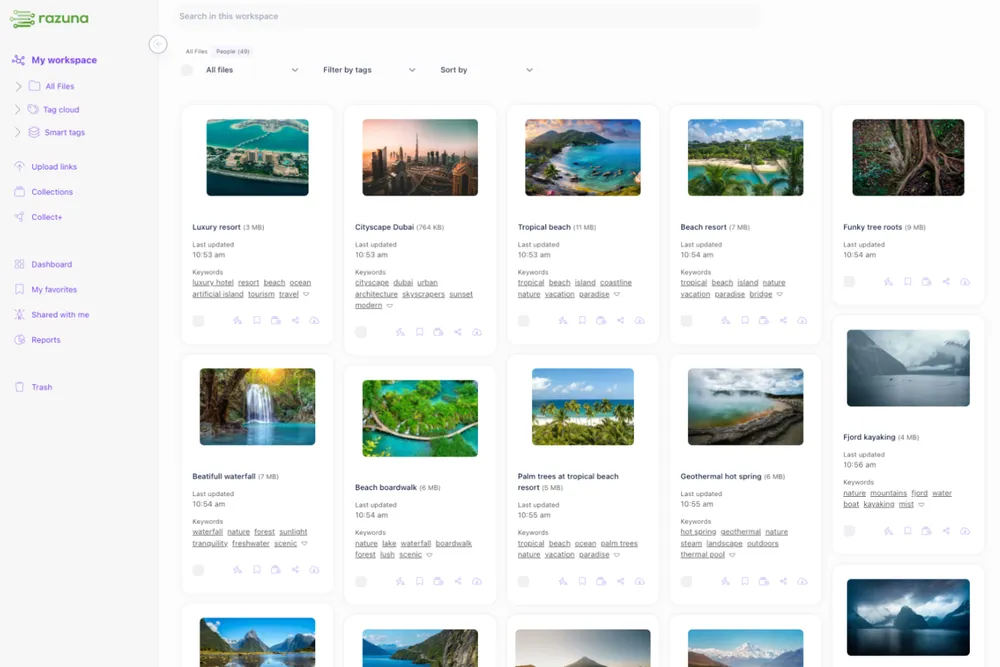

Is Razuna the right Frontify alternative for your team?
Choose Razuna when your everyday work centers on organizing, finding, and sharing digital assets, and you want to understand the price before speaking to sales. Both Razuna and Frontify offer brand portals. Frontify also provides brand guideline authoring and editable brand design templates, which Razuna does not. If those tools are central to your work, identify how you will replace them before moving your asset library. A successful switch starts with the workflows your team actually uses.
Switch with a plan for your files and your team
A Frontify replacement needs to work for the people uploading assets, maintaining metadata, and sharing approved material. Start by listing your essential tasks: finding the right image, distributing a campaign kit, preparing alternate file formats, and giving partners access. Then test those tasks in Razuna with real files, rather than judging either platform by a feature count.
Razuna combines workspaces, folders, labels, collections, and metadata so you can keep familiar organization while improving discovery. Paid plans add unlimited users and workspaces, letting you involve colleagues and external collaborators without a per-user fee. Advanced search starts on Unlimited; branded portals start on Unlimited+. Choose the plan that covers your actual workflow.
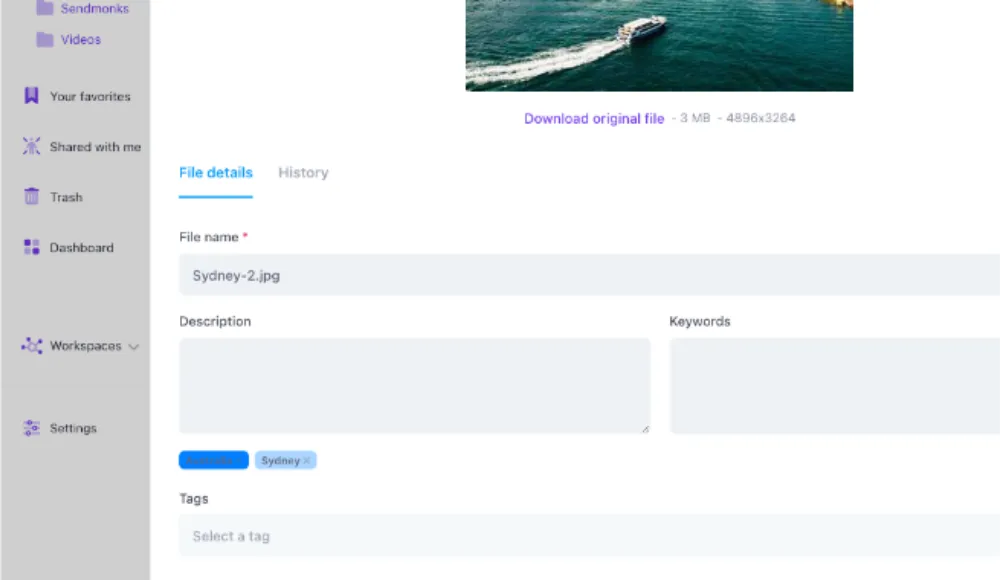
Keep your asset workflow organized
Frontify vs. Razuna: compare the work you need to do
| Workflow | Razuna | Frontify |
|---|---|---|
| Asset organization and discovery | Folders, workspaces, metadata, labels, and collections; advanced AI search on Unlimited and above. | DAM libraries, metadata, asset discovery, and connected brand resources. |
| Brand portals | Branded portals on Unlimited+ and Enterprise. | Brand portals connecting assets, guidelines, and templates; confirm your package. |
| Brand guideline authoring | Not available. Existing guideline documents can be stored as assets. | Online guideline pages built with content blocks. |
| Editable brand design templates | Not available. | Users customize approved designs while selected elements remain locked. |
| Upload automation templates | Rules for post-upload actions, including metadata and additional versions or renditions. | Review required ingestion and automation behavior with Frontify; design templates are a separate capability. |
| CSV import/export templates | Reusable configurations for importing and exporting asset data. | Library metadata CSV export is documented; confirm import and mapping requirements. |
| Downloads and metadata export | Asset downloads and metadata export support working with your files and data outside Razuna. | Bulk asset downloads and library metadata export support migration preparation. |
| Team pricing | Published plans with unlimited users on paid tiers. | Tailored quote based on monthly active users. |
Razuna’s upload templates and CSV templates solve operational tasks. They are not replacements for an editable flyer, social graphic, or brand-manual builder. Keeping that distinction clear helps you avoid discovering a missing workflow after switching.
Frontify pricing compared with Razuna
Compare a published plan with your actual Frontify quote, using the same storage and workflow requirements.
| Razuna | Frontify | |
|---|---|---|
| Pricing | ||
| Starting business price | Free / $99 per TB monthly | Custom quote |
| 15-user example | $99/mo with 1 TB | Request a quote for your active users and requirements |
| Billing model | Storage-based | Monthly active users (MAU), with six-month averaging |
| Free team plan | 500 GB, 5 users, 2 workspaces | No permanent free plan listed on the pricing page |
| Included storage | 500 GB free / 1 TB paid | Confirm in your tailored package |
Frontify publishes its MAU pricing model, but no fixed dollar price. Razuna’s 15-user example uses Unlimited with 1 TB; branded portals and content migration require Unlimited+ or Enterprise. Reviewed September 28, 2026.
Pick the Razuna plan that matches your replacement workflow
Free: 500 GB, five users, and two workspaces, with standard search and basic sharing. Use it to evaluate organization with your own files. Advanced AI search and branded portals are not part of this free evaluation.
Unlimited: $99/month includes 1 TB, unlimited users, workspaces, and collections, plus advanced image/document AI, semantic and similar-image search, versioning, custom fields, API, MCP, and CLI access. Additional storage costs $99 per TB per month. Video and audio AI are add-ons at this tier.
Unlimited+: $499/month includes 5 TB, branded portals and workspaces, advanced video/audio AI, and content migration. Review Frontify-specific migration scope with the team before committing. Enterprise offers custom infrastructure and other requirements by agreement. See the complete Razuna pricing and feature breakdown.
Frontify counts users who log in during a month, including external agencies and freelancers; people viewing without logging in do not count. Its six-month averaging smooths fluctuations. Compare your proposed package with the Razuna tier you need, rather than assuming a fixed cost per invited user or claiming savings without a quote.
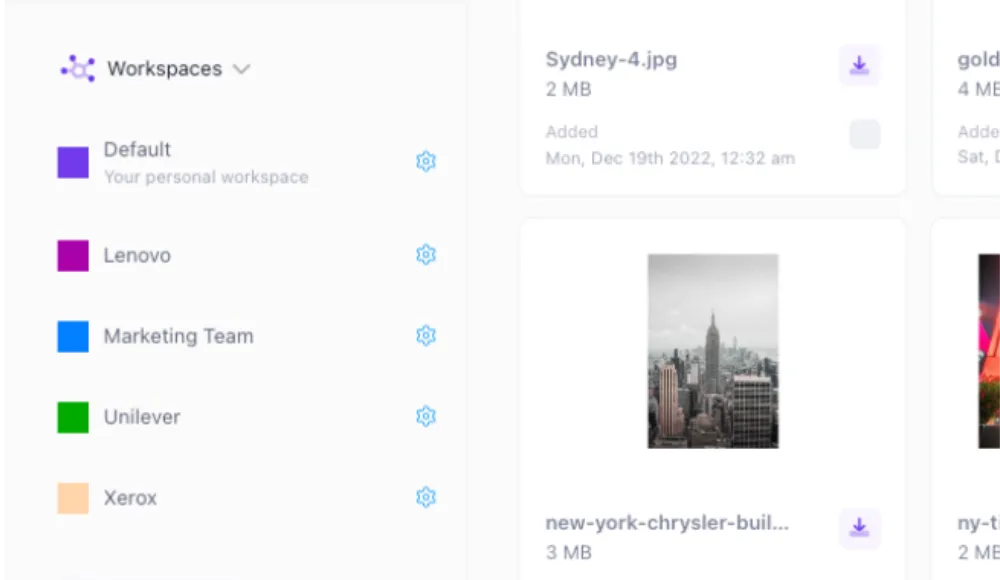
Share assets through your brand portal
Moving from Frontify: an export, mapping, and validation plan
- Inventory your library. Record asset counts, storage, file types, metadata fields, collaborators, and the portals or integrations your team uses. Identify whether brand guideline pages or editable design templates need a separate replacement.
- Prepare originals and metadata. Frontify documents bulk asset downloads and a library metadata export delivered as CSV. Check export permissions and download restrictions. Retain the originals and export files so you have a reference during validation.
- Review mappings with Razuna. Agree how folders, tags, descriptions, copyright data, and custom fields should be represented. Razuna’s CSV import/export templates provide reusable configurations; an exported CSV still needs review before it can be treated as a compatible import.
- Run a representative pilot. Include different formats, nested organization, special characters, and the fields your team relies on. Test search, downloads, sharing, and access with the appropriate Razuna plan. Discuss how to evaluate paid capabilities when needed.
- Validate before cutover. Compare counts, sample original files, check metadata, and test permissions with actual users. Review versions, public links, and integration dependencies separately. Keep Frontify available until the agreed checks pass.
Razuna has native import paths for OneDrive, S3-compatible storage, Dropbox, and Canto. This page does not offer a native Frontify importer. A Frontify migration requires reviewing available exports and agreeing supported mappings, service scope, costs, and timing. Do not assume versions, permissions, shared links, guideline pages, or design templates transfer automatically.
Discuss your Frontify migration with the Razuna team before scheduling the switch.
Questions about switching from Frontify to Razuna
About this comparison
Prepared by the Razuna team. Reviewed September 28, 2026. We sell Razuna; this comparison uses published product documentation and our own product capabilities. It is not a claim of hands-on testing of every Frontify feature. Confirm your selected package and migration scope with each vendor.
Sources: Frontify platform, Frontify pricing, brand design templates, guideline authoring, metadata export, and bulk downloads. Explore Razuna features, brand asset management, and plan details.
Looking for an alternative?
Ready to unfur your files?
500GB free. No credit card. Set up in 2 minutes.
