Secure File Sharing for Business
Move files fast without losing control: encryption, permissions, audit trails, and compliant hosting—plus workflows that keep teams productive and auditors happy.

Secure file sharing, explained (without compliance headaches)
What secure file sharing means — Secure file sharing protects files in transit and at rest while maintaining access controls, audit trails, and accountability.
Why teams outgrow send-a-link tools — One-off transfer tools are fine for occasional sends, but ongoing workflows need governance, versioning, and controlled access.
Why Razuna — Razuna combines a governed asset library (DAM) with secure sharing features: permissions, expiring links, portals, and audit trails.
What is secure file sharing for business?
Secure file sharing for business means more than sending a private link. It requires confidentiality, integrity, and accountability: only the right people can access files, recipients use the correct approved version, and administrators can see what happened later. Razuna supports secure sharing by combining a governed asset library with permissions, collections, expiring links, audit trails, private cloud options, and compliance-aligned hosting. This matters when teams share files with clients, agencies, vendors, partners, or regulated stakeholders. Basic transfer tools often solve the immediate send, but they do not create a lasting system of record. Razuna lets teams publish controlled portals and collections so external users can self-serve approved assets without exposing raw folders or stale versions. The result is faster file delivery with stronger evidence, fewer duplicate copies, and less risk from unmanaged sharing across business workflows.
Jump to:
What secure file sharing means (in the real world)
In a business context, secure file sharing means you can send files (internally or externally) while maintaining three things:
- Confidentiality: only the right people can access the file.
- Integrity: recipients know they're using the correct, approved version.
- Accountability: you can prove what happened (who accessed what, and when).
That last requirement — accountability — is what many "send a link" tools miss. Encryption is essential, but in audits and incident response, the critical question is often: What did users do with the file?
Why businesses outgrow basic file transfer
Basic file transfer tools are great for one-off sends. But as soon as you have ongoing workflows — client deliverables, regulated data, or brand-critical assets — teams run into predictable problems:
- Links don't expire: the file remains accessible long after it should have been revoked.
- Permissions are too broad: "anyone with the link" becomes the default under time pressure.
- No system of record: people copy files into email threads, shared drives, and chat apps.
- No audit trail: you can't confidently answer who accessed what.
- Shadow IT: employees use whatever is fastest, creating unmanaged risk.
This is why many teams adopt a governed library — a DAM system — even when the immediate pain is "file sharing."
Security controls that matter
Secure file sharing is a set of controls, not a single feature.
1) Encryption in transit and at rest
Encryption in transit (typically TLS) protects files as they move between users and servers. Encryption at rest protects files stored on disks and in backups. You need both.
2) Identity, authentication, and access controls
Good access control means:
- Role-based permissions (view, download, upload, edit, delete, share)
- Least-privilege defaults (start restrictive; expand intentionally)
- Access by workspace/folder/collection so teams don't need to duplicate files
3) Safe sharing links (with expiration)
Links are a productivity superpower — until they become permanent backdoors. Prefer shareable links that support:
- Expirations (time-bound access)
- Optional password protection
- Download controls (view-only for some audiences)
- Scoped access (share a collection of approved assets instead of a raw folder)
4) Logging, audit trails, and reporting
If you operate in regulated environments, logging is non-negotiable. Audit trails help you prove access during audits, investigate incidents quickly, detect risky patterns, and reduce uncertainty.
Compliance and auditability (HIPAA and beyond)
Compliance isn't a single checkbox. It's your ability to implement controls consistently and demonstrate them when asked.

HIPAA-aligned workflows
If your files include regulated content, you'll need encryption, access controls, and auditability — plus infrastructure alignment. See HIPAA-compliant hosting.
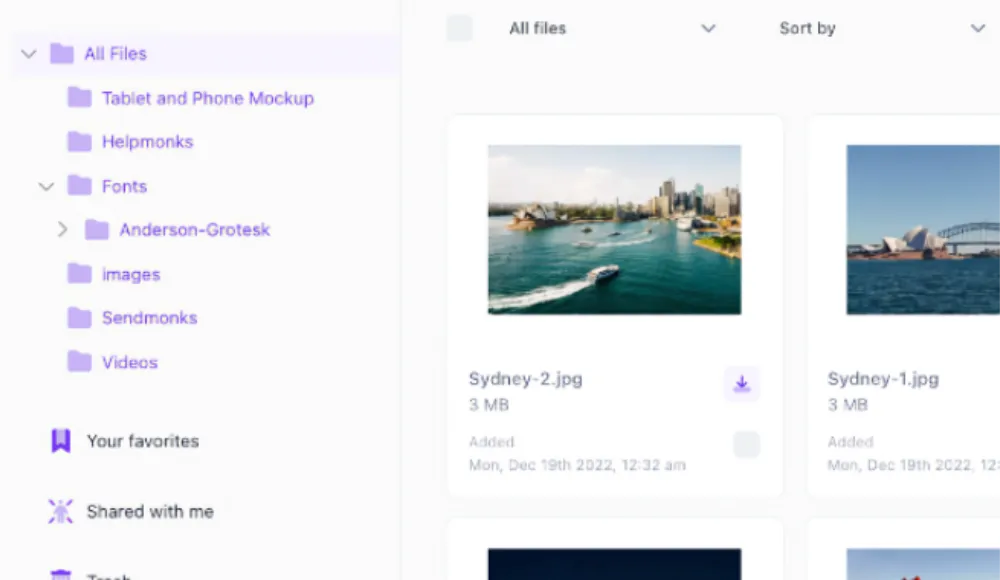
Private cloud servers
Some organizations need more control over infrastructure and data residency. Razuna offers private cloud deployments — see cloud DAM server.

Audit-ready controls
Audit trails, version history, and permissioned sharing help you answer 'who accessed what, and when?' — without rebuilding evidence from email threads.
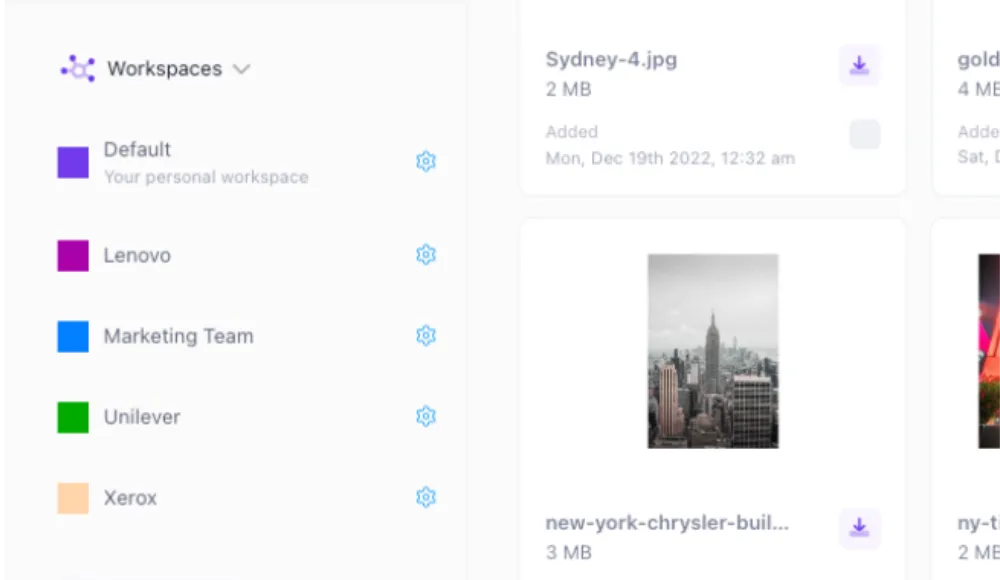
Security posture and governance
Governance is where tools succeed or fail: roles, least privilege, controlled sharing links, and review processes.
Workflows that stay secure (and still move fast)
Secure file sharing isn't only a security problem — it's a productivity problem.
Internal sharing: teams and departments
Map access to how work actually happens: marketing, product, legal, sales, customer success, agencies/contractors. Create roles so teams can collaborate without granting broad admin access.
External sharing: clients, partners, vendors
External sharing is where most accidental exposure happens. Instead of emailing attachments, use a controlled portal/collection that contains only approved assets, and publish it with expiring links.
Approvals, versioning, and "approved for use"
When you share customer-facing or regulated content, you need a clear answer to: which version is approved? A governed library with version history helps prevent "final_final_v7" chaos.
Collecting files safely
Secure sharing includes secure receiving. When partners send you files, you want them entering a controlled workflow: who uploaded it, where it lives, and how it's reviewed.
A practical rollout (week one)
You don't need a multi-quarter security program. In week one, focus on the workflow that creates the most exposure — usually external sharing:
- Pick one high-stakes workflow (client deliverables, partner portal, regulated file sharing).
- Define roles (uploader/editor, reviewer/approver, viewer) and set least-privilege defaults.
- Publish a controlled collection/portal of approved assets instead of sharing raw folders.
- Use expiring links by default; add passwords for sensitive shares.
- Turn on logging/auditability and define who reviews it.
- Document the "right way" in one page and link to it in onboarding.
- Iterate: tighten permissions where oversharing happens.
How Razuna supports secure file sharing for business
Razuna is a governed library built for sharing. That means you get the convenience of links and portals, plus the controls teams need when files are sensitive, regulated, or brand-critical.
- Permissions and roles: define who can view, download, edit, share, or administer.
- Safe sharing: share links and collections so external stakeholders can self-serve approved assets.
- Auditability: track activity to support incident response and audits.
- Private cloud options: choose deployments that align with your infrastructure needs.
- Compliance-aligned hosting: HIPAA-compliant hosting for stricter safeguards.
- Unlimited users: adoption stays frictionless — see pricing.
Frequently Asked Questions About Secure File Sharing for Business
Ready to unfur your files?
500GB free. No credit card. Set up in 2 minutes.
