Shopify DAM App for Commerce Teams
Find approved product images, campaign media, and brand files in Razuna, then use them in Shopify without rebuilding your media library.
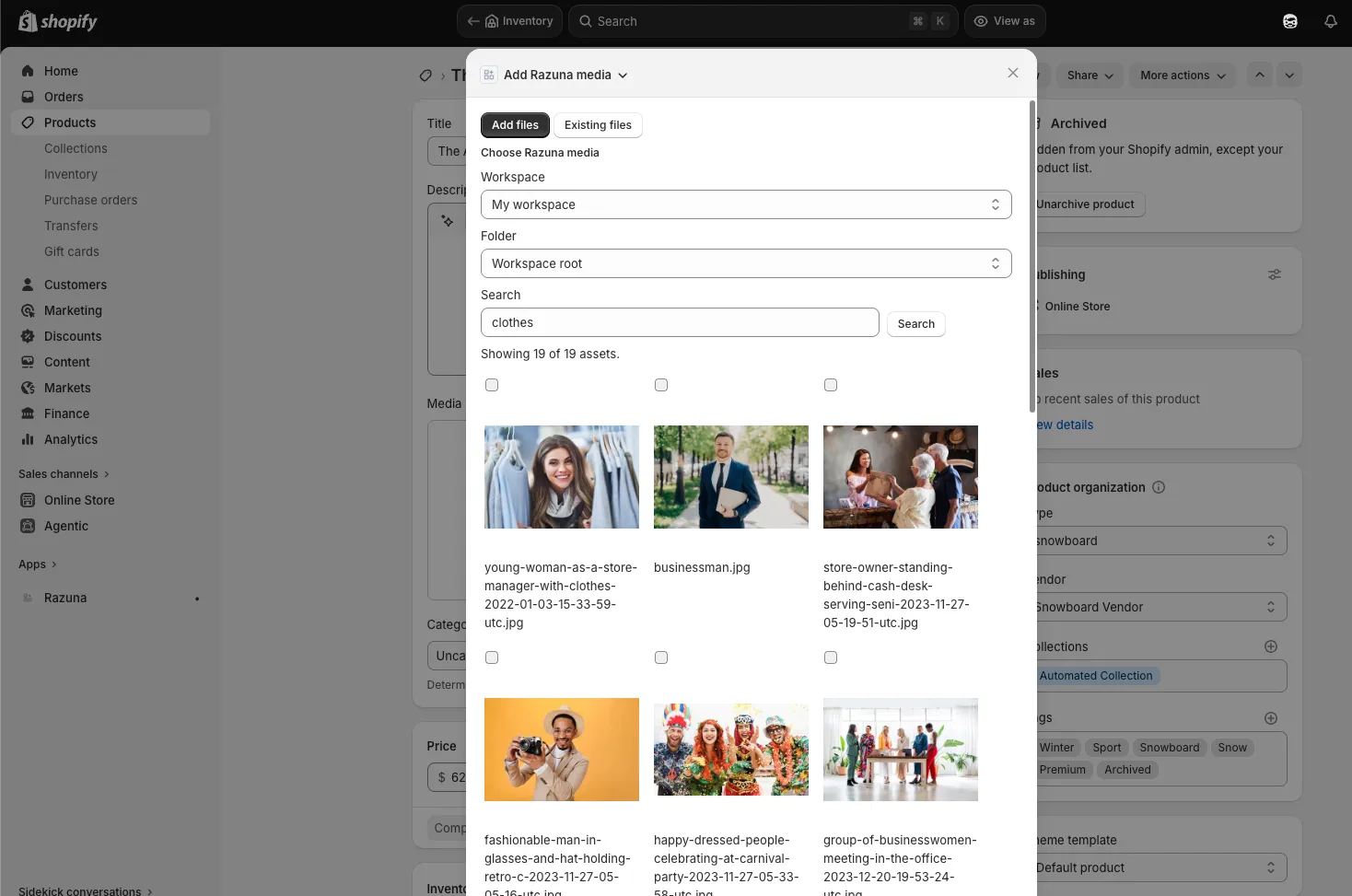
Connect Shopify to governed product media
The Razuna Shopify DAM app helps commerce teams use approved product images, videos, campaign assets, and brand files without copying every file into the Shopify media library.
Merchandising, marketing, and content teams can search Razuna from Shopify, choose the right asset, and publish with the same permissions, folders, metadata, and governance already managed in Razuna.
Shopify App Store publishing is in progress. Contact Razuna for deployment or a demo →
What you can do

Find approved product media
Search your Razuna workspace from Shopify by filename, tags, folders, metadata, or asset type so teams use the right product images and campaign files.

Use assets in Shopify
Choose assets for product pages, collection pages, landing pages, and commerce content without downloading files and re-uploading duplicate copies.

Support multi-store reuse
Keep one governed source asset in Razuna while teams reuse approved media across Shopify stores, regional storefronts, campaigns, and seasonal launches.

Keep governance in Razuna
Permissions, workspace access, folders, metadata, and file governance stay in Razuna. Shopify gets a focused media workflow without becoming the DAM.
How it works
- Request deployment: Contact Razuna while Shopify App Store publishing is in progress.
- Connect Razuna: Sign in with your Razuna server URL and authorize access to your workspace.
- Pick approved media: Search or browse Razuna from Shopify to find product images, campaign assets, and brand files.
- Publish in Shopify: Use approved assets in your store while the source files remain governed in Razuna.
Shopify DAM app FAQ
Do I need a Razuna account?
Yes. The app connects Shopify to your Razuna workspace so commerce teams can find and use files they are allowed to access.
Does it replace the Shopify media library?
No. It adds a DAM-backed asset workflow for Razuna files. Shopify can still use its normal media library when you need it.
Is it available in the Shopify App Store?
Shopify App Store publishing is in progress. Contact Razuna for deployment help or a demo.
Can it support multiple Shopify stores?
Yes. Commerce teams can use Razuna as the governed source for approved assets across stores, campaigns, and regional storefronts.
Can I use my own Razuna server?
Yes. Use the Razuna cloud URL for your region or your dedicated Razuna server URL.
How is access controlled?
Access follows your Razuna account and workspace permissions. Shopify users only see assets available to their connected Razuna user.
Ready to unfur your files?
500GB free. No credit card. Set up in 2 minutes.
