
New in Razuna: Discover the Content Hidden Inside Your PDFs
Razuna now analyzes text, images, artwork, and scanned pages inside documents—adding AI classification so more of your existing content becomes discoverable.
Manage all your digital assets in one place with Razuna's feature-rich DAM platform—AI-powered search, versioning, approvals, and more, without the complexity of traditional enterprise systems.
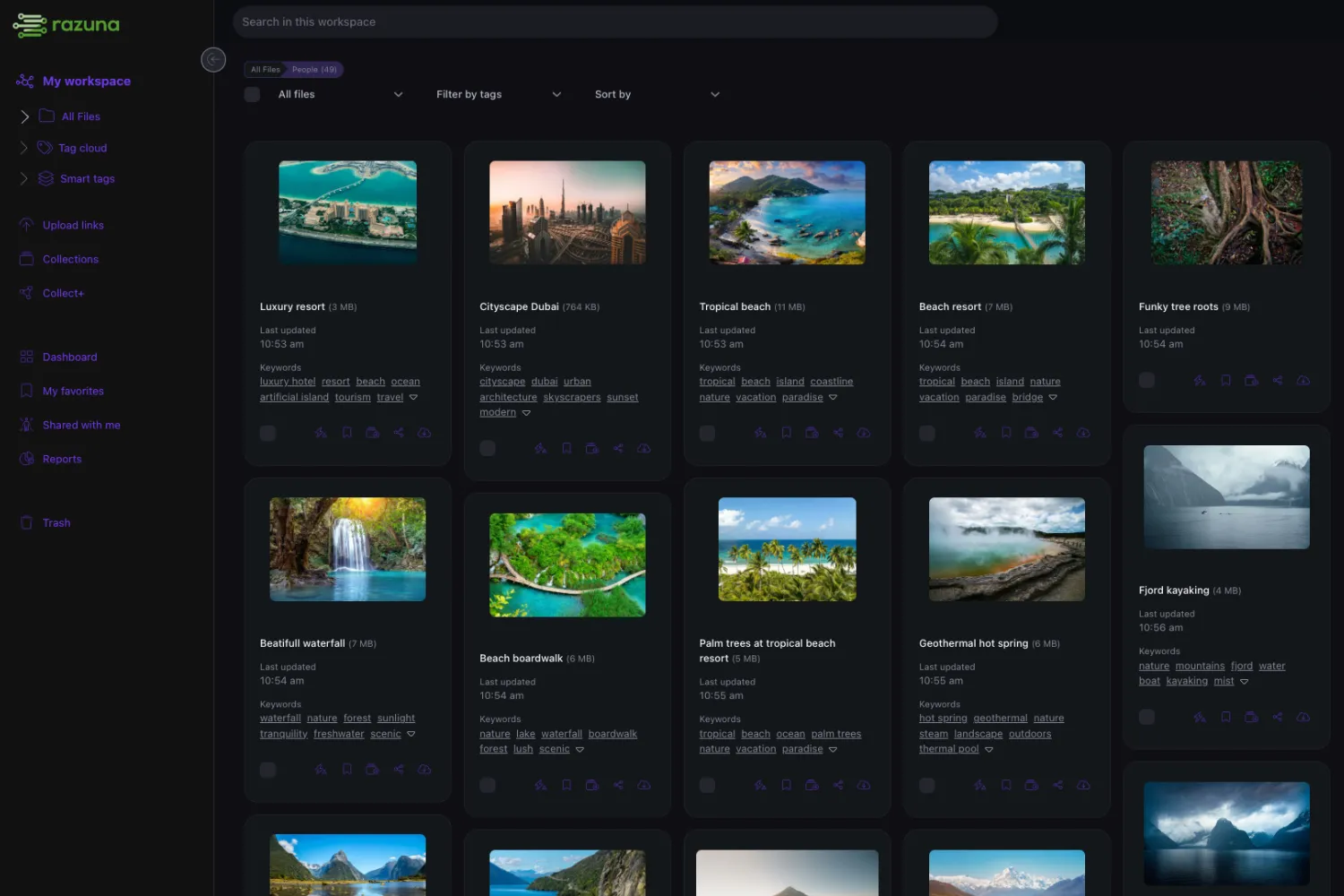
Razuna's core product combines the capabilities teams usually split across cloud storage, file transfer tools, brand portals, and media libraries. Teams can upload assets, enrich them with custom fields and tags, use AI-generated metadata, search by keywords or meaning, manage versions, create collections, and share approved files through controlled links. The system supports image, video, audio, document, and design workflows, with previews and metadata designed for repeated operational use rather than simple storage. Razuna is especially useful when teams need fast discovery, consistent brand usage, secure external sharing, and fewer manual file requests. Its pricing model also matters: by avoiding per-seat costs on paid plans, Razuna encourages companies to include sales, partners, contractors, clients, and agencies instead of rationing access. That makes the asset library more likely to become the working source of truth.


With Razuna, you can instantly find any file, no matter what folder the files are in or if they contain any metadata. Our AI-powered search understands the content of your files, making it easier than ever to locate exactly what you need.
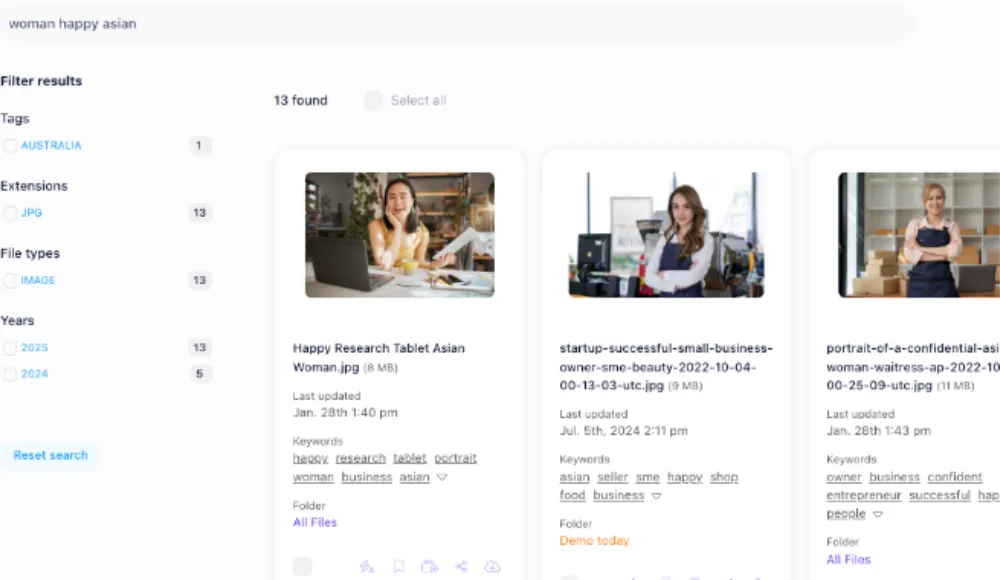
Razuna's semantic search capabilities allow you to find files based on their meaning rather than just keywords. This advanced feature uses AI to understand the context of your search queries, delivering more relevant results.

With Razuna everything is searchable. You can search for files by name, tags, labels, and more. Razuna's full-text search feature allows you to find files quickly and easily, even if you don't remember the exact file name.

Find similar images in your digital asset management system with Razuna's advanced image recognition technology. This feature allows you to search for images that are visually similar to a reference image, making it easier to locate related files with similar content.

With the power of AI, Razuna can recognize objects, people, and sentiments in your images. This advanced image recognition technology enhances your search capabilities and helps you find files based on visual content.

All files in Razuna are automatically indexed, and metadata is extracted from your files. This means you can search for files based on their content, even if you don't have specific tags or labels assigned to them.

As a true digital asset management software, Razuna accepts any file format and can create previews for over 450 file formats. This includes images, videos, audio files, documents, and more.
Every asset gets automatically tagged with relevant keywords using computer vision and NLP. Search by meaning, not just keywords — "sunset over mountains" finds what you'd expect. Detect people, objects, sentiments, brands, and logos.

The Razuna AI will automatically generate a wealth of contextual metadata for your documents, including text extraction, language detection, sentiment analysis, and entity recognition. This powerful feature makes it easy to organize and search your documents, saving you time and effort.

If you need to find specific people or objects in your images, Razuna's AI can help. It can detect people, objects, sentiments, spatial relationships, and more in your images, making it easier than ever to find the files you need.
Find visually similar images with advanced image recognition. Match a reference image instantly. This feature is perfect for finding different versions of the same image, locating similar stock photos, or discovering related visuals in your library.

With Razuna's AI capabilities, you can receive accurate recommendations for your digital assets, ensuring that you always find the right files when you need them. This feature is particularly useful for teams that need to quickly locate specific files or assets.
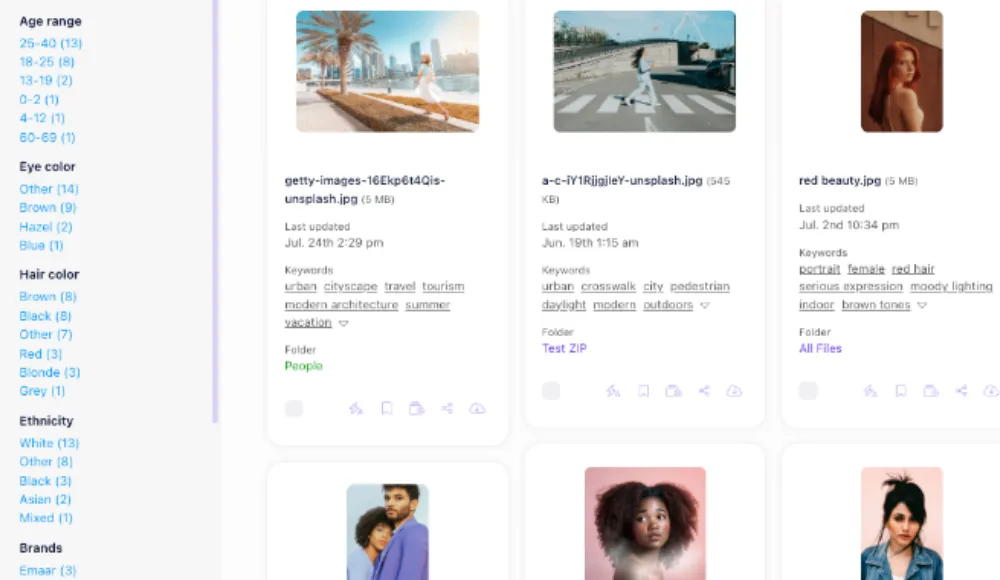
Go beyond auto-tagging and let Razuna's AI analyze your images and exprience the power of automatic metadata extraction. Razuna's AI can extract metadata from your images, such as camera settings, location data, and more. This feature is particularly useful for photographers and videographers who need to keep track of their equipment and settings.

Find your files with a simple question. Razuna's conversational AI search allows you to search for your digital assets using natural language queries. This feature makes it easy to find the files you need, even if you're not sure what keywords to use.
Collections, tags, custom metadata fields, smart filters, and version control. Structure your library your way — whether you have 500 or 500,000 assets.

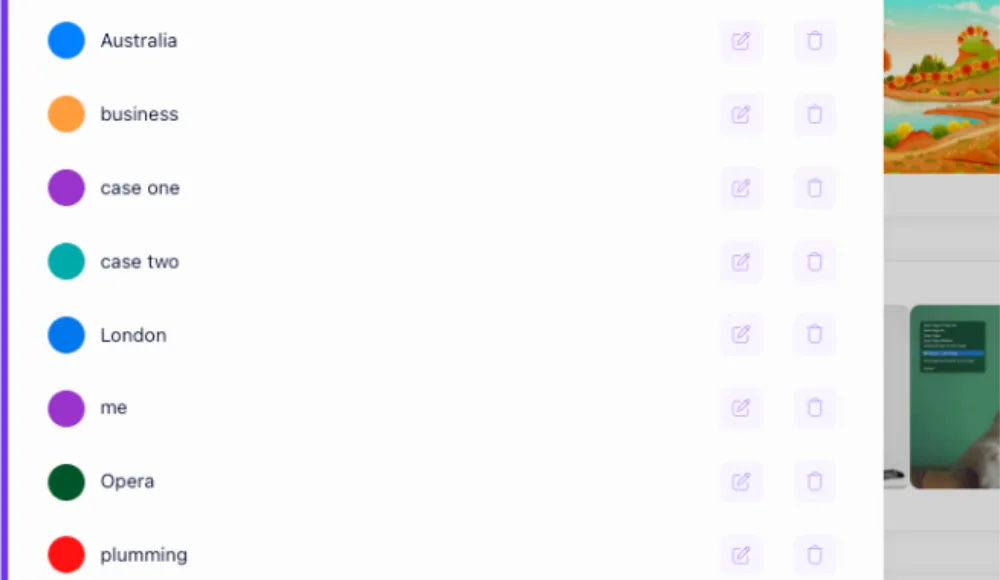
Create tags and labels to categorize your digital assets and make them easier to find. Tags are a powerful tool that allows you to organize your files in a way that makes sense for your team or clients. Find everything with one click.
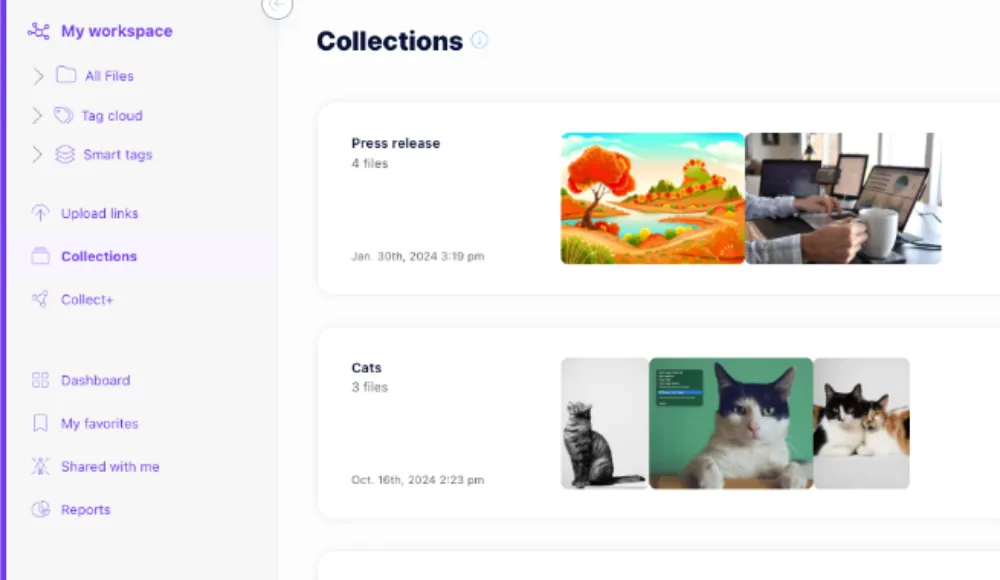
Use collections to group your digital assets and make them easier to find. Collections are a powerful tool that allows you to organize your files in a way that makes sense for your team or clients. Collaborate with your team or share collections with clients to streamline your workflow.
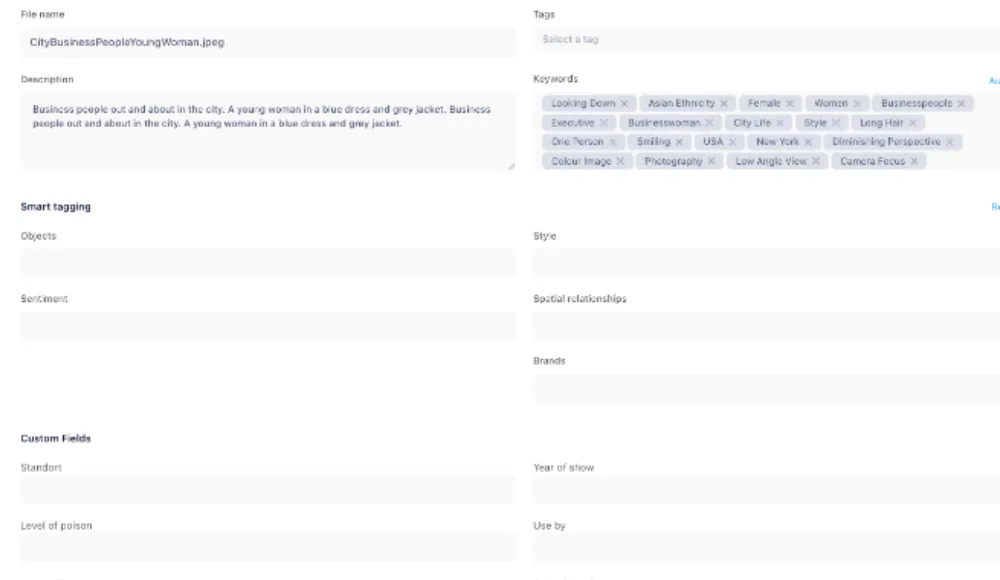
Custom fields allow you to add additional metadata to your digital assets, making it easier to categorize and search for files. You can create custom fields based on your specific needs, such as project names, client names, or any other relevant information.
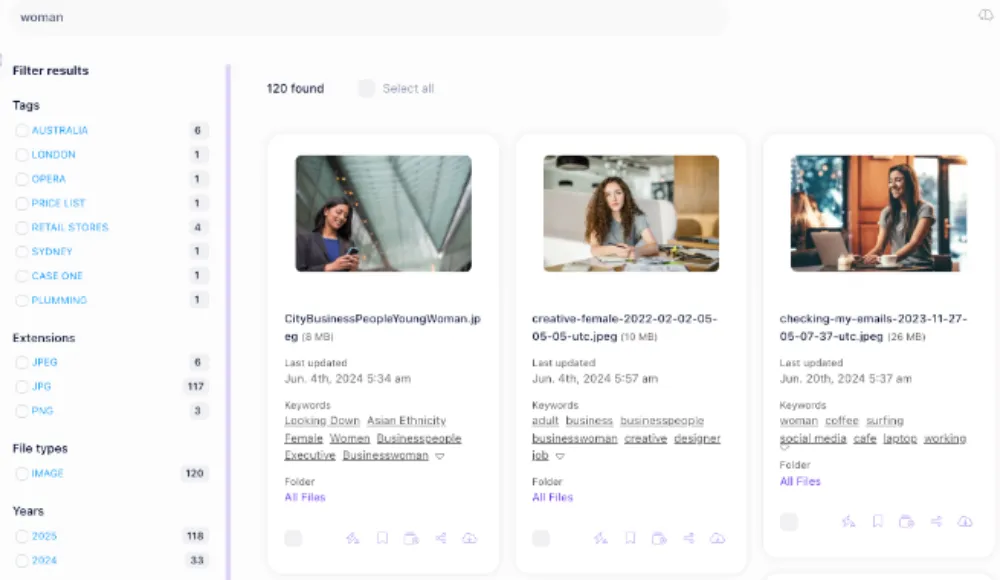
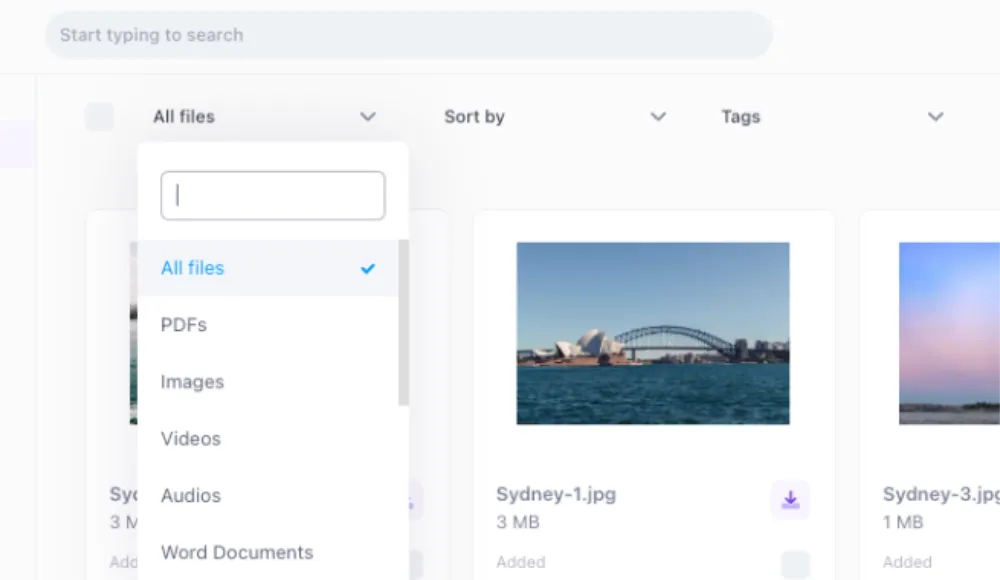
Razuna's smart filters allow you to narrow down your search results based on specific criteria, such as file type, date modified, and more. This makes it easier to find the exact files you need, without having to sift through irrelevant results.
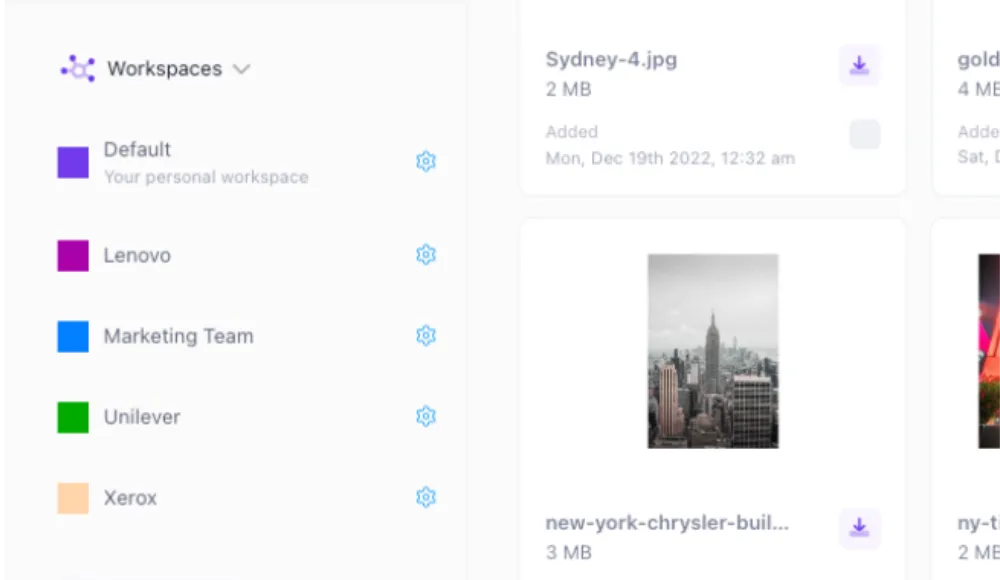
With Razuna Workspaces, you can create a self-service DAM system that automatically delivers digital files, saving time and hassle. This powerful tool streamlines your workflow, eliminates manual tasks, and ensures that customers receive the files they need promptly and efficiently.

Views, aka saved searches, enables you to create custom views of your digital assets based on specific criteria. Create views based on your search terms, tags, and more. Share your views with your team.
Create shareable links for any file or folder. Set expiration dates. Embed files into websites. Collaborate with unlimited users and groups — no per-seat fees, ever.
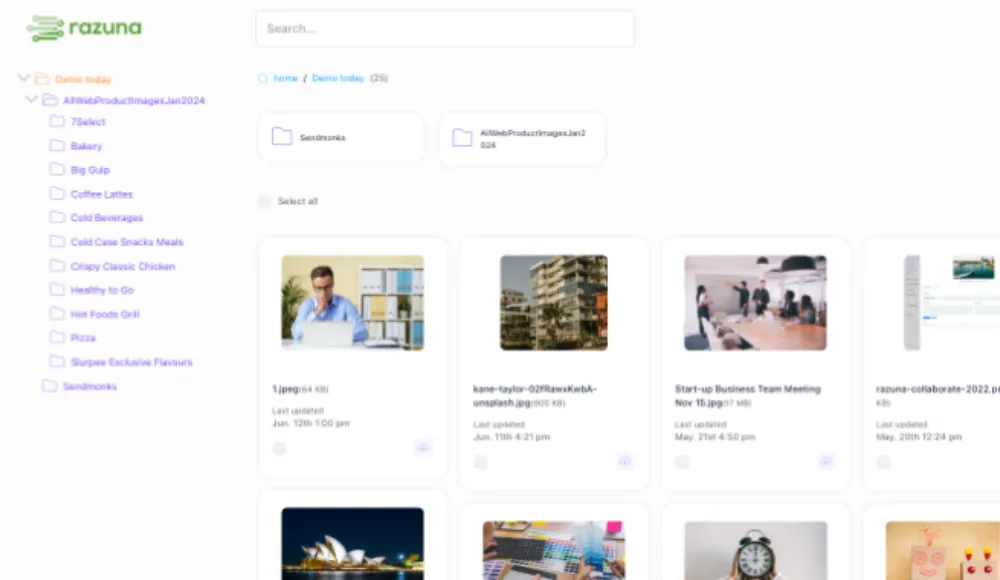
Showing your files to the world is easy with Razuna. Create a shareable link for any folder and share it with anyone, in seconds. You can also set an expiration date for each link, ensuring that your files are only accessible for a limited time.

Any file in Razuna can be shared with anyone, even if they don't have a Razuna account. You can create shareable links for individual files or entire folders, making it easy to collaborate with your team or clients.
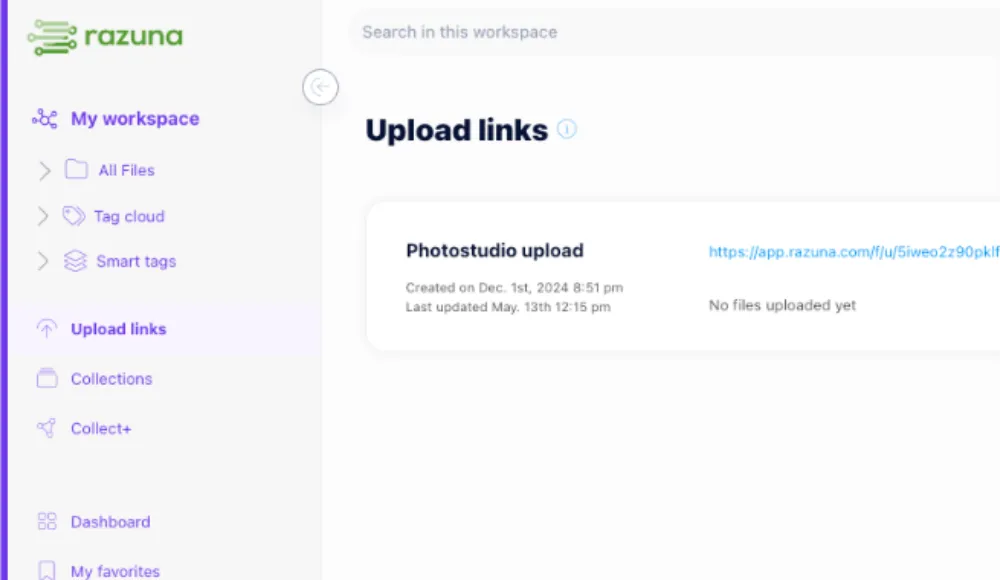
Accept files from your clients or team members without the need for them to create an account. This feature is perfect for agencies and teams that need to collect files from external sources.

Everything in Razuna is designed for collaboration. Share files, leave comments, accept uploads, and manage permissions all in one secure location and accessible from anywhere.
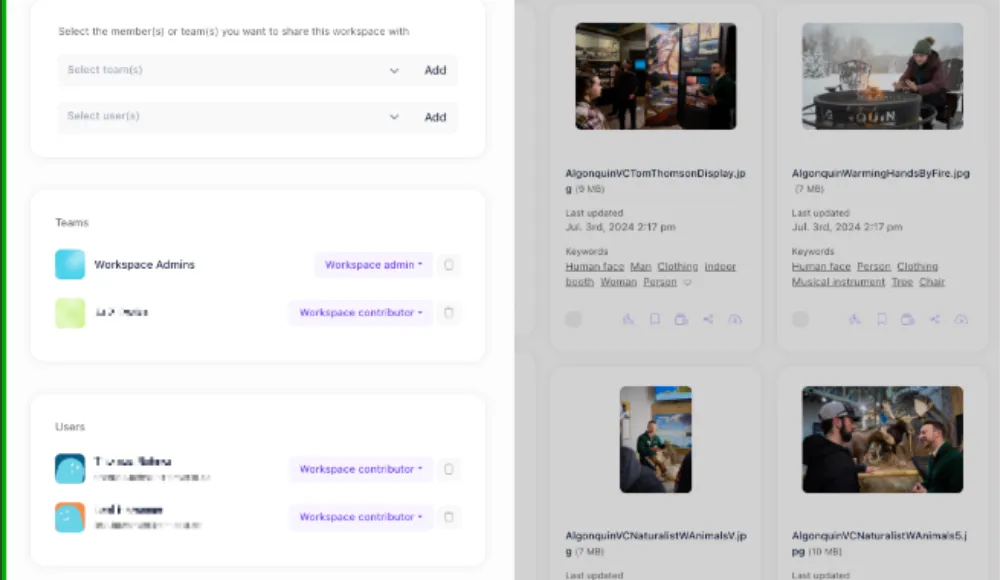
With Razuna's unlimited users and groups, you can easily manage access to your digital assets. Create custom user roles and permissions to ensure that everyone on your team has the right level of access. Oh and did we mention that Razuna has no per-user fees?
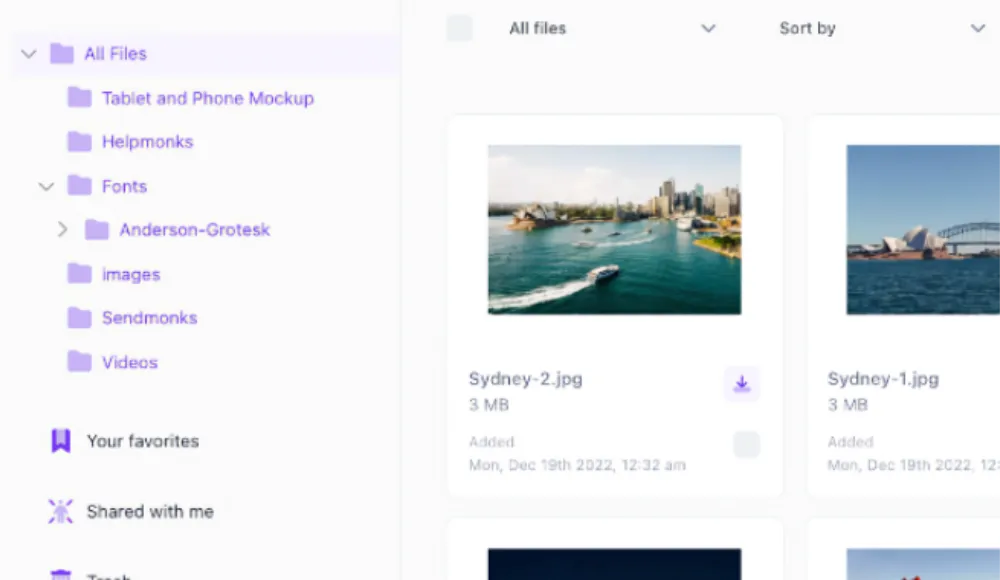
Make it easy and quickly access your most important files with Razuna's favorites feature. Mark files as favorites to keep them at your fingertips, ensuring that you can always find the files you need when you need them.
Crop, resize, rotate, and annotate images directly in Razuna. Create renditions for different purposes. Customize download formats. Run it under your own brand with a custom domain, logo, and colors.


Save time and money and use Razuna's online image editor to crop, rotate, resize, filter, and annotate images in real time. Save your edited file as a copy, convert it to a different file format, or create a custom image on the fly.
Create a customized image with your size and format directly online. Razuna's online image editor makes it easy to adjust your images to fit your brand's needs.
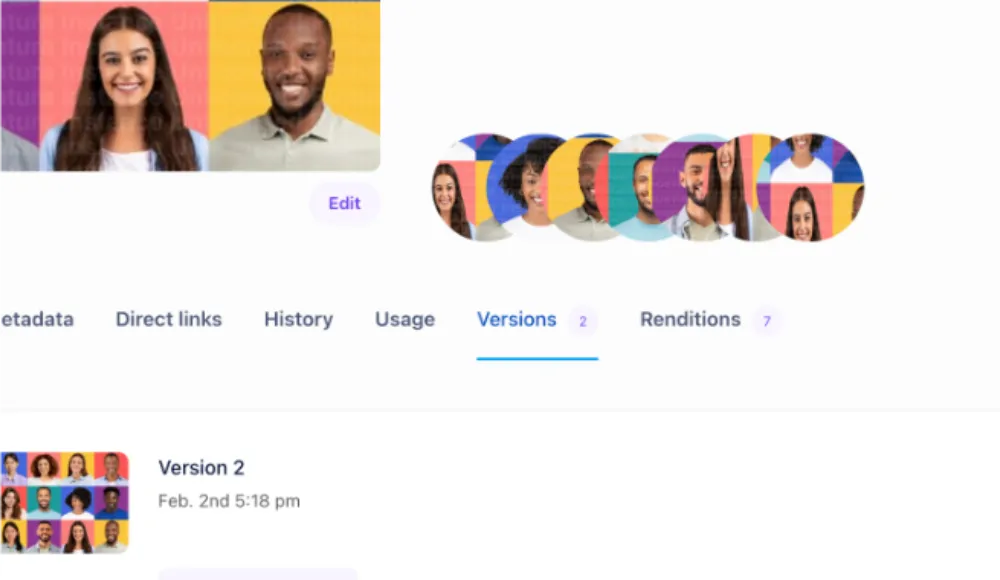
Keep track of different versions of your files and ensure that your team is always using the most current materials. This feature is particularly useful during seasonal campaigns when different versions may be required for testing or comparison.

Freely add your files to your digital asset management system and create renditions for different purposes. You can link multiple files to one asset and create renditions for different purposes. Perfect to link a model release form to an image or video.
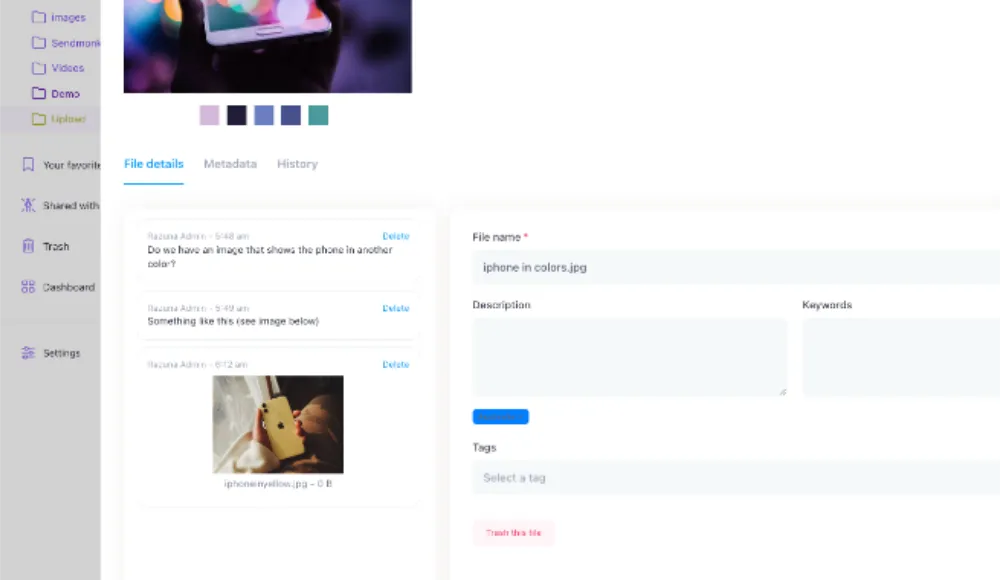
Any file can be reviewed, commented on, and approved within Razuna. Take advantage of the image editor to annotate an image and use the comment section to collaborate with your teammates for final approval.

Provide your users with customized download options. You can set the file format, size, and quality of the files that your users can download. This feature is particularly useful for photographers and videographers who need to provide different versions of their files for different purposes.
Make Razuna your own by customizing it to fit your workflow and brand. Leverage our flexible white-labeling options and extensive API integrations to create a seamless experience for your team.

Create a seamless experience for your customers and leverage the white-label options within Razuna. Use your custom URL and custom SSL, upload your company logo, and adjust the color of your brand asset management platform.

Let your customers and teams access your digital asset management system with a custom URL. Add your own domain name and logo to Razuna, ensuring a secure and branded experience for your users.

With Razuna Workspaces, you can create branded self-service portals that automatically deliver digital files to your teams and customers. This powerful feature allows you to provide a seamless and personalized experience for your users while streamlining your workflow.
Create branded portals for your clients and teams to access the files they need. With Razuna's branded portals, you can provide a secure and personalized experience for your users while ensuring that they have access to the files they need.
Managing your digital library shouldn't be a chore. With Razuna, you can easily organize, tag, and file your digital assets for quick access and efficient management.

Change everything in Razuna with a few clicks. Bulk edit your digital assets, including tags, labels, and metadata. Update multiple files at once, saving you time and effort.
Edit your digital assets in bulk with Razuna's CSV import and export feature. You can easily import and export your digital assets in CSV format, making it easy to manage large volumes of files.
We know that uploading files can be a time-consuming task, especially when you have a large number of files to upload. That's why Razuna offers a bulk upload feature that allows you to upload multiple files at once, saving you time and effort.

With Collect+, you can easily collect files from the web and add them to your digital asset management system. Just install the Collect+ browser extension and start saving files directly to Razuna.

Fast-Transfer is a unique feature of Razuna that allows you to upload files closest to your location directly from your desktop to your digital asset management system without any upload limitations. This means you can transfer large files quickly and easily, without having to worry about file size restrictions.

Upload your digital files to Razuna with ease using the drag-and-drop feature that allows you to simply drag files from your computer and drop them into Razuna. Create a ZIP file and upload it to Razuna, and we will automatically extract the files and folders for you.
Your digital assets are safe with Razuna. We prioritize security and privacy, ensuring that your files are protected at all times.
Razuna is a HIPAA-compliant digital asset management platform. Including encryption of all files at rest and in transit, ensuring that your data is always secure and private.

Razuna supports SAML and oAuth for secure authentication and authorization. This allows you to integrate Razuna with your existing identity provider and manage user access easily.
Razuna includes advanced user management features, allowing you to easily manage user roles and permissions. You can create custom user roles and permissions to ensure that everyone on your team has the right level of access. This feature is particularly useful for teams that need to manage access to sensitive files or assets.
Razuna includes advanced team management features, allowing you to easily manage team members and their access to files and assets. Apply team-based permissions to ensure that everyone on your team has the right level of access.

Razuna includes built-in antivirus scanning to ensure that all files uploaded to the platform are free from malware and other security threats. We take protect and serve to a new level.

Razuna provides a secure API for developers to integrate with. All API requests are authenticated and encrypted, ensuring that your data is always protected.
Organizing your files in Razuna is great, but knowing who is doing what is even better.

Advanced usage analytics provide you with insights into how your files are being used. You can track file downloads, views, and shares, allowing you to understand how your digital assets are being utilized.

Track user activity within Razuna to understand how your team is using the platform. You can see who is accessing files, when they are being accessed, and what actions are being taken.

Track file downloads to understand how your digital assets are being used. You can see who is downloading files, when they are being downloaded, and what files are being downloaded most frequently.

Every action within Razuna is logged and provided to you and your team. Get deep insights into who is doing what, when, and where. This feature is particularly useful for teams that need to track changes to files or assets over time.
Build your file library with Razuna's powerful features. Future-proof your digital asset management strategy with our scalable solutions and built for deep integration with AI intelligence.

Offer each client their own digital file library with Razuna's agency model. You can create separate workspaces for each client, allowing them to manage their own files and assets while still benefiting from the powerful features of Razuna.

We provide Razuna as a white-label solution for resellers and agencies. You can easily customize Razuna to fit your brand and offer it to your clients as a branded digital asset management platform.
Every part of Razuna can be white-labeled, including the URL, logo, and colors. Furthermore, our white-label solution allows you to create a seamless experience for your customers, ensuring that they never know they are using Razuna.
Need something special? Razuna is highly customizable and can be tailored to fit your specific needs. Whether you need custom features, integrations, or workflows, we can help you create a solution that works for you.

Get support directly from the source. Our team of experts is here to help you with any questions or issues you may have. We offer 24/7 support to ensure that your digital asset management system is always running smoothly.

As we are the only digital asset management software that offers a dedicated server option, you can have your own private cloud server for your digital assets. This ensures that your files are always secure and private, and you have complete control over your data.
Extend your digital asset management capabilities with our wide range of plugins and integrations. Integrate Razuna seamlessly with your existing tools and workflows to maximize efficiency and productivity.

Use Razuna as your Shopify app. Search, pick, and insert approved digital assets from Razuna without duplicating files in the Shopify media library.

Use Razuna as your WordPress DAM plugin. Search, pick, and insert approved digital assets from Razuna without duplicating files in the WordPress media library.

Browse, search, and manage your digital assets directly from Raycast. The Razuna Raycast extension allows you to quickly find and access your files without leaving your workflow.
With our browser extensions for Chrome, Firefox, and Edge, you can easily collect files from the web and add them to your digital asset management system.

Connect Razuna with over 8,000 apps using our Zapier integration without writing a single line of code. Automate workflows and streamline your processes by linking Razuna with your favorite tools.

Easily transfer files between Razuna and your S3, Dropbox accounts, and OneDrive using the built-in connection browser. This integration allows you to import files seamlessly from your cloud storage services into Razuna.
Create a custom integration with our RESTful API. This allows you to connect Razuna with your existing workflows and applications, ensuring a seamless experience for your team.
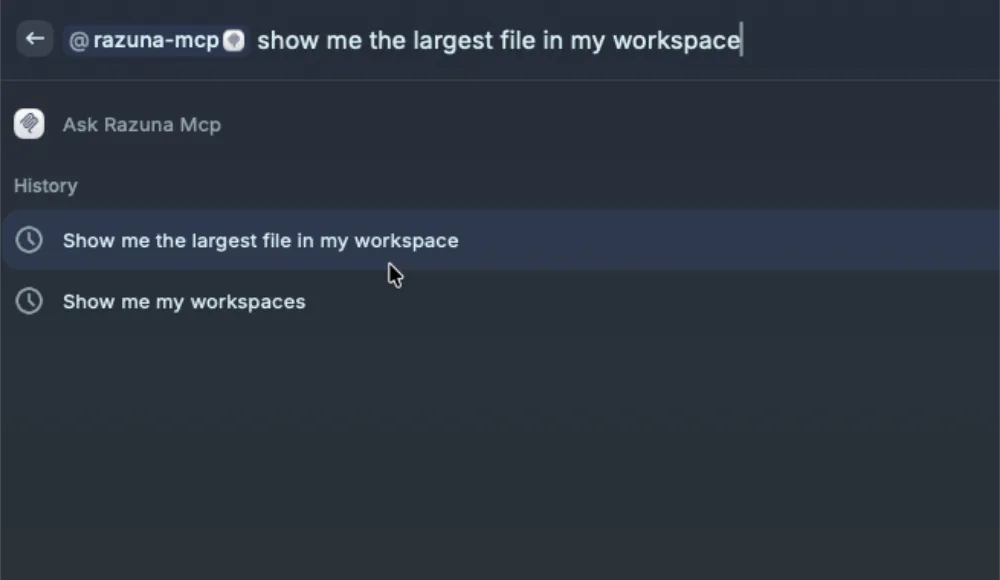
Access your Razuna digital asset management system directly from within OpenAI ChatGPT, Anthropic Claude, or other AI tools using our Razuna MCP Server. This integration allows you to leverage the power of AI to enhance your digital asset management experience.
Razuna is uniquely designed to cater to your business needs, providing flexible solutions that scale with your organization.

Don't want to use our SaaS solution? No problem. We offer private cloud servers that we host at the closest data center to you. This ensures that your files are always secure and private, and you have complete control over your data.

Our Cloud Digital Asset Management (DAM) solution provides a secure and scalable way to manage your digital assets. With Razuna, you can easily store, organize, and retrieve your files from anywhere, at any time. Get started with a free account in seconds.

Choose between our US or EU data centers to host your digital assets. This allows you to comply with local data protection regulations and ensures that your files are stored close to your team.

Get personalized support and guidance from a dedicated account manager. They will work closely with you to understand your unique needs and help you get the most out of Razuna.

Access a wealth of resources, including articles, tutorials, and best practices, to help you make the most of Razuna. The Razuna knowledge base is constantly updated to provide you with the latest information and tips.

Get support whenever you need it with our 24/7/365 support team either by email, chat, or dedicated Slack channels. We are here to help you with any questions or issues you may have, ensuring that your digital asset management system is always running smoothly.
There's a massive difference between cloud storage and digital asset management. Here's a quick look.
| Capability | Razuna DAM | Google Drive / Dropbox |
|---|---|---|
| AI-powered search & auto-tagging | ✓ | ✗ |
| Semantic & visual search | ✓ | ✗ |
| Branded sharing portals | ✓ | ✗ |
| Format conversion on-the-fly | ✓ | ✗ |
| Granular permissions | ✓ | Limited |
| Usage analytics | ✓ | ✗ |
| White-label | ✓ | ✗ |
| Custom metadata fields | ✓ | ✗ |
| Online image editor | ✓ | ✗ |
Razuna now analyzes text, images, artwork, and scanned pages inside documents—adding AI classification so more of your existing content becomes discoverable.
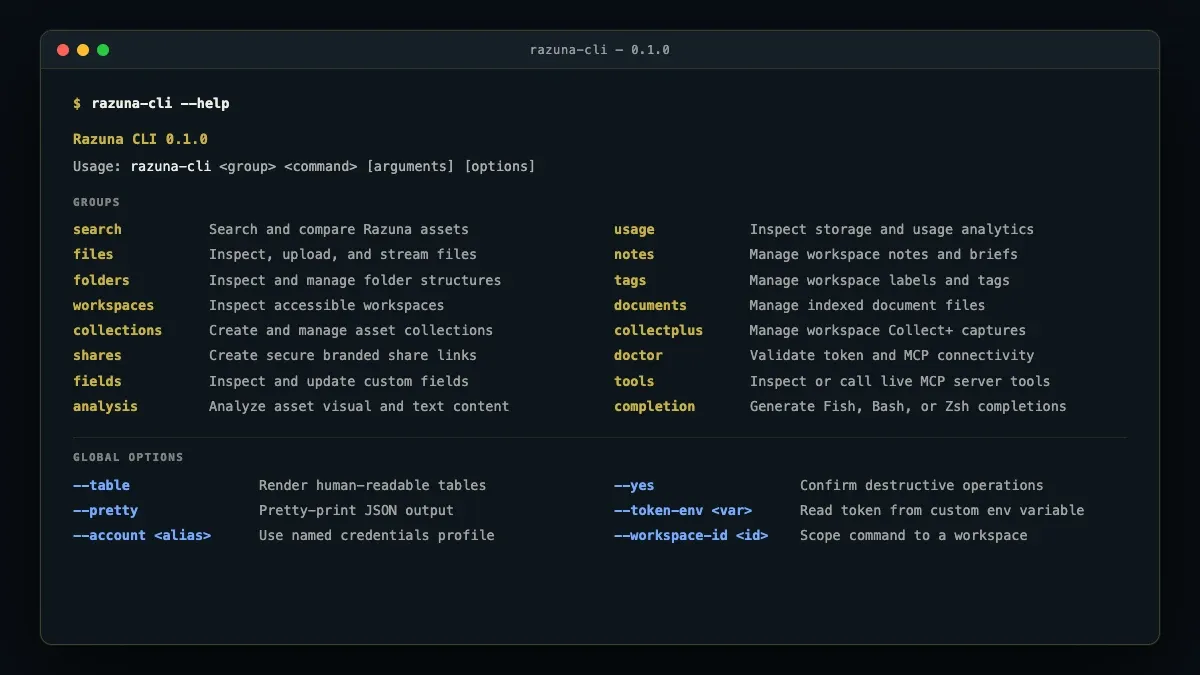
The new Razuna CLI brings digital asset management directly into your terminal, scripts, CI/CD pipelines, and AI coding agents. Search assets, stream uploads, and automate DAM workflows.
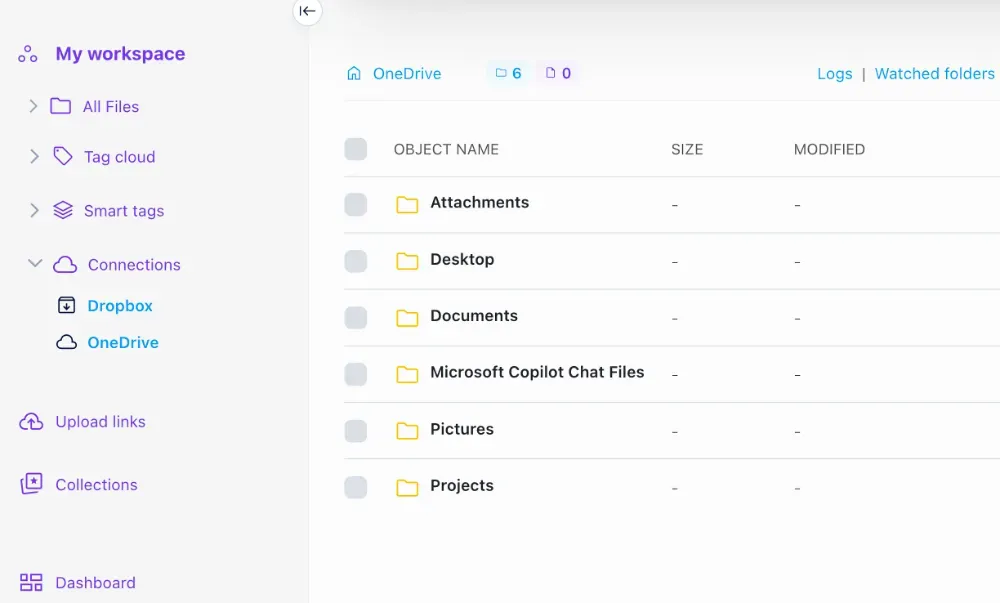
We are excited to announce the introduction of native OneDrive support, in addition to our existing integrations with S3 and Dropbox. A new feature we've rolled out allows you to schedule imports from these external sources, creating a more streamlined workflow.
500GB free. No credit card. Set up in 2 minutes.
