New in Razuna: live folder stacks, smarter MCP, faster downloads, and sharper AI tagging
A lot has shipped in Razuna over the last few weeks — some of it visible the moment you open the app, some of it quietly making the things you already do faster, and a chunk of it aimed squarely at the growing group of you running Razuna through Claude, ChatGPT, Cursor, and other AI assistants.
Here's the rundown.
Folder cards now show what's inside
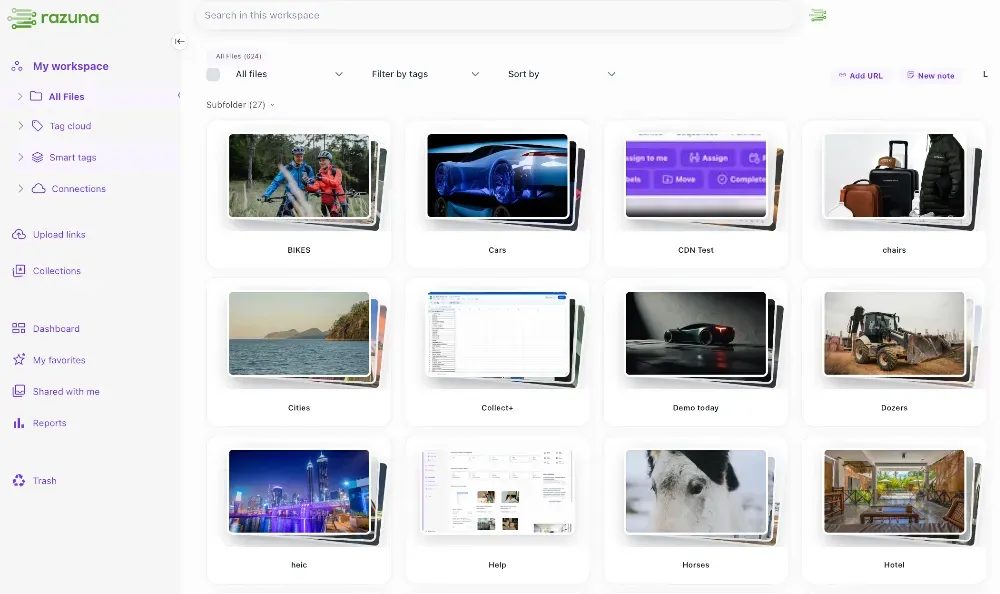
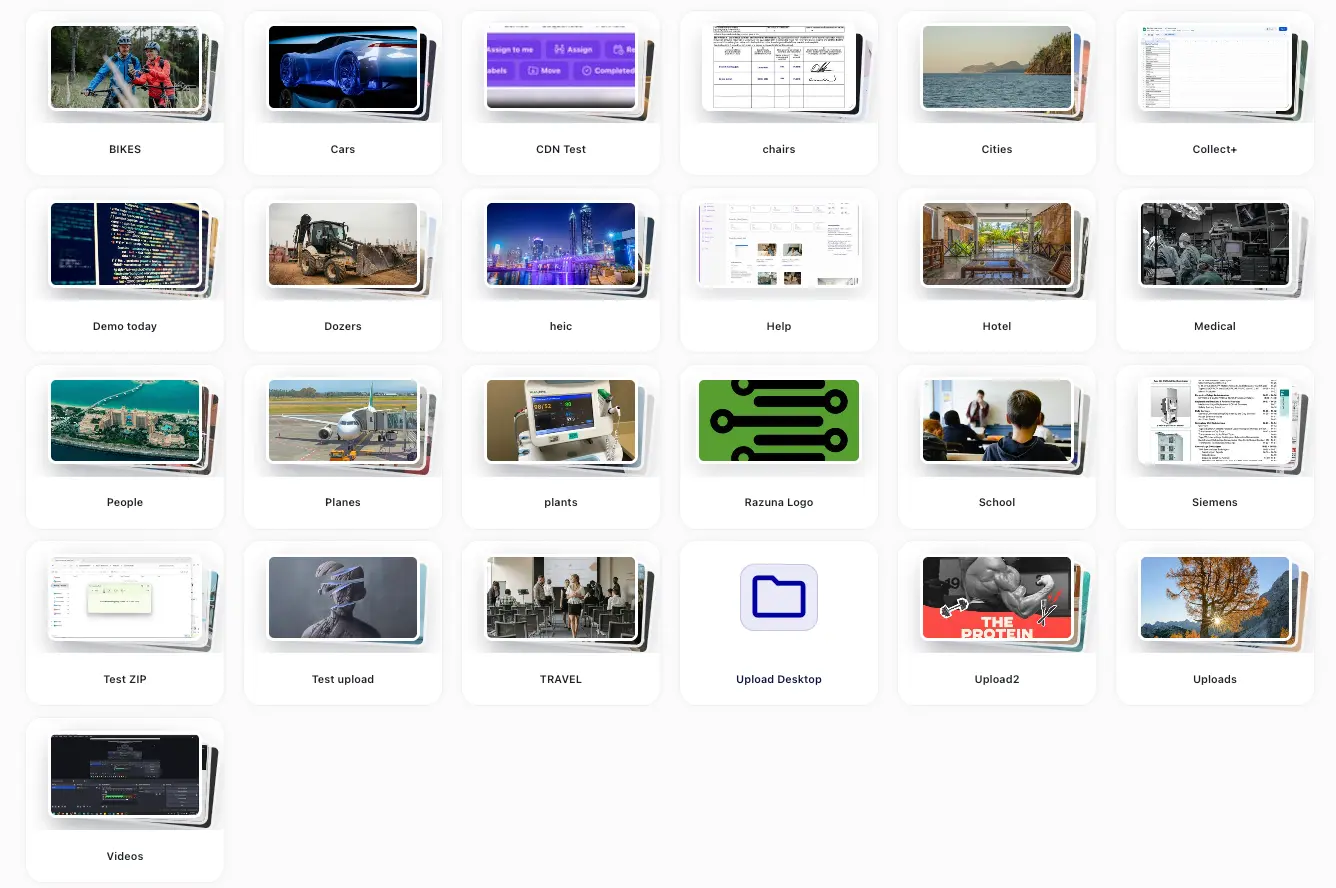
Folders are no longer flat tiles with a generic icon. Every folder card now renders a live stacked thumbnail built from the assets it actually contains — so you can scan a workspace and instantly see which folder has the campaign photography, which one has the videos, and which one is full of PDFs.
We made live stacks the default for folder cards across the app and the shared-folder views, polished the folder size dropdown, added a subtle hover effect, and fixed a handful of edge cases around refresh and signed-in folder sizing. Small change on paper; a real difference in how fast your eye moves around a workspace.
MCP OAuth, properly nailed down (especially for Claude Desktop)
If you've been using Razuna through Claude, ChatGPT, Cursor, or VS Code, you'll feel this one. We did a deep pass on the MCP OAuth flow and ironed out every lingering issue we could find:
- Multi-step logins now resume cleanly instead of dropping you back to the start.
- ChatGPT's MCP client assertion handling is fixed.
- OAuth metadata, token secrets, and base URLs are aligned with the spec.
- MCP endpoints now use stateless Streamable HTTP for better reliability.
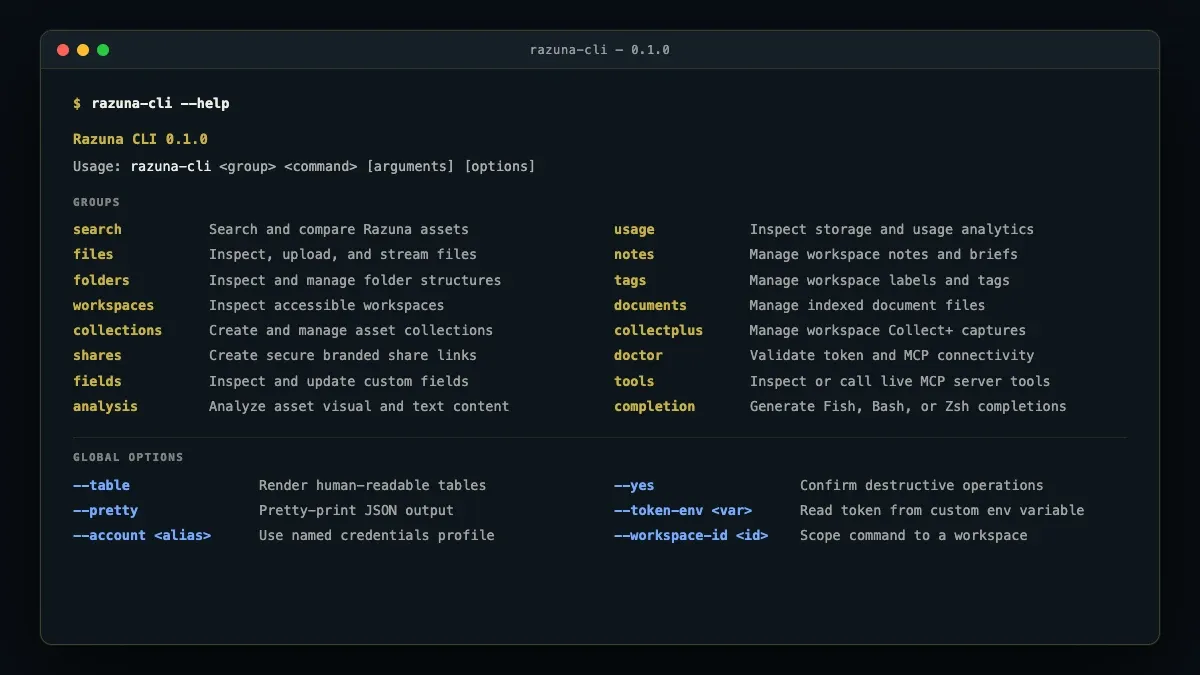
Specifically for Claude Desktop: connecting to Razuna is now a clean, one-screen OAuth flow. Add the Razuna MCP server, log in once, and all 67 Razuna tools appear in Claude — no terminal, no JSON files, no scope quirks.
New MCP tool: update_folder
The Razuna MCP server gets a new update_folder tool. You can now ask your AI assistant to rename a folder, move it under a different parent, or change its color — entirely through chat. Fixing a typo across the folder tree, reorganizing a project, or restructuring after a campaign wraps no longer means opening the web UI.
MCP transform_image is now much more capable
The transform_image MCP tool got a meaningful upgrade. You can ask your AI assistant to resize, convert, crop, and adjust images through natural language and have the result land back in your library — useful for everything from "give me a 1200×630 social card from this hero shot" to bulk format conversion across a folder.
MCP create_folder cleanup
While we were in the folder tools, we cleaned up create_folder: it now takes a color parameter (matching the rest of the folder API) instead of the unused description field. AI-driven folder creation behaves consistently across the tree.
File downloads — much faster, much smoother
We rewrote the download pipeline. Single-file downloads, multi-file ZIP downloads, and remote/S3 streaming are all noticeably quicker. Along the way, we fixed:
- Downloads of files with no extension (yes, those exist, and yes, they used to break).
- Direct download caching and content-disposition headers (so your browser stops guessing at filenames).
- Multi-file downloads, which now stream from S3 instead of buffering.
- Remote originals served via properly signed storage URLs.
If a large folder export ever felt slower than it should have been, try it again.
Upload links: detailed file event notifications
Upload links — the public links you send to clients, photographers, or contractors to drop files into your library — now emit detailed file event notifications. You'll see what was uploaded, when, by whom (when available), and the approval state of each file. We restored the granular event selector and added explicit upload-link approval-state events, so you can route exactly the moments you care about (received, approved, rejected) to email, webhook, or your team's chat.
GPS / geo data indexing — fixed
Photos with embedded GPS coordinates are now reliably indexed again. If you've been uploading travel, real estate, field survey, or any geotagged imagery and have noticed that location-based search feels patchy, this release puts it back on solid ground.
Smarter AI auto-tagging — shipped today
This one literally went in today. We tightened the prompts behind our AI auto-tagging across images, videos, audio, and documents to push the model toward domain-specific vocabulary instead of generic descriptions.
Concretely, that means:
- Upload a photo of an Icelandic horse, and you'll get "Icelandic horse, bay, flaxen mane, dun" — not just "brown horse."
- Upload a classic car, and you'll get the make, model, year range, and trim — not just "old car."
- The same logic applies to fashion (fabric, cut, era), architecture (style, period, material), instruments, music genre, dialect — whatever domain your assets live in.
We also taught the classifiers to apply that specificity to every field — keywords, objects, and description — not just the long-form caption. And when the model is genuinely uncertain, it now offers layered alternatives ("possibly a black, grullo, or very dark bay") rather than collapsing to a generic fallback. The result: tags you can actually search against without re-doing them by hand.
That's the release
Live folder stacks. A much better MCP experience — especially on Claude Desktop. Two new things your AI assistant can do for you (update_folder and a smarter transform_image). Faster downloads. Sharper upload-link notifications. GPS back on the rails. And AI tagging that finally speaks your industry's language.
Nothing here is a new pricing tier or a new SKU — it's all in your existing account. Log in and have a look.
As always, hit reply or drop us a note at hi@razuna.com if anything feels off or you want more of something. We read every one.