The Definitive Guide to Digital Asset Management
Digital asset management (DAM) helps teams centralize files, find assets instantly, govern usage, and distribute content safely — without folder chaos.
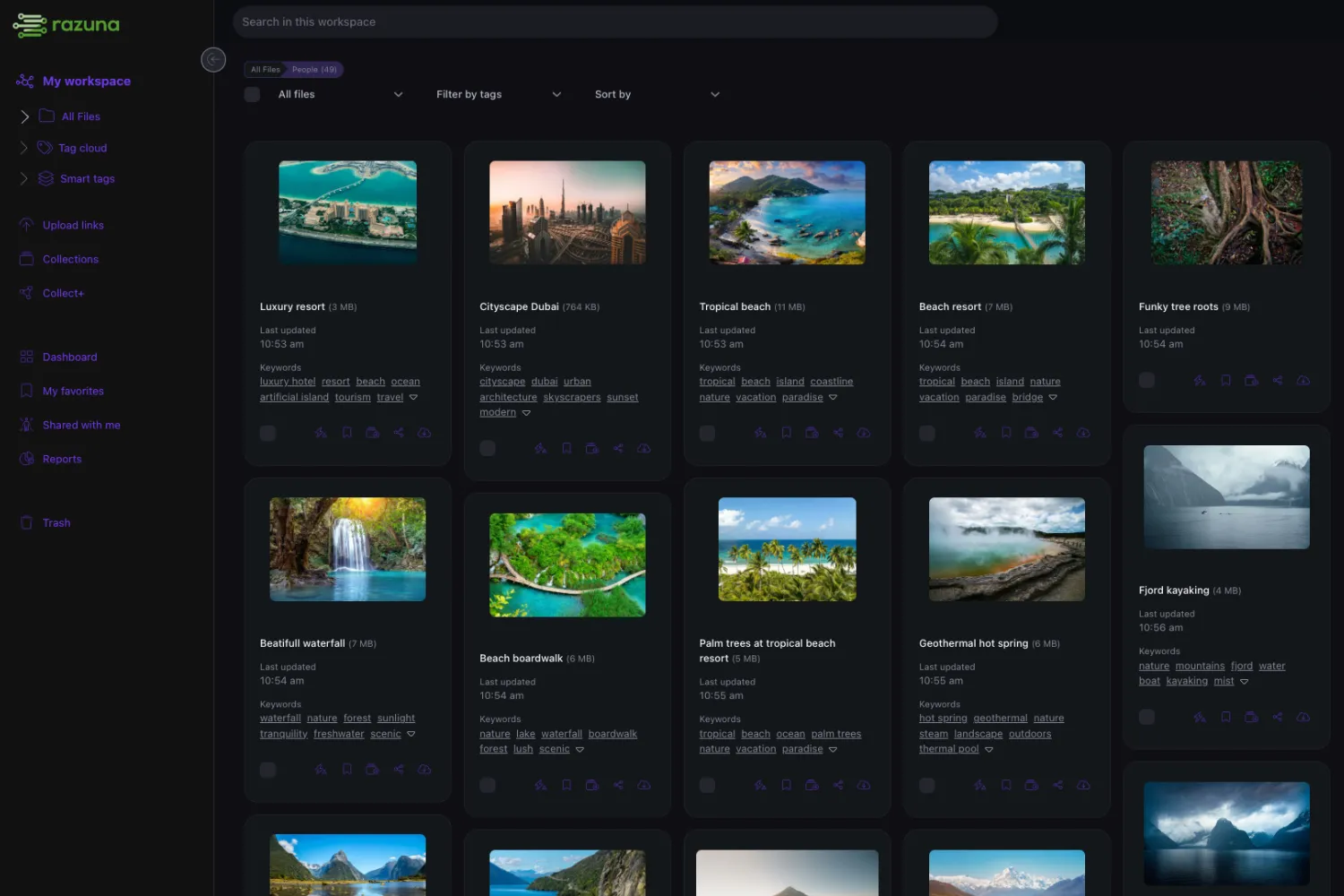
Digital asset management, explained
What DAM is — A system to store, organize, find, govern, and distribute digital files across teams and channels.
Why DAM matters — When 'shared drive' stops being enough: assets multiply, teams grow, and finding the right approved file becomes a bottleneck.
Why teams choose Razuna — Modern DAM with AI-powered search, unlimited users, transparent pricing, and flexible deployments (cloud, private cloud, and on-premise).
What is digital asset management?
Digital asset management is the system and operating practice for keeping approved files organized, searchable, governed, and safe to distribute. A DAM centralizes images, videos, documents, design files, audio, and brand materials so teams do not depend on scattered folders or repeated requests. The strongest DAM systems combine metadata, tags, AI-assisted search, version history, permissions, approvals, audit trails, and controlled sharing. Razuna applies that model with an adoption-focused approach: free storage to start, paid storage-based pricing, unlimited users on paid plans, and deployment options for cloud, private cloud, and on-premise needs. For teams comparing DAM vendors, the practical test is simple: can a new stakeholder find the approved file, understand whether it is current, and share it safely in under a minute? If yes, the DAM is doing its job across the organization and across teams.
Jump to:
TLDR:
A DAM helps you:
- Centralize every asset in one governed library
- Find files instantly via metadata, tags, and AI-powered search
- Govern usage: permissions, approvals, versions, rights
- Distribute safely through portals, collections, and controlled links
What digital asset management (DAM) is
Digital asset management is the discipline (and software) for centralizing all media files — images, videos, documents, design files, audio — into a single governed library. The goal: make every approved file findable, usable, and safe to share.
Without DAM, teams typically rely on folders, email, chat, and ad hoc sharing tools. That works until:
- Multiple versions of the same asset spread across channels.
- Finding the right file depends on tribal knowledge.
- Sharing with external stakeholders exposes the wrong files.
- Compliance questions ("who accessed this file?") have no clear answer.
What DAM software does (4 capabilities)
1) Findability
DAM replaces "remember where it is" with "search by what it is." Metadata, tags, custom fields, and AI-assisted tagging make any asset findable — even for people who didn't upload it.
2) Metadata & structure
Metadata is the engine: campaign, product, status, rights, region, owner. Good metadata removes tribal knowledge and makes search predictable.
3) Governance
Governance includes: role-based permissions (who can view/download/edit/share/delete), approval status, version history (which version is "approved for use"), and usage rights and expiration dates.
4) Distribution
DAM helps you get approved files where they need to go: portals and curated collections for stakeholder self-service, controlled sharing links (with expiration, password, and download controls), and integrations with other systems (CMS, ecommerce, social, etc.).
What makes a "DAM system"
A DAM system is more than software — it's the combination of:
- Platform: the central library where assets live.
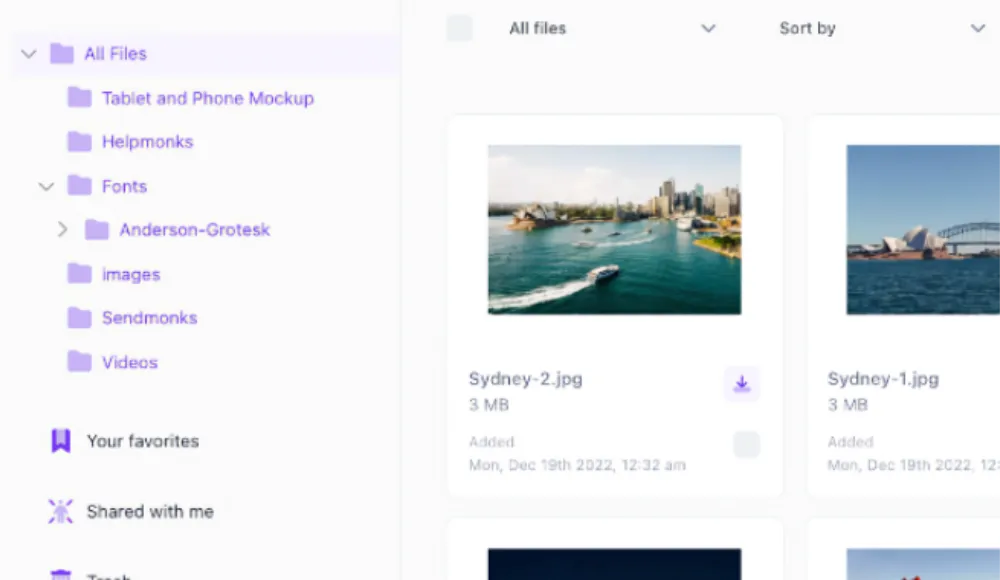
- Structure: how metadata, folders, collections, and permissions are organized.
- Rules: how assets are uploaded, tagged, approved, shared, archived, and retired.
The platform is what you buy. The structure and rules are what you build. A good DAM vendor helps you establish both, not just sell the tool.
How DAM actually works (a practical rollout)
Here's what a real-world DAM implementation typically looks like:
- Pick one high-value library — brand assets, product imagery, or campaign creative.
- Import existing files — preserve folder structure as a starting point.
- Add a few key metadata fields — status, campaign, product, owner (start with 3–5 fields, not 25).
- Define roles — who can upload, approve, download, share externally.
- Publish a portal or collection — give stakeholders a single link that stays current.
- Onboard one team — train on search, upload, and sharing workflows.
- Iterate — tighten permissions, expand libraries, and refine metadata as patterns emerge.
Key DAM features
The capabilities that distinguish a governed library from another shared folder.

AI-powered search
Find assets by content, tags, or metadata — not by remembering folder paths. AI-assisted tagging accelerates discoverability across even large libraries.

Governance & permissions
Role-based access, approval workflows, version control, and clear 'approved for use' signals protect brand consistency and prevent mistakes.
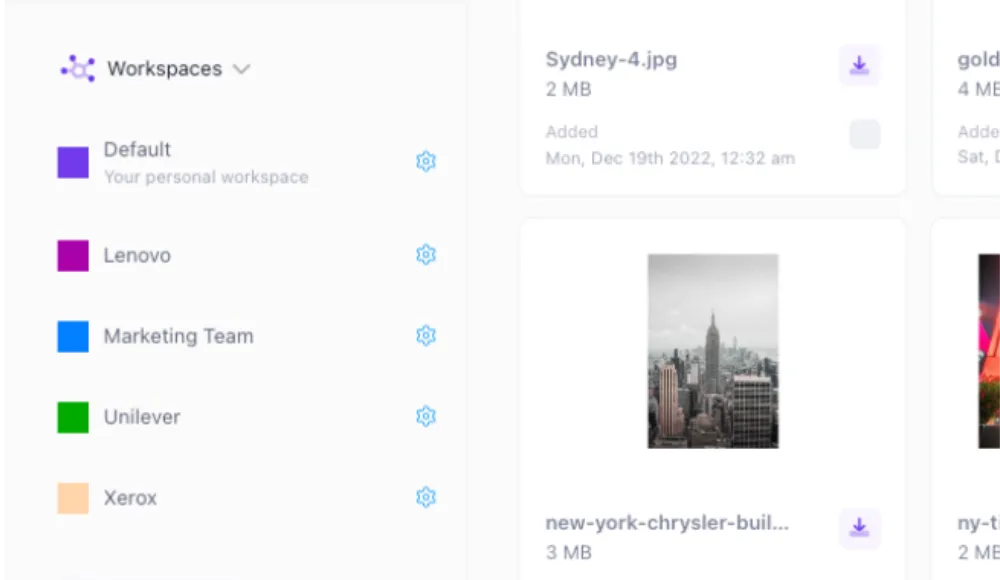
Secure sharing & portals
Share collections and portals with controlled access, expiring links, and download rules. Reduce inbound requests by letting stakeholders self-serve.
Security & compliance
Encryption, audit trails, private cloud options, and HIPAA-aligned hosting for teams with regulatory requirements.
Who uses DAM (and why)
DAM isn't limited to one department — but certain teams see the fastest payoff:
Marketing teams
Campaign assets, brand creative, social media images, and sales enablement materials. Marketing teams use DAM to reduce version confusion, maintain brand consistency, and accelerate go-to-market. See marketing teams.
Sales teams
Sales decks, case studies, one-pagers, and product images. DAM gives sales a reliable library so they stop asking marketing "where's the latest deck?"
Agencies & resellers
Client deliverables, campaign assets, and brand guidelines. DAM is how agencies manage multi-client libraries with clear ownership and controlled sharing. See creative agencies and agencies & resellers.
Healthcare & regulated industries
When files include regulated content, DAM provides audit trails, access controls, and compliant hosting. See HIPAA-compliant hosting.
Nonprofits & education
Grant deliverables, program photos, donor communications, and marketing materials. DAM helps small teams do more with less by reducing rework and centralizing assets. See non-profit organizations and schools & universities.
Security and compliance
Digital asset management intersects with security when assets are sensitive, regulated, or externally shared:
- HIPAA: encryption, access controls, and audit trails for protected health information. See HIPAA-compliant hosting.
- GDPR: data residency, consent management, and right-to-erasure support.
- General security: encryption in transit and at rest, role-based permissions, expiring links, and activity logging.
For organizations needing full infrastructure control, Razuna offers private cloud and on-premise deployments.
Pricing: what to expect
DAM pricing models vary significantly. The three most common approaches:
- Per-user pricing: charges per seat. Can limit adoption when sales, partners, and agencies need access.
- Per-storage pricing: charges by data volume. Encourages broad access.
- Tiered/enterprise pricing: bundled features at different tiers, often with custom quotes.
Razuna uses storage-based pricing with unlimited users. Free start at 500 GB, paid plans from $99/TB per month. See pricing.
How to evaluate a DAM vendor
After reviewing dozens of DAM implementations, these are the criteria that predict success or failure:
- Time to first success: can a new user find the correct approved file in under 30 seconds?
- Governance clarity: is it obvious which version is approved? Can you prevent outdated assets from being shared?
- Distribution quality: can you publish a portal that stakeholders actually use instead of emailing "send me the file"?
- Metadata ergonomics: can your team maintain the system without hiring a full-time librarian?
- External sharing safety: expiring links, download controls, and audit trails.
- Pricing incentives: does the pricing model encourage broad adoption or force you to ration seats?
Common problems DAM solves
When "just use folders" stops working, these are the patterns that signal it's time for a governed library.
Sales used an outdated deck, a partner published the wrong logo, or a campaign went live with last quarter's creative. DAM makes "approved for use" visible.
New hires can't find anything. Veterans rely on tribal knowledge. Everyone loses time to "Where is the latest…?" messages. DAM replaces location-based search with metadata-based search.
You've already delivered the assets, but the link expired, the email got buried, or the folder was restructured. DAM portals give clients a permanent, always-current destination.
You can't answer "who accessed this file?" or "when did this version become the approved one?" Audit trails and version history make governance answerable.
Industry-specific DAM use cases
DAM adapts to different industries — here's how teams in six sectors use it.
Creative Agencies
Multi-client libraries, client portals, controlled deliverable sharing, and version management across campaigns.
E-commerce
Product imagery by SKU, marketplace requirements, seasonal campaigns, and rapid turnaround for new listings.
Marketing Teams
Campaign creative, brand consistency, sales enablement, and content distribution across channels.
Schools & Universities
Program photos, recruitment materials, donor communications, and event assets — centralized for staff and partners.
Non-Profits
Grant deliverables, program documentation, donor materials, and marketing assets — with limited staff and budget.
Agencies & Resellers
White-label asset libraries, partner portals, and distribution workflows for channel partners and reseller networks.
How does Razuna compare?
See how we stack up feature-by-feature against other DAM platforms.
| Razuna | Canto | Bynder | Brandfolder | |
|---|---|---|---|---|
| Pricing | ||||
| Starting price | Free / $99/mo | Custom quote | Custom quote | Custom quote |
| Unlimited users | ✓ | ✗ | ✗ | ✗ |
| All features in all plans | ✓ | ✗ | ✗ | ✗ |
| Free plan available | ✓ 500 GB | ✗ | ✗ | ✗ |
| Core Features | ||||
| AI auto-tagging | ✓ | ✓ | ✓ | ✓ |
| Nested folders | ✓ | ✓ | ✗ | ✗ |
| Collections & labels | ✓ | ✓ | ✓ | ✓ |
| Custom metadata | ✓ | ✓ | ✓ | ✓ |
| Version control | ✓ | ✓ | ✓ | ✓ |
| Workspaces | ✓ Unlimited | Limited | Extra cost | Extra cost |
| Sharing & Collaboration | ||||
| Guest upload links | ✓ | ✗ | ✓ | ✓ |
| Branded portals | ✓ | ✓ | ✓ | ✓ |
| White-labeling | ✓ | ✗ | Extra cost | ✗ |
| Security & Compliance | ||||
| GDPR compliant | ✓ | ✓ | ✓ | ✓ |
| HIPAA hosting | ✓ | ✗ | ✗ | ✗ |
| Dedicated cloud server | ✓ | ✗ | Extra cost | ✗ |
| Support | ||||
| Live chat support | ✓ All plans | Paid only | Paid only | Paid only |
| Migration assistance | ✓ Free | Paid | Paid | Paid |
| API access | ✓ All plans | Enterprise | Enterprise | Enterprise |
Frequently Asked Questions About Digital Asset Management
Looking for an alternative?
Ready to unfur your files?
500GB free. No credit card. Set up in 2 minutes.
