Enhanced Collect+, Notes & updated browser extension
Collecting URLs, screenshots, text selections, and images from the web has traditionally relied on the Razuna browser extension. Previously, all assets gathered through this method were displayed in a dedicated, private side panel within the Razuna platform. While this setup offered certain advantages, customer feedback indicated that the process was more cumbersome than Razuna users expected or preferred.
We took this feedback seriously and are excited to announce significant improvements.
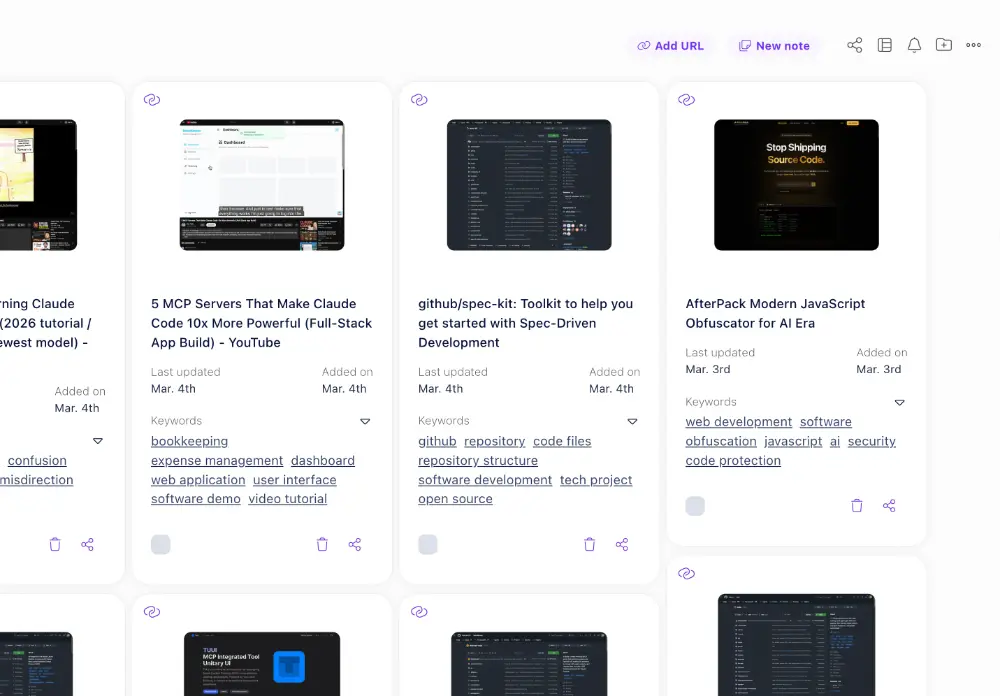
To streamline the experience, we have fully integrated Collect+ into Razuna itself. Now, users can effortlessly add a URL directly to any folder without having to navigate through additional steps. This enhancement simplifies the process, making it more intuitive and efficient.
In addition, we have relocated the "Note" option, a markdown document, from the Collect+ section to each folder. This change gives users even greater flexibility, making it easier to capture and organize their thoughts and observations alongside the collected assets.
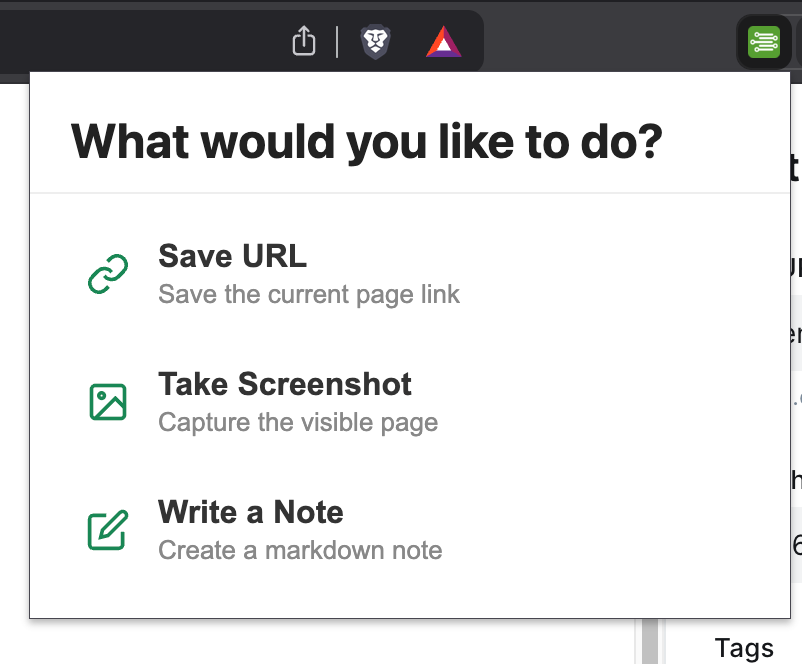
By integrating Collect+ items into folders and workspaces, we've also enhanced the functionality of the Razuna browser extension. Users can now save their Collect+ items directly to the workspaces and folders of their choice. Furthermore, when you click the Razuna icon in your browser, a compact panel appears, allowing you to save the current page's URL alongside a screenshot and the full content or create a note. This new panel promotes a more seamless experience, enabling users to gather and store information swiftly. Of course, for those who prefer it, the option to save items via the right-click menu remains available, ensuring that we cater to various user preferences.
Overall, these updates aim to create a more user-friendly, efficient process for collecting and managing digital content in Razuna.