The OneDrive alternative for creative asset operations
Move beyond synced folders with AI metadata, visual search, approvals, branded workspaces, and scheduled OneDrive imports—without per-user pricing on paid plans.
Start Free with 500 GB — No Credit CardWant a 15-minute tour instead? Book a demo

Connect OneDrive once. Keep Razuna current automatically.
Is Razuna a good OneDrive alternative?
Razuna is a OneDrive alternative for teams whose creative files need more than syncing and Office collaboration. It adds editable AI metadata, semantic and visual search, custom fields, labels, versions, approvals, collections, branded workspaces, and scheduled OneDrive imports. Start free with 500 GB, 5 users, and 2 workspaces; paid plans are $99 per TB each month with unlimited users and workspaces.
OneDrive is excellent for Office files. Creative libraries need different tools.
Keep OneDrive when your team needs live Word, Excel, and PowerPoint collaboration. Use Razuna when images, videos, design files, approved campaign assets, and client deliverables need a governed system of record.
Folders tell people where a file was saved. Razuna also explains what the asset contains, which version is current, whether it is approved, who can use it, and how clients or partners should receive it.
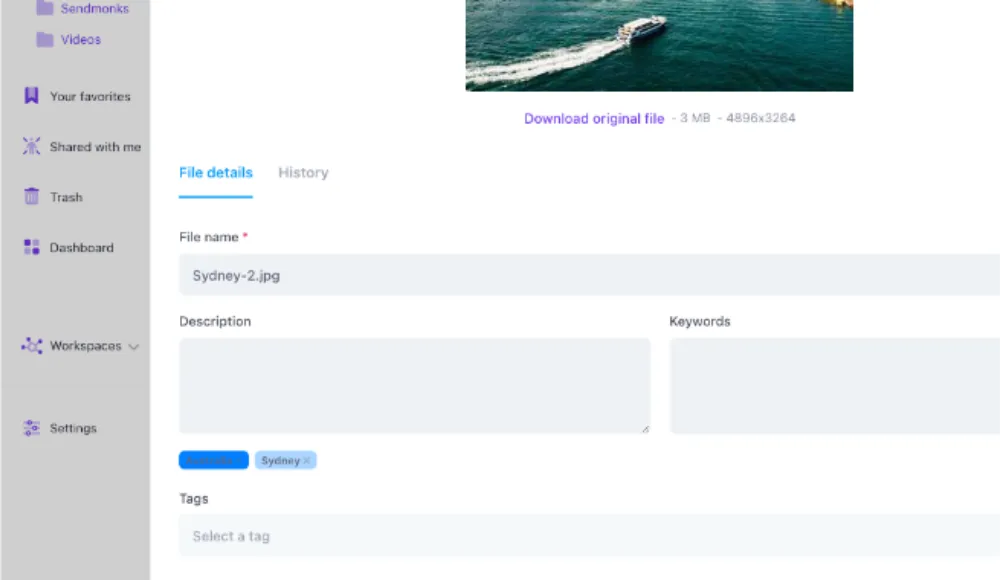
Folders plus metadata—not folders versus metadata
Razuna pricing vs. OneDrive for Business
OneDrive is inexpensive cloud storage. Razuna's value is the DAM workflow layered around every asset.
| Razuna | OneDrive for Business | |
|---|---|---|
| Pricing | ||
| Starting business price | Free / $99 per TB monthly | $5 per user monthly (Plan 1) |
| 15-user example | $99/mo with 1 TB | $75/mo with 15 TB total |
| Billing model | Storage-based | Per licensed user, paid yearly |
| Free team plan | 500 GB, 5 users, 2 workspaces | No free business/team plan |
| Included storage | 500 GB free / 1 TB paid | 1 TB per user |
Public US annual-subscription list price from Microsoft, checked September 2026. OneDrive offers more raw storage in this example; Razuna adds unlimited paid users and DAM operations.
Looking for an alternative?
What Razuna adds to a OneDrive library
Keep the files. Add the context, control, and delivery workflows creative teams need.
AI-assisted metadata and visual search
Generate useful tags and descriptions, extract file metadata, find visually similar assets, and search by meaning instead of relying on exact file names.

Creative previews across 450+ formats
Preview images, video, audio, documents, PSD, AI, EPS, RAW, and other production formats without requiring every reviewer to own the source application.

Versions, comments, and approvals
Keep revisions and feedback attached to the asset, identify the current approved version, and stop distributing files named final-final-v3.
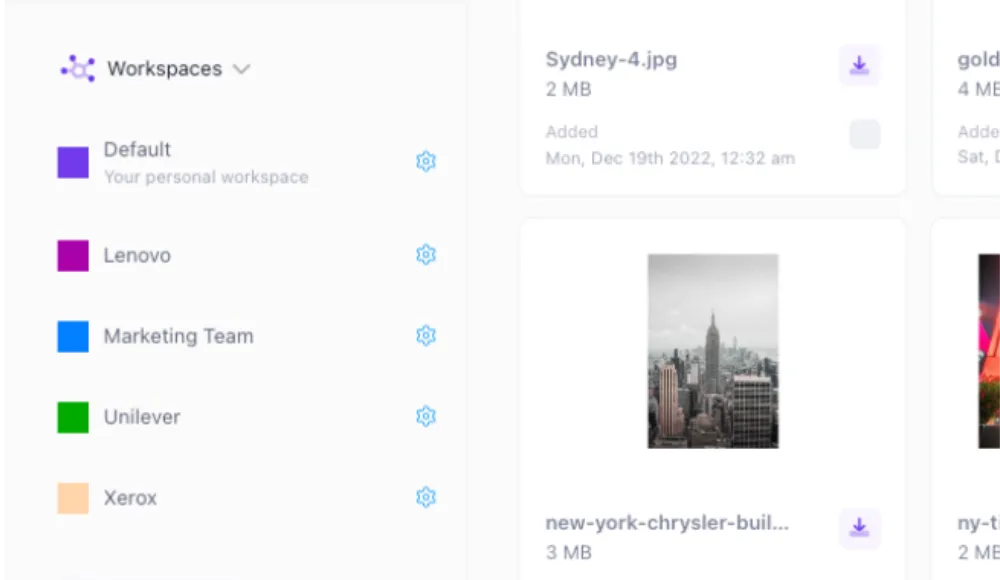
Branded workspaces and guest uploads
Give clients and partners a focused, branded place to access approved assets or submit files without exposing the rest of your library.
Why creative teams add Razuna beyond OneDrive
Frequently Asked Questions About Choosing a OneDrive Alternative
Ready to unfur your files?
500GB free. No credit card. Set up in 2 minutes.
Want a 15-minute tour instead? Book a demo
