Creative Asset Management Software for Agencies and Marketing Teams
Creative asset management software helps teams store, find, review, approve, and share the files that actually move campaigns forward. For agencies and marketing teams, that usually means ad mockups, social graphics, campaign photos, brand templates, presentation decks, and the working files behind them.
If those assets live in email threads, shared drives, chat apps, and random desktop folders, teams lose time to duplicate work, version confusion, and approval delays. Razuna brings those files into one governed library so the right people can search, review, and share approved creative without losing control.
What is creative asset management?
Creative asset management is the process of organizing creative files in a central system so teams can reuse them, approve them, and distribute them without confusion. It usually includes file storage, search, tagging, version control, permissions, and feedback.
For agencies, this matters because creative work is rarely finished in one pass. A designer may upload three versions of a campaign banner. A strategist may need to compare the latest copy deck with an older one. A client may approve one image set but request changes on another. Creative asset management software keeps that process visible and searchable instead of scattered across tools.
Razuna fits this workflow by combining:
- AI-powered discovery for fast search
- Automatic metadata to make files easier to find
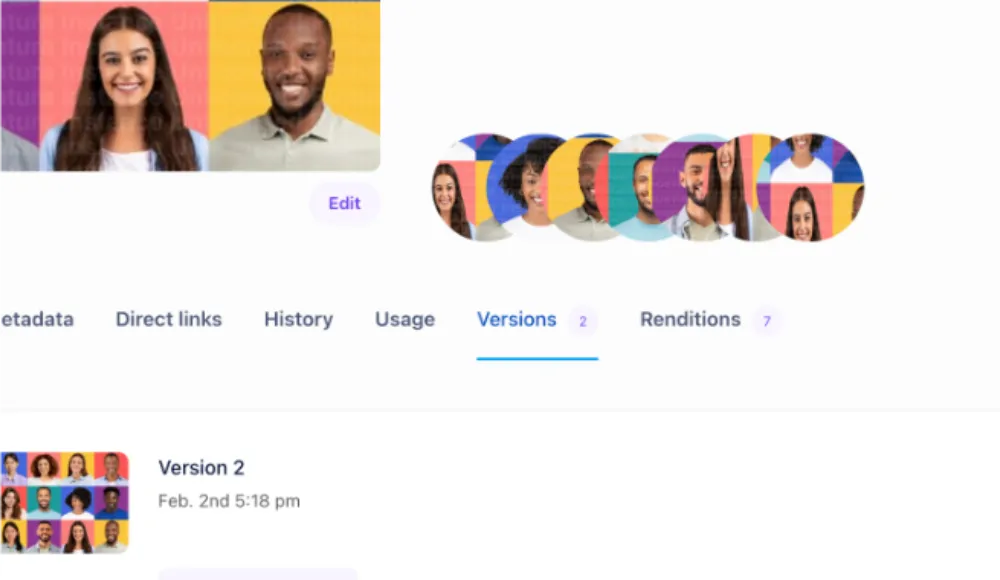
- Version control so teams can keep the latest approved file
- Permissions and secure links to control access
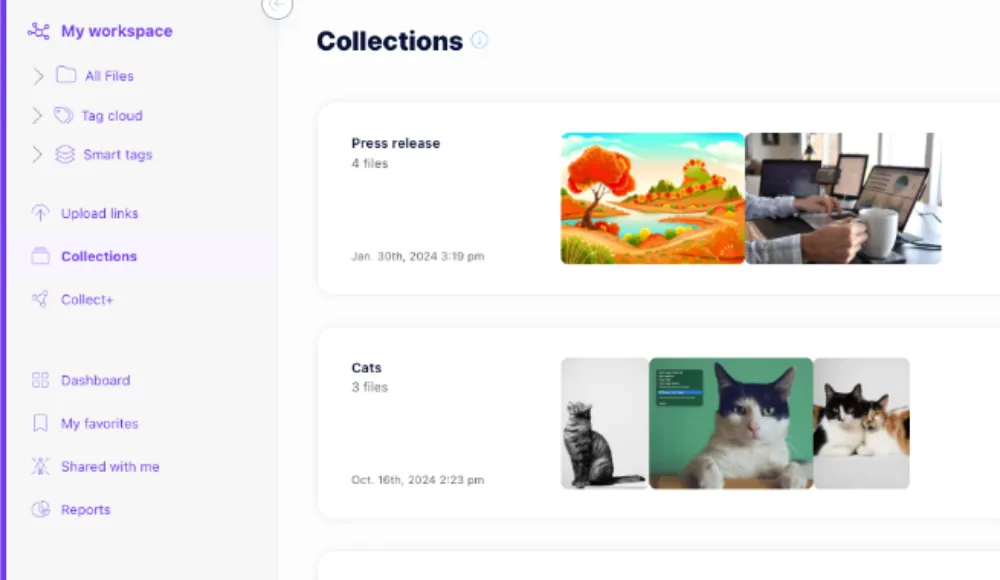
- Collections for grouping campaign files
- Audit trails to show what changed and when
For a broader product view, see what DAM software is and how digital asset management supports teams.
Who uses creative asset management software?
Creative asset management software is built for teams that create, review, and distribute marketing content at pace.
Agencies
Agencies use it to keep client assets separated, organized, and easy to approve. That includes brand logos, campaign concepts, ad variants, presentation files, and final deliverables.
Marketing teams
Marketing teams use it to manage reusable creative across channels. That often means social posts, landing page images, newsletters, event graphics, product visuals, and campaign kits.
Brand and content teams
Brand teams need one source of truth for logos, templates, tone-of-voice docs, and brand-approved visuals. Content teams need a reliable place to store reusable graphics, layouts, and approvals.
Freelancers and external collaborators
When outside contributors need access, permissions matter. Razuna lets teams share only what is needed, so contractors and agencies can work without exposing the entire library.
What creative teams need from the software
Not every file system works for creative work. The features below matter most when campaigns move quickly and feedback loops are short.
Approvals and feedback
Creative review often slows down because feedback is fragmented. Comments live in one place, approvals live in another, and the file on someone's desktop may not match the file the client saw.
Razuna helps teams keep feedback tied to the asset itself. That makes it easier to:
- review drafts in context
- track the approved version
- avoid rework from outdated feedback
- hand off final assets with more confidence
Reusable assets
One of the biggest benefits of creative asset management is reuse. Teams should be able to find a logo lockup, banner size, social cutdown, or campaign illustration without rebuilding it from scratch.
Razuna supports reuse through search, tags, folders, collections, and metadata. That makes older work useful again instead of buried in archive folders.
Tags and metadata
Creative files are only helpful if people can find them fast. Tags and metadata make search work the way creative teams think.
For example, a team might tag an asset by:
- campaign name
- client name
- channel
- file type
- product line
- approval status
Razuna's automatic metadata and AI-powered discovery help reduce manual sorting, which is useful when a library grows faster than the team can label it by hand.
Version control
Creative projects change often. A "final" file may become final-v2, then final-v4, then final-approved. That creates risk when teams pull the wrong file into a live campaign.
Version control helps keep that under control by showing which file is current and which versions came before it. In Razuna, teams can manage versions without losing the earlier asset history.
Secure sharing
Creative teams rarely work alone. Agencies share drafts with clients. Marketing teams share files with sales or regional teams. Brands share approved assets with distributors and partners.
Razuna's secure links and permissions make that easier to manage. Teams can share a folder, a collection, or a specific asset without opening the whole library.
Creative asset management vs DAM
Creative asset management and DAM overlap, but they are not the same thing.
DAM is the broader category. It covers all kinds of digital assets, including brand files, photos, video, documents, and marketing collateral.
Creative asset management focuses more on the workflow around creative production. It emphasizes drafts, reviews, approvals, handoff, and reuse.
Razuna covers both needs well because it combines:
- structured asset organization
- collaboration features
- controlled access
- search and metadata
- sharing for approved files
That makes it useful for creative teams that need more than a basic file drive, but do not want enterprise complexity.
Why agencies and marketing teams choose Razuna
Razuna is a strong fit when teams need one place for creative files and a simple way to govern them.
1. One library for active work and approved assets
Teams can keep working files, finished assets, and brand-approved versions in one system instead of splitting them across tools.
2. Unlimited users on paid plans
That matters for agencies and marketing groups that work with many collaborators, contractors, and stakeholders. You do not have to count heads every time a new reviewer joins a project.
3. Clear permissions
Not everyone should see every file. Razuna helps teams control who can view, edit, or share assets, which is especially useful for client work and sensitive campaigns.
4. Fast retrieval
When someone asks for the latest product shot or event graphic, search should take seconds, not a folder hunt. Razuna's AI-powered discovery and metadata indexing help teams find the right file faster.
5. Built for sharing approved creative
Once assets are approved, teams need a clean way to distribute them. Razuna supports secure links, collections, and controlled access so the right version reaches the right people.
For related workflows, see practical strategies for organizing digital assets and what brand asset management involves.
Creative asset management workflow in practice
A simple creative workflow in Razuna can look like this:
- Upload campaign files into a workspace.
- Add tags, descriptions, and metadata so the team can search later.
- Group related files into collections for a client, campaign, or launch.
- Share a review link with the right reviewers.
- Capture feedback, revise the file, and save the new version.
- Mark approved assets and reuse them across channels.
This is the part that usually saves the most time. Instead of asking, "Where is the latest file?", teams can ask, "Which version is approved?" That small shift prevents mistakes and keeps campaigns moving.
What makes the best creative asset management software?
The best creative asset management software does more than store files. It should support the way creative teams actually work.
Look for software that has:
- simple search and tagging
- version control
- approval and feedback tools
- access permissions
- secure sharing
- support for many file types
- easy reuse of approved assets
- clear organization for campaigns and clients
If your team also handles broader brand and media workflows, it helps to choose a platform that can grow with you. Razuna combines creative asset management with DAM-level structure, so teams do not outgrow it as their library expands.
Frequently Asked Questions
What is creative asset management software?
Creative asset management software is a system for storing, organizing, reviewing, and sharing creative files. It helps teams manage drafts, approvals, reusable assets, and final versions in one place.
How is creative asset management different from file storage?
File storage only keeps files online. Creative asset management adds structure, search, permissions, version control, and feedback so teams can actually work with the files, not just store them.
Do agencies need creative asset management software?
Yes. Agencies usually manage multiple clients, multiple reviewers, and many versions of the same asset. A creative asset management system reduces confusion and makes approvals easier to track.
Can Razuna be used for approved brand files?
Yes. Razuna is a good fit for approved brand files because it supports permissions, secure sharing, collections, version control, and searchable metadata.
What kinds of assets can teams manage in Razuna?
Teams can manage brand assets, marketing files, media, documents, campaign materials, and other digital files that need to be searchable and controlled.
Creative work moves too fast to keep files in disconnected folders. Razuna gives agencies and marketing teams one place to organize creative assets, manage approvals, and share the right version with the right people.
To connect your asset library with the creative process, see Creative Asset Management Software: Systems and Workflows and 9 Steps To Effective Creative Workflow Management.
Explore Razuna for creative agencies to see how these practices fit your team’s workflow.