UGC Rights Management in Your DAM: Stop Treating Creator Content Like Free Stock Photos
Your marketing team finally gets the kind of content paid shoots rarely deliver. Real customers. Real settings. Real reactions. Someone on social posts a great product video. A creator sends raw clips after a campaign. Support gets a glowing before and after photo from a customer. Then the usual mess starts.
The file gets downloaded to a laptop. Somebody renames it final-final-use-this.mp4. The approval lives in email. The usage window lives in a Slack thread. Legal terms sit in a PDF no one opens again. Six months later, the same asset ends up in paid ads in a new region, long after the original permission expired.
That is why UGC rights management matters. The problem is not finding more creator content. The internet has solved that. The problem is proving what you are allowed to do with it, for how long, where, and under what conditions. If that information is not attached to the asset itself, your team is one rushed campaign away from using the wrong file in the wrong place.
A digital asset management system should fix this. Not by acting like a prettier folder tree, but by turning rights metadata into operational rules. If your DAM cannot tell your team whether a creator video is approved for paid social in Germany until June 30, it is not managing the asset. It is just storing it.
For teams already dealing with creator programs, customer reviews, influencer campaigns, and community content, UGC rights management is becoming one of the clearest reasons to move beyond shared drives.
Why UGC rights management breaks in shared storage
Shared storage is fine until context matters. UGC is all context.
A customer selfie is not just a JPG. It is a file tied to a person, a permission record, a usage window, maybe a region restriction, maybe a paid media restriction, maybe a requirement for attribution, maybe a rule that edits need approval, maybe a creator fee that only covered organic social. Lose any one of those details and you have created a compliance problem.
This is why UGC becomes dangerous in Dropbox, Google Drive, or a random campaign folder. The asset moves faster than the rights record. Creative downloads the image. Paid social crops it. Regional teams reuse it. Agencies pull it into a deck. Nobody is trying to be reckless. They just cannot see the rules.
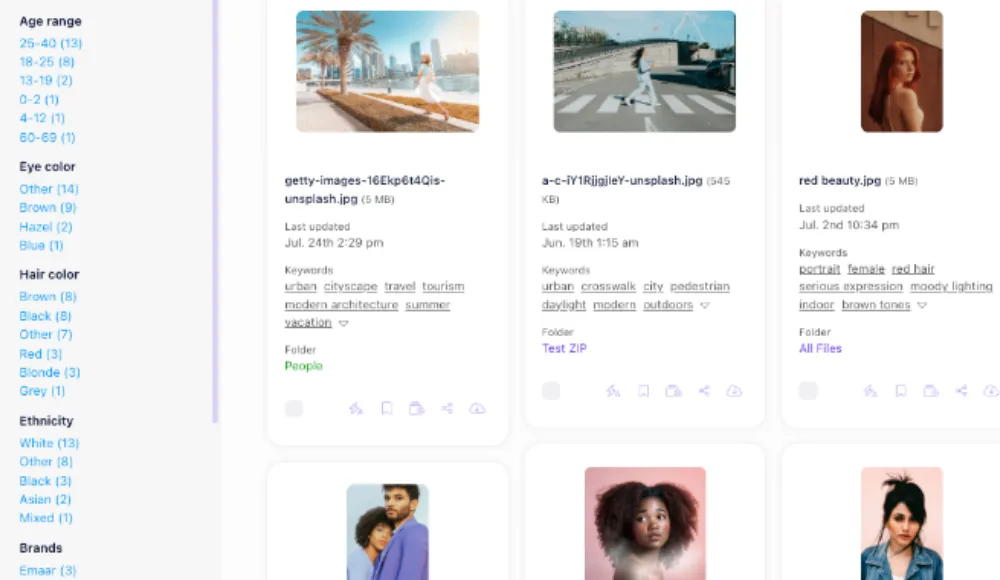
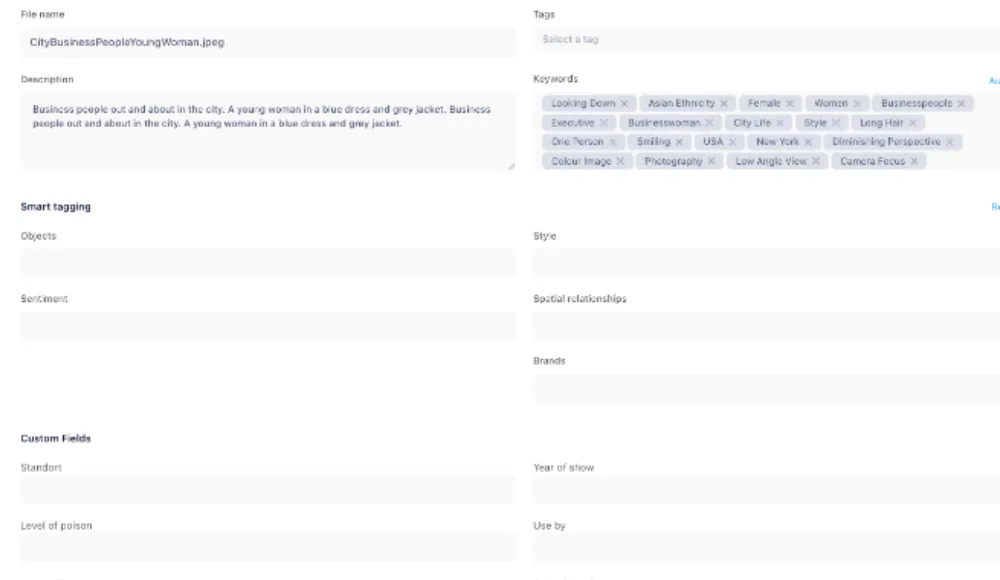
The DAM angle here is simple. UGC rights management works only when usage terms live with the asset, not beside it. That means metadata fields, visible status markers, audit trails, permission controls, and expiration logic. It also means the team can search by rights status instead of guessing.
Recent DAM trend coverage from vendors keeps landing on the same point. Governance is no longer a nice extra. It is part of the product. Fotoware's 2026 DAM trend writeup frames governance, authenticity, audit trails, usage rights, and provenance metadata as core requirements, especially as asset volumes rise and AI content adds more ambiguity. That matches what marketing teams are feeling on the ground. More content means more risk if the rules stay manual.
The five metadata fields every UGC rights management workflow needs
If you want UGC rights management to survive contact with a busy marketing team, keep it practical. Every creator or customer asset needs at least these five fields in your DAM.
Rights status.
Use plain labels your team can understand in two seconds. For example: requested, approved, restricted, expired, archived. Nobody should need to open a contract just to know whether a file is safe to use.
Allowed channels.
Organic social is not paid social. Email is not out of home. Product pages are not Meta ads. Store exactly where the asset can appear.
Usage expiration date.
This one gets missed constantly. Some rights last 30 days. Some run for a quarter. Some are evergreen, but only with attribution. Your DAM should make expiration visible and searchable.
Geography or market limits.
If the creator agreement covers the US and Canada only, your EMEA team needs to know that before they pull the file into a campaign.
Source and proof of permission.
Store the approval source, contract link, screenshot, or form submission alongside the asset. If someone asks "Who approved this?" the answer should not depend on one employee still working here.
If you want to go further, add edit permissions, attribution requirements, talent age flags, product claim approval, and campaign association. But those five fields are the minimum if you are serious about UGC rights management.
How to build UGC rights management into your DAM process
Most teams do not need a giant governance program. They need a workflow that people actually follow.
Start at intake. When UGC enters the system, it should not land in the same bucket as approved brand photography. New files should enter a review state with rights fields incomplete by default. That alone prevents accidental reuse.
Next, collect proof. If approval came through a creator contract, attach it. If it came from a rights request flow, link the evidence. If the creator granted use for organic social only, encode that in metadata. Do not hide it in a paragraph note.
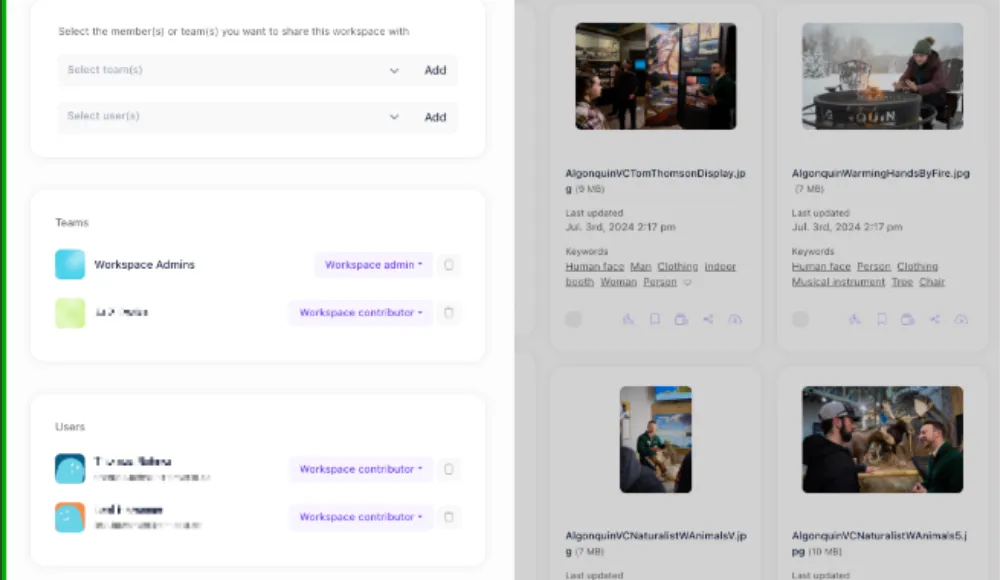
Then gate access. Designers, agencies, and regional teams should be able to find approved UGC fast, but they should not see restricted assets as ready to use. Access control matters, but so does download control. An asset marked expired should not travel like a normal file.
After that, automate the boring part. Rights windows close. Campaigns end. People leave. The system needs reminders, filters, and review queues for assets nearing expiration. Aprimo's guidance on usage expiration is right on this point: expiration only matters when teams can see it and act on it. Otherwise the date is just decorative metadata.
Finally, archive aggressively. UGC has a shelf life, both legally and strategically. If a creator asset is tied to a finished campaign, archive it or relabel it before it starts showing up in search next year.
This is also where a real DAM earns its keep. Razuna already gives teams the core mechanics you need here: custom fields for rights metadata, version history, permissions, fast search, portals for controlled sharing, and a structure that is far more reliable than burying approvals in email. If you are pricing options, it is worth checking how Razuna handles metadata and sharing rules on the pricing page at Razuna pricing and on the product overview at Why Razuna.
Why UGC rights management now overlaps with AI governance
There is another reason this topic just got more urgent. The line between creator content and AI-assisted content is getting blurry.
A creator may send an original photo that gets retouched with AI. A social team may localize captions or extend backgrounds. An agency may remix source footage into multiple variants for paid campaigns. Once that happens, the old question "Do we have permission to use this file?" becomes too small. The better question is "What exactly is this asset, how was it modified, and does the approval still cover the current version?"
That is where provenance and rights start to overlap. Razuna has already covered content provenance and C2PA on its blog at Content Provenance and Your DAM for good reason. Provenance helps establish where an asset came from and what changed. Rights management tells you whether the current version is still safe to publish. You need both.
This is also why the old habit of tossing approved UGC into a generic "social assets" folder is breaking down. The asset itself is no longer the whole story. The history, permissions, version, and allowed use need to travel with it.
What good UGC rights management looks like in practice
A healthy setup is boring in the best way.
A social manager searches for "approved creator video summer campaign paid social US" and gets only usable assets. A designer can see that a customer quote card is approved for website and email, but not for paid ads. An agency portal exposes only files cleared for client use. A brand manager spots assets expiring next week before they get pushed live. Legal can audit decisions without chasing screenshots across five tools.
That is not bureaucracy. That is speed with guardrails.
It also fits where DAM is heading more broadly. Razuna has written about brand governance through access control at Brand Governance Without the Bureaucracy and the same principle applies here. Governance is not about making teams ask permission for everything. It is about making the approved path the easiest path.
If your current process depends on tribal knowledge like "ask Julia before using creator clips" or "the paid team knows which files are safe," you do not have a process. You have a temporary workaround.
The real cost of getting this wrong is not just legal
Legal risk gets attention because it is obvious. But the daily damage usually shows up elsewhere first.
Teams waste time rechecking permissions that should already be visible. Good assets get ignored because nobody trusts the rights status. Agencies request the same files again because they cannot tell what is approved. Campaigns slow down. Reuse drops. Your best content becomes harder to use than your stock library.
That is backwards. UGC is supposed to make marketing feel more authentic and more efficient. Without rights discipline, it does the opposite.
The strongest DAM teams treat rights metadata as a discoverability layer, not just a compliance layer. If you can search for safe assets by channel, region, expiration date, and approval status, you move faster and reduce risk at the same time.
Stop collecting UGC like souvenirs
A lot of brands say they want more creator and customer content. Fine. But if you keep collecting assets without a system for rights metadata, you are building a liability pile, not a content engine.
UGC rights management belongs inside your DAM because the permission is part of the asset. Separate them and the process breaks.
If your team is tired of chasing approval screenshots, guessing license windows, and wondering whether a great creator clip is actually safe to reuse, start with the system, not another spreadsheet. Razuna gives you the structure to centralize assets, attach the context that matters, and make approved content easy to find and share. Try Razuna free.
For background on asset rights and provenance, see What Is Digital Rights Management?.
Explore Razuna features to see how these practices fit your team’s workflow.