Brand Governance Without the Bureaucracy: How DAM Access Control Actually Works

Your agency partner just ran a campaign with your old logo. The one from two rebrands ago. Your brand manager is on a Friday afternoon call with legal, explaining how this happened. Again.
This is what happens when anyone can grab anything from a shared folder. Brand governance sounds like a compliance project, but the actual problem is much simpler: the wrong people have access to the wrong files, and nobody has a clear view of what is being used where.
A DAM with proper access control fixes this. Not by locking everything down and making your team file a request for every download. By giving the right people the right files, automatically, from day one.
What is brand governance in a DAM?
Brand governance in a digital asset management system is the combination of rules, permissions, and workflows that ensure only approved assets are used, only by the right people, in the right contexts.
It covers:
- Who can view, download, or share each asset
- Which teams or external partners see which content
- Version control so outdated files disappear from active use automatically
- Audit trails showing who accessed what, and when
At its core, the difference is between 'we hope people use the right logo' and 'they can only access the right logo.' One is a policy. The other is a system.
Why shared drives break brand governance
Google Drive and Dropbox are built for file sharing. Brand governance is a different problem. And those two things are not the same.
When your company has 50 people sharing one Drive folder, every file is equally accessible. The intern can download the same master artwork as the brand director. The agency can grab a campaign photo from two years ago and not know it is retired. Nobody is doing anything wrong intentionally. The system just has no concept of 'this file is for these people only.'
The result is predictable: wrong assets in wrong places. Campaigns with outdated logos. Partners using brand colors that changed last quarter. Internal decks pulled from photos that expired their licensing six months ago. The brand becomes whatever happens to exist in the shared folder, rather than whatever the brand team actually approved.
The bigger the team, the worse the problem gets. A startup with five people can manage shared-folder chaos. A company with 200 people across multiple offices and a handful of agency partners cannot. At that scale, you need a proper digital asset management system with real permission controls, not a Drive link and a prayer.
How role-based access control works in a DAM
Role-based access control (RBAC) is the standard approach: you define roles, assign permissions to those roles, and add users to roles. You manage the role once, not every individual user.
In a DAM, this translates to concrete tiers. Here is what it looks like in practice:
- Internal brand team: Full access to all current brand assets, plus works-in-progress and source files.
- External agencies: View and download approved campaign assets only. No access to master files, no access to work-in-progress folders.
- Regional teams: Access to their region's localized content, not global master templates they have no reason to touch.
- Partners and resellers: A branded portal showing only the assets they are approved to use, nothing else.
When someone new joins the brand team, you add them to the right role. When an agency engagement ends, you revoke access in one click. You do not have to audit a shared folder and manually delete 47 individual sharing links that have been live for two years.
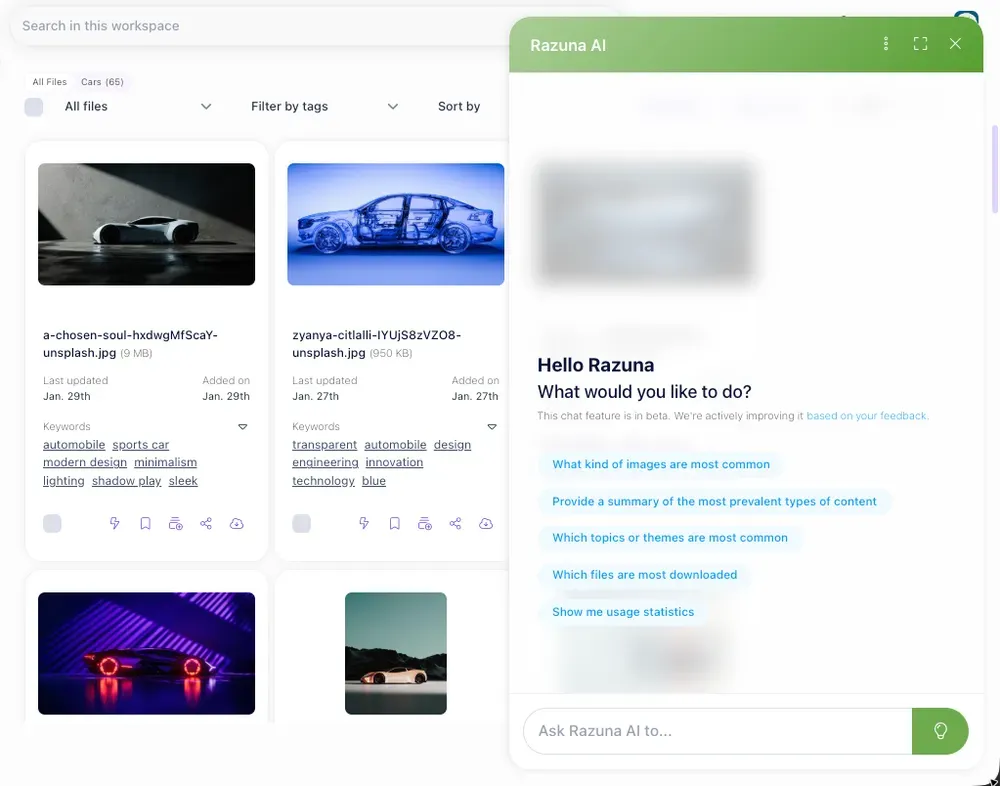
Razuna's permission system lets you control access at the folder level, the collection level, and down to individual assets. You can build a branded portal for external partners that shows exactly what you want them to see, with no view into the rest of your library. The portal looks professional, not like a bare file list, which matters when you are sharing materials with clients.
Brand governance that does not slow your team down
The most common objection is that governance means friction. 'We will have to wait for someone to approve every single download.' That is a design problem with badly configured systems, not an inherent feature of access control.
Good access control is invisible to users who have the right permissions. A designer on the brand team opens the DAM and sees everything they need. An agency partner logs into the portal and sees the approved campaign kit. Neither of them experiences the other's world, and neither has to submit a support ticket or wait for an admin to grant access.
The work happens once, when an administrator sets up the roles and folder structure. After that, it runs quietly in the background and your team does not notice it is there.
What to set up before you invite anyone
Getting the structure right upfront saves a significant amount of headaches later. Before you invite any external users:
- Organize folders by audience, not by project. Put 'Agency Assets' in one place, 'Internal Campaigns' in another. Access control is much simpler to manage when folders map to who needs them, not when they were created.
- Set asset expiry dates. Time-limited assets, like seasonal campaign photos or licensed stock imagery, should have an expiry. Expired assets get flagged or hidden automatically so nobody downloads something that is no longer cleared for use.
- Lock versions. Only the latest approved version of a logo, brand guideline, or template should be available to download. Archive old versions rather than deleting them, so you have a record, but keep them out of active view.
- Define your external roles clearly. 'Agency' is not one thing. A production agency that handles print files needs different access than a social media agency that only touches campaign jpegs. Build roles that reflect this.
The audit trail: why compliance teams love DAM access control
There is one thing legal and compliance teams want from your asset system: a log of who did what.
Every download, every share, every access recorded. When someone asks 'who shared this before it was approved?' or 'did our agency use the licensed images beyond the agreed usage window?', you have a clean, timestamped answer. The alternative is spending three days combing through email threads and Slack messages to piece together a timeline.
For regulated industries, this is not optional. Healthcare, finance, food and beverage, and any business with strict licensing requirements cannot rely on a shared drive and a manual spreadsheet. A DAM with a proper audit log is the difference between a brand team that can respond to a compliance question in minutes and one that cannot respond at all.
Beyond compliance, the audit log is useful for more mundane reasons. It tells you which assets are actually being used, which are being ignored, and which external parties are most active. That is real data for deciding what to create more of and what to archive.
You do not need enterprise software to get brand governance right
The perception in a lot of mid-sized companies is that proper brand governance requires the kind of DAM that costs $30,000 a year and takes six months to implement. That is not true anymore.
Razuna gives you role-based access control, folder-level permissions, branded external portals, version control, and audit logs. It is built for marketing teams, agencies, and brands that need real governance without a six-figure software contract. The pricing is straightforward, and you can be up and running in a day, not a quarter.
The companies that get brand governance right are not necessarily the ones with the biggest budgets. They are the ones that stopped treating their file storage as an afterthought and gave their assets a real home with real rules.
Get your brand under control
Brand governance does not have to mean bureaucracy. It means the right people access the right files, and the wrong people simply cannot. When that system is in place, you stop chasing down asset misuse and start trusting that your brand looks consistent wherever it shows up.
If your team is still managing brand assets in a shared Drive folder, or an older system with no real permissions model, it is worth trying something built for the job. Start free on Razuna and see how fast you can bring order to your asset library.
Want the short version? Check Razuna features and Razuna pricing to see the difference in real workflows.