How to Choose DAM Software: What to Actually Check Before You Sign

Most marketing teams pick the wrong DAM. Not because they chose carelessly. They did demos, read comparison articles, and sat through a sales pitch or three. They went with the wrong DAM because they asked the wrong questions. Here is how to not do that.
The Problem With Most DAM Evaluations
The standard approach: book demos with three vendors, watch them each show off the same feature set (AI tagging, metadata search, branded portals), then pick the one with the smoothest salesperson. Two years later, you're migrating out because the tool can't handle your actual workflow.
The flaw lies in evaluating features rather than workflow fit. Every modern DAM has a search. Every modern DAM has user permissions. The question is whether it handles your specific edge cases: the ones that come up at 4 pm on a deadline day, when a new agency partner needs access to one specific folder and nothing else, or when someone uploads the wrong version of the hero image, and you need to pull it back before it goes live.
Features demos hide all of that. Which is exactly why vendors love them.
Before You Demo Anything: Map Your Current Mess
Before you look at a single tool, write down the reality of your situation. Not what you want, but what you have.
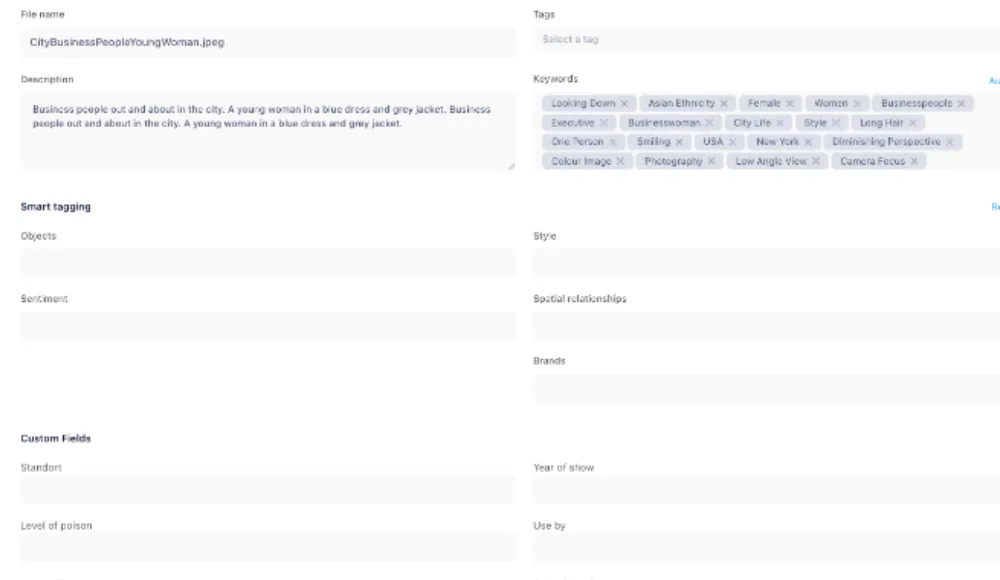
- How many assets do you actually have? Files, not storage GB. Those are different problems.
- Who needs access? Internal team only, or external agencies and freelancers too?
- Where does your team work? Adobe apps, Figma, Canva? What integrations would reduce friction in the daily loop?
- What breaks right now? Version control? Finding the right file? Getting assets to outside parties without emailing ZIP files?
- What do you currently pay for storage? Dropbox, Google Drive, and Box bills compound fast as teams grow.
That list is your evaluation scorecard. If a vendor can't address at least 80% of it, they're out before the demo ends. You're not looking for the most impressive product. You're looking for the right fit for your mess.
The Questions That Reveal Whether a DAM Actually Fits
Forget the standard feature checklist. Ask these instead:
- Can I upload 10,000 files and have them fully searchable within a day? Walk me through how.
- Show me how an external agency gets access to approved assets without seeing anything else in the system.
- What happens when someone uploads a new version of the logo? Does the old version get restricted automatically, or is that manual?
- If we move to your platform, who handles the migration? What format does our existing metadata need to be in?
- What does your storage pricing look like at 500GB? At 5TB? At 20TB?
The answers to these reveal more than any feature comparison table. You'll spot gaps in version control, access logic, migration support, and cost modeling that never show up in a polished demo.
One more: ask the rep what the most common reason is for customers to churn from their platform. If they can't answer, or if the answer is 'we don't see much churn,' walk away.
Red Flags in a Live Demo
You learn more from what breaks in a demo than from what works. Pay attention to these:
- The rep only shows happy paths. Ask them to demonstrate what happens when something goes wrong: a file uploaded to the wrong folder, a user who needs immediate restricted access, or an asset accidentally deleted. If they fumble or deflect, that's your answer.
- They can't give a ballpark price on the spot. If a vendor won't put a rough number on the table in the first conversation, the pricing is either complex, expensive, or both. Neither is good.
- Search requires exact terms. Strong DAM search handles synonyms, partial matches, and metadata fields, not just filename matching. If the demo shows typing exact file names to find assets, keep looking.
- Onboarding requires a professional services engagement. If getting your team up and running needs a three-week implementation project with a dedicated consultant, that cost is not in the sticker price. Add it.
- The admin interface looks like it was built in 2012. You'll spend a lot of time in it. If the UI is confusing to you during a prepared demo, it will be a nightmare for the rest of your team in practice.
What the Pricing Conversation Actually Reveals
DAM pricing models vary more than the tools themselves: per-user, per-storage, flat-rate, or hybrid. The model matters as much as the number.
Per-user pricing sounds clean until your agency roster grows. You add three freelancers for a campaign, forget to remove them, and suddenly you're paying for ten users when five are active. Storage-based pricing sounds fine until you're holding five years of raw video files and paying by the terabyte for assets nobody has touched in three years.
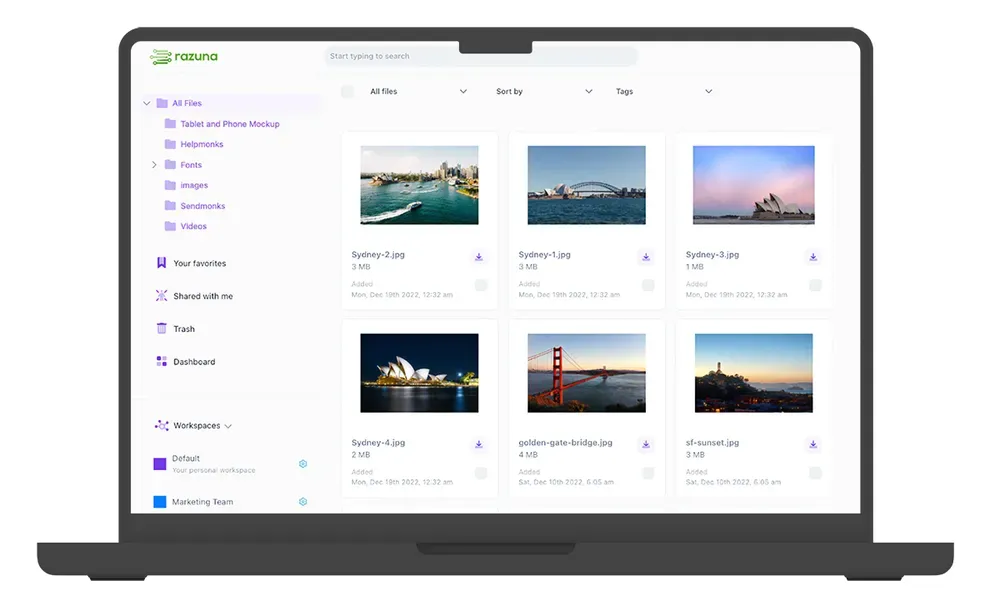
Razuna uses flat-rate pricing: one price regardless of how many users or how much storage you add over time. That's worth checking against other models before you sign anything.
Ask every vendor to walk you through a three-year cost scenario. What does the bill look like if storage grows 3x and the team doubles? The ones with flat-rate models will give you a clear answer. The ones with variable pricing will hedge. That difference matters when you're trying to budget a year out.
The Migration Question Nobody Asks Until It's Too Late
Here is the question most teams skip entirely: how do I get my data out if we decide to leave?
If a vendor won't answer this directly, or if the answer involves custom export requests and multi-week lead times, treat that as a serious warning. Your files belong to you. A good DAM makes it easy to move them in and out.
The import question is just as important. Can you bring your existing folder structure and metadata? Or does every file start from scratch with no context? Starting from scratch with 50,000 files is a weeks-long project, not a setup task.
The best way to test for this is to ask your vendor to show you a real migration: take a sample of 500 files with custom metadata and move them in. If it takes more than a couple of hours, the full migration will take weeks. Check how Razuna handles asset ingestion and metadata import before committing to a platform.
The vendors who make migration clean in both directions are confident in their product. The ones who make it hard are hoping that lock-in does the retention work for them.
How to Run the Final Comparison
Once you've narrowed it down to two or three options, run the same test on each: take 100 real files from your current system, upload them, and have two people on your team find five specific assets using search. Time it. Note how intuitive the interface feels. Check whether the metadata came through correctly.
That exercise will tell you more than three hours of demos. Real files, real search, real people, no guided tour. If one platform is noticeably faster and cleaner, that feeling compounds over thousands of searches and years of use.
Choosing a DAM You Won't Regret
The right DAM is the one that fits your actual workflow, scales with your storage and team without punishing you for growing, and doesn't hold your data hostage if you ever want to leave.
Take the questions above into your next evaluation. You'll cut through the feature theater and find out fast which vendors actually solve the problem.
Razuna is built for exactly this: marketing teams and agencies that need a serious DAM without the enterprise price tag or a six-month onboarding project. Explore the features, check the cost, and start for free at razuna.com.