Semantic Search: What It Returns, When to Use It, and How It Differs from Keyword Search

Semantic search helps people find what they mean, not just what they typed. On Razuna, that matters because teams do not always remember the exact filename, tag, or wording attached to an asset. They remember a campaign, a brand, a document topic, or a visual idea, and they need search to get them to the right file fast.
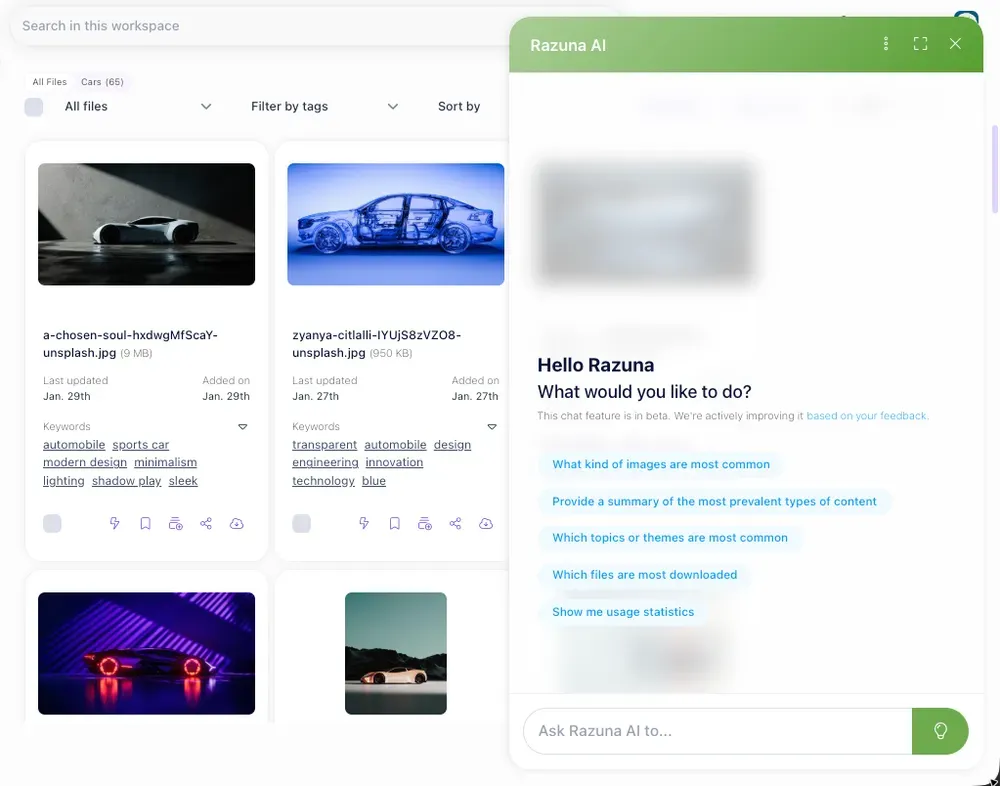
Razuna uses AI-powered discovery and metadata to make that possible. Instead of relying only on exact keyword matches, semantic search can interpret related terms, file context, labels, and descriptions to surface assets that match the query's intent. That is especially useful in a library that includes brand files, marketing assets, media, and documents.
What semantic search returns
Semantic search returns results that are related to the meaning of a query, not just the literal words in it. If a user searches for "brand campaign launch assets," semantic search can return logos, guidelines, creative files, presentations, and approved deliverables that are connected to that project, even if none of those files use the exact phrase.
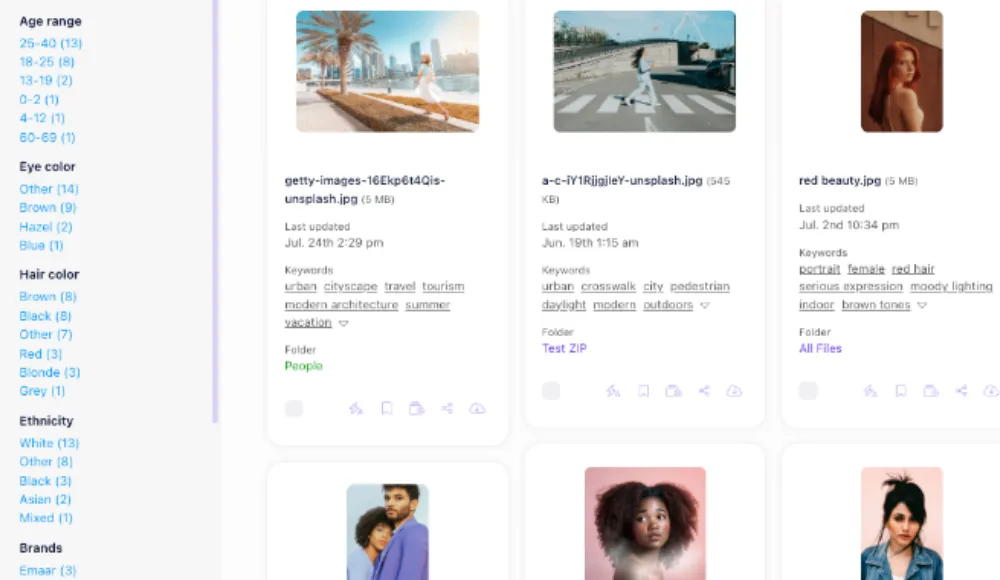
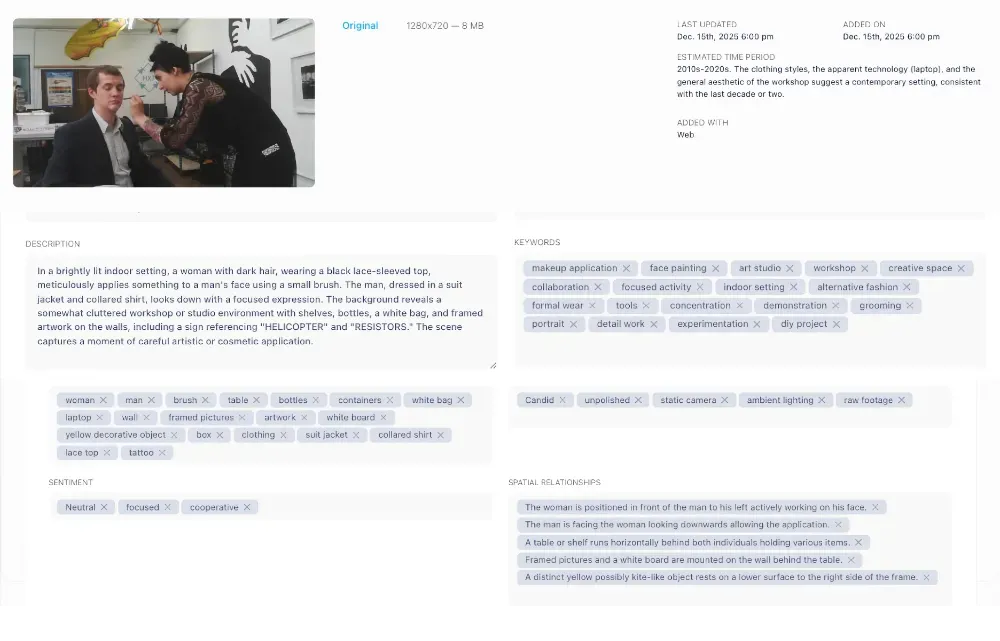
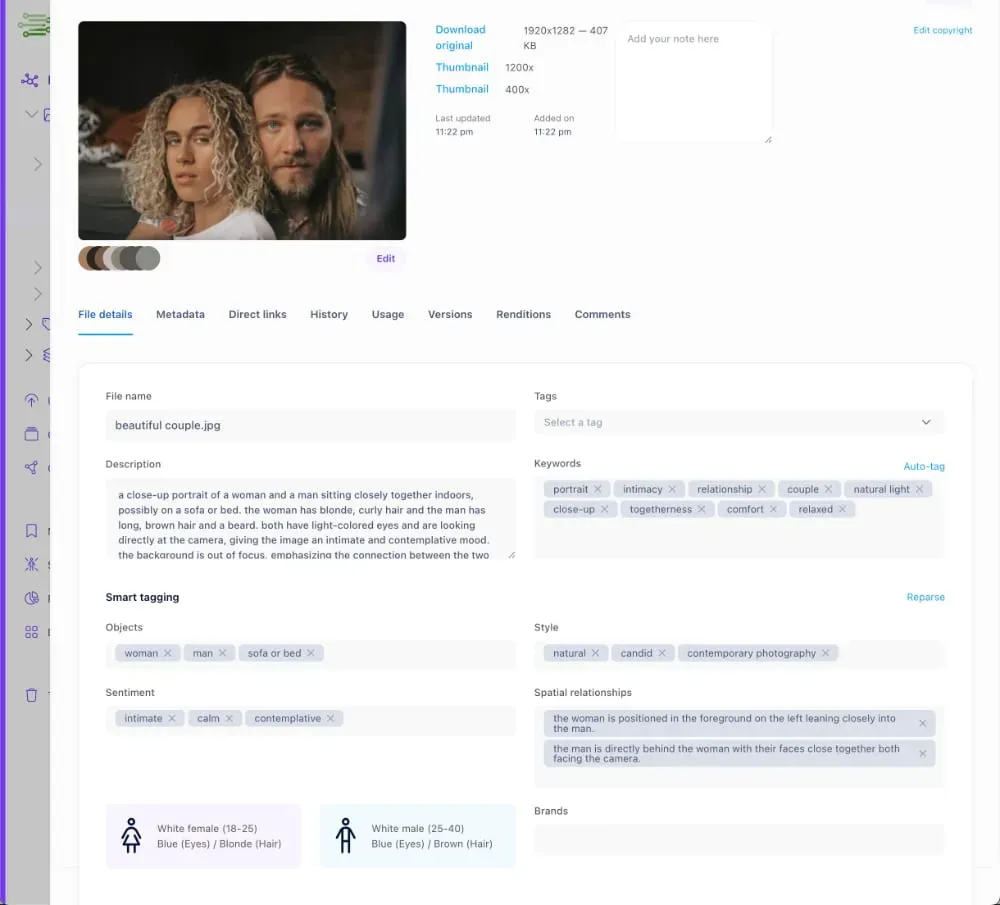
In Razuna, this works well because the system can index metadata such as descriptions, keywords, labels, and other file details. It can also help teams find content across a large library when the file name isn't enough. That is useful for digital file organization software and for teams that want software to organize files without sorting through folders by hand.
For example, a search for "winter product launch" might return:
- campaign images
- launch deck files
- approved social graphics
- product one-pagers
- brand-guideline documents used for that campaign
That is the practical value of semantic search: it reduces the need to guess the exact wording.
When to use semantic search
Semantic search is the better choice when users know the topic or intent, but not the exact file name, tag, or format. It is especially helpful in these situations:
- Large libraries: The more files you have, the harder it becomes to rely on exact matches alone.
- Mixed file types: Teams often store images, PDFs, Word docs, videos, and design files in the same library.
- Shared workspaces: Different teams tag content differently, so the same asset may use different wording everywhere.
- Brand and marketing workflows: Users may search by campaign name, product line, event, audience, or approval status.
- Document retrieval: People often remember what a document is about, not its filename.
This is also where Razuna's broader library structure matters. A centralized asset library with metadata, permissions, collections, and version control gives search more context. If you are comparing digital file organization software, semantic search is one feature that separates a simple storage tool from a system built for business use.
Semantic search vs keyword search
Keyword search looks for exact or near-exact text matches. Semantic search looks for meaning, context, and related concepts.
| Search type | What it focuses on | Best for |
|---|---|---|
| Keyword search | Exact terms, filenames, or tags | Known asset names, precise terms, and narrow queries |
| Semantic search | Meaning, related terms, and context | Broad intent, imperfect queries, and large content libraries |
A keyword search for "Q3 campaign logo" might only return files that include those exact words. A semantic search for the same idea could also return approved variations, brand lockups, campaign folders, and supporting files that are clearly connected to the query.
The difference matters when users do not search the way your library is named. People often type the problem they are trying to solve, not the metadata schema your team created. Semantic search bridges that gap.
A simple example
Imagine a marketer searches for "approved presentation for partner pitch."
A keyword search may return only files with "approved," "presentation," "partner," or "pitch" in the title or metadata.
A semantic search can return:
- the final pitch deck
- the approved template
- brand assets used in the deck
- supporting product sheets
- version-controlled files marked as final
That expectation is closer to how teams actually work. They want the right version, the right context, and the right deliverable, not just a text match.
How Razuna supports semantic-style discovery
Razuna is built for teams that need more than basic file sharing. It combines AI-powered discovery with metadata, version control, permissions, collections, secure links, and audit trails so assets stay searchable and governed.
That matters for three common reasons:
- Search has to understand the library
Files are easier to retrieve when descriptions, labels, and metadata are part of the search experience. - Search has to respect access
Users should only see what they are allowed to use. Permissions keep search useful without exposing the wrong files. - Search has to support real workflows
Teams need to find the current version, not just any version. Version control and audit trails help prevent reuse of outdated assets.
If you are trying to move beyond basic file sharing, what is a good file sharing site, becomes the right question to ask. A good business file-sharing system should combine secure permissions, easy search, large-file handling, collaboration, and version control. Razuna fits that use case when teams need both sharing and asset management in one place.
How semantic search fits document management
Semantic search also helps with document management because document libraries usually contain more than filenames. They include proposals, contracts, SOPs, reports, and reference files, many of which different teams reuse.
What is document management? At a basic level, it is the process of storing, organizing, securing, and retrieving files efficiently across a team. In practice, the best systems also add metadata, permissions, version control, and fast retrieval.
That is where semantic search improves the experience. Instead of searching only by a file's title, users can search for the topic, project, or outcome they need. In a business setting, that saves time and reduces duplicate files.
File sharing, cloud storage, and DAM are not the same thing
Teams often use these terms interchangeably, but they solve different problems.
- Cloud storage keeps files online and accessible.
- File sharing moves files between people.
- DAM adds structure, permissions, metadata, version control, and control.
That distinction matters because a team that only needs storage has different needs from a team that manages brand assets, documents, and media across multiple collaborators. Razuna is designed for the second group. It gives teams a governed library where search, sharing, and control work together.
Brand asset management needs semantic search too
Semantic search is especially useful in brand asset management because brand teams rarely search by a perfect filename. They search by campaign, channel, logo type, guideline topic, or approval stage.
Brand asset management keeps brand files consistent, searchable, and ready for distribution. That includes logos, campaign files, brand guidelines, social templates, and approved creative versions. When those files are tagged well and searchable by meaning, the team spends less time hunting and more time using approved assets.
Razuna supports that workflow with centralized storage, version control, permissions, collections, and secure sharing. For teams looking at brand asset management, semantic search is one of the features that makes the library more usable day-to-day.
Best file sharing site for business use: what to look for
If you are evaluating the best file sharing site for business, do not start with storage size alone. Start with the workflow.
A strong file sharing site should offer:
- secure access controls
- permission management
- large-file handling
- collaboration features
- version control
- search that finds the right asset quickly
- audit trails for accountability
If you need more than basic sharing, the best file sharing site is one that combines secure access, centralized asset control, and team collaboration. Razuna is built for business teams that want all three.
Which file sharing site is best for teams that also manage assets?
If your team handles brand files, marketing content, documents, and media in one place, the answer is usually not a standalone transfer tool. It is a platform that can organize, govern, and retrieve content after the upload is complete.
That is why Razuna works well for this intent cluster:
- it supports searchable asset libraries
- it keeps versions under control
- it uses permissions and secure links
- it helps teams find the right file by context, not only by name
For many teams, that is the difference between "sharing a file" and actually managing it.
Frequently Asked Questions
What is a good file sharing site?
A good file sharing site should offer secure permissions, easy search, version control, large-file support, and collaboration features. The best options also reduce confusion about which file is current and who can access it. Razuna adds asset organization on top of sharing, which makes it a stronger fit for teams managing media, documents, and brand content.
What does semantic search return?
Semantic search returns results based on meaning and context, not only exact keyword matches. That means a search can surface related files, documents, or assets even when the user doesn't know the exact filename or tag. This is useful in large libraries where content is organized by project, topic, or campaign.
How is semantic search different from keyword search?
Keyword search looks for exact words, while semantic search looks for intent and related meaning. Keyword search is best when you know the file name or exact term. Semantic search works better when the user remembers the topic, purpose, or business use case rather than the exact wording.
What is document management?
Document management means storing, organizing, securing, and retrieving files efficiently across a team. A good system usually includes metadata, permissions, version control, and fast search. Razuna supports this by keeping documents in a searchable asset library instead of scattering them across folders and inboxes.
Is cloud storage the same as file sharing?
No. Cloud storage keeps files online, while file sharing moves files between people. DAM goes further by adding structure, metadata, permissions, version control, and governance. That is why teams with more complex workflows often outgrow basic storage tools.
Semantic search becomes most valuable when your team has more files, more versions, and more people touching the same content. In that setting, search should do more than match text. It should help users find the right asset, understand why it is relevant, and use it with confidence.