DAM Localization Workflow: How Global Marketing Teams Stop Shipping the Wrong Asset
Global campaigns rarely fail because the design team made a bad banner. They fail because the wrong version gets shipped to the wrong market at the wrong moment. A French landing page goes live with English screenshots. A regional team downloads last quarter's packaging. Legal approved one disclaimer, but the paid team grabbed another file from a shared drive. This is not a translation problem. It is a DAM localization workflow problem.
The brands getting this right are not treating localization as a last-minute production step. They are treating it as an asset control problem inside digital asset management. When every market version, approval state, rights note, and derivative lives in one governed system, global marketing stops relying on folder luck.
What a DAM localization workflow actually does
A DAM localization workflow is the structure that keeps source assets, translated variants, market-specific edits, and final approvals connected from first upload to final distribution. The point is simple. When someone in Germany, Brazil, or Japan needs the right asset, they should find the approved one fast, know why it is approved, and trust that nobody slipped in an outdated version.
That matters because localization is not just swapping text. Teams change subtitles, product shots, legal copy, dimensions, currencies, packaging, and campaign context. One global launch can produce dozens of legitimate variants. If those variants are not governed, your content library stops being a source of truth and turns into a pile of regional guesses.
A strong workflow also answers the practical questions marketers ask under deadline. Which version is approved for this country. Is this the latest export. Can this image be reused in paid social. Did legal sign off on this disclaimer. Razuna's features matter because workflow quality comes from metadata, search, permissions, versioning, and sharing working together, not from one isolated localization checkbox.
Why localization breaks in shared drives and email threads
Most global teams do not lose control all at once. It happens one workaround at a time. The source files live in one folder. Translations are tracked in a spreadsheet. Regional edits come back over email. Legal approvals sit in comments or PDF attachments. Agencies upload cropped variations somewhere else. Then launch week arrives and everyone asks the same question at once: which file is actually safe to use.
Shared drives are fine at storing files. They are bad at storing context. A folder can tell you where something lives. It cannot reliably tell you whether the Spanish version is approved for LATAM but not Spain, whether the subtitle file matches the final cut, or whether a product render is tied to an old packaging claim. Once localized files start multiplying, location stops being enough.
- Regional teams create duplicate folders because they do not trust the global one.
- Translators work from old exports because nobody marked the current master clearly.
- Designers generate new derivatives that lose the approval history of the parent asset.
- Marketers ship the right language with the wrong legal copy.
- Agencies keep local copies that drift from the approved library within days.
None of that is exotic. It is normal operational drift. The problem is that localization multiplies drift faster than most teams expect. One source banner can turn into twenty regional versions, each with its own crop, copy, and review path. Without a governed workflow, scale just produces cleaner chaos.
The metadata every localized asset needs
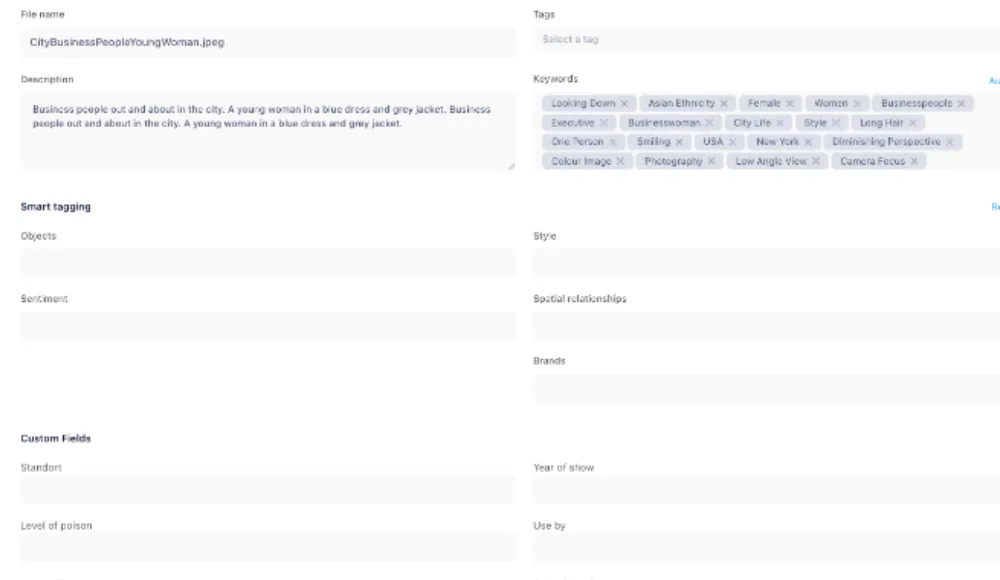
If you want localization to move faster, stop burying market context in filenames. Put it in metadata. Metadata is what turns a folder of language variants into a system people can trust. The best teams keep the fields boring, practical, and impossible to misread.
- Source asset or parent version
- Language and market
- Approval status
- Owner or responsible team
- Campaign or product line
- Legal or compliance status
- Channel restrictions such as web, paid social, retail, or email
- Expiration date or review date
- Notes on adaptation rules, including whether local edits are allowed
Those fields let people search for the actual thing they need instead of browsing blindly. A marketer should be able to filter approved German retail assets for spring launch and get a clean result set. A regional manager should be able to see pending Spanish email assets waiting on legal review. If your library cannot answer those questions, your workflow is too informal.
This is also where global brand control gets less bureaucratic. Teams do not need a brand police squad hovering over every asset. They need a system that makes the right file obvious and the wrong file harder to reach. That is the same logic behind brand governance with DAM access control. Good governance is not more meetings. It is fewer avoidable mistakes.
A practical DAM localization workflow for global marketing teams
The workflow itself should feel almost boring. That is a good sign. If the process depends on tribal knowledge, heroics, or somebody remembering what happened in Slack last Tuesday, it will break the moment campaign volume rises.
- Step 1: upload the approved source asset once and mark it clearly as the parent version.
- Step 2: attach campaign, product, and channel metadata before localization starts.
- Step 3: route the asset into translation or regional adaptation without breaking the link to the source.
- Step 4: store every localized variant in the same governed record or structure, not in side folders and inboxes.
- Step 5: capture legal, regional, and brand approvals on each market-ready variant.
- Step 6: publish or share only from the approved DAM record so teams stop downloading random copies.
That workflow sounds obvious because it is. The hard part is discipline. Teams love shortcuts when launch pressure rises. Someone exports a file to desktop, sends it over chat, and now the approved library is no longer the place of record. The fix is not a stern reminder. The fix is making the DAM faster and easier than the workaround.
This is where permissioning matters. Global teams should not have equal edit rights on every asset. Regional marketers need enough freedom to move quickly, but not enough to rewrite the source of truth by accident. A solid DAM localization workflow gives local teams autonomy inside boundaries. They can find, adapt, and distribute the files that belong to them without introducing new ambiguity for everyone else.
Why this matters more now
Localization pressure is climbing because content volume is climbing. Teams are shipping more ads, more product launches, more social cuts, more regional landing pages, and more AI-assisted variations than they were a year ago. Every new asset variant is another chance to lose track of status, ownership, or market approval. Speed without structure is just faster rework.
That is why the strongest DAM conversations are moving beyond storage and into operational control. Buyers do not just want a nicer library. They want a reliable way to tell the global team, the local team, and the agency the same thing at once: here is the approved asset, here is where it can be used, and here is the current version. That clarity saves time, but more importantly, it protects launch quality.
It also protects budgets. When teams cannot trust localized assets, they redo work they already paid for. They re-export files, recheck approvals, resend links, and delay launch windows while someone tries to prove which version is current. A governed workflow cuts that waste because the answer lives with the asset, not in somebody's memory.
The payoff: faster launches, fewer mistakes, less regional chaos
A good DAM localization workflow does not make global marketing glamorous. It makes it dependable. Regional teams stop hunting. Agencies stop guessing. Designers stop recreating assets because the approved one disappeared into a side channel. Legal stops reviewing the same question twice. Everyone moves faster because the system answers the small operational questions before they turn into launch blockers.
If your team is still managing localized assets with folders, spreadsheets, and heroic follow-up, the problem is not effort. The problem is that the workflow lives outside the asset library. Pull it back into one system. Check what you actually need in Razuna pricing, then build a workflow where every source file, market variant, approval, and final share link stays connected from day one.
Want to stop shipping the wrong asset to the right market? Start with Razuna and build your DAM localization workflow before the next global launch turns into another file hunt.
For more on approved assets and access, see Brand Asset Management: A Practical Workflow Guide.
Explore brand asset management with Razuna to see how these practices fit your team’s workflow.