7 Best Open Source Digital Asset Management Tools
Open source digital asset management tools give teams full control over their media libraries without the lock-in of proprietary platforms. But not every open source DAM is built for modern workflows. Some are flexible and well-maintained. Others demand heavy DevOps investment for basic functionality. This list cuts through the noise and shows you exactly what each tool does well, where it falls short, and which teams benefit most from using it.
Before diving in, it is worth understanding what separates a good DAM from a basic file storage system. A proper DAM handles metadata management, version control, permission settings, and smart search at scale. If those features are missing or painful to configure, you are looking at a file manager with extra steps.
What to Look for in an Open Source DAM
The appeal of open source is understandable. You avoid recurring SaaS fees, keep sensitive assets on your own infrastructure, and customize the platform to match your exact process. The tradeoff is that open source tools require engineering resources to deploy, maintain, and extend.
Before evaluating any tool, answer these questions: Does your team have the capacity to manage a self-hosted server? How important is integration with your existing creative stack? Do you need a modern API for programmatic asset access? The answers narrow the list significantly.
1. ResourceSpace
ResourceSpace is one of the most widely used open source DAM platforms. It offers a clean web interface, flexible metadata schemas, and role-based permissions out of the box. Organizations in the education, media, and nonprofit sectors use it for managing large libraries of images and documents.
Strengths: shallow learning curve, active community, good built-in search. Weaknesses: the UI feels dated and large-scale deployments can become slow without careful server tuning. If your team manages tens of thousands of assets and needs real-time collaboration, ResourceSpace starts to show its limits.
2. Pimcore
Pimcore is an open source platform that combines DAM, PIM (Product Information Management), and CMS capabilities in one system. It is PHP-based and deeply customizable. Large e-commerce and retail teams use it to connect product data directly to digital assets.
The strength here is tight data modeling. You can define complex asset relationships and push content to multiple channels from a single source of truth. The downside is complexity: Pimcore has a steep learning curve and typically requires a dedicated developer to configure and maintain.
3. Phraseanet
Phraseanet is a French open source DAM built specifically for media organizations, broadcasters, and agencies managing large volumes of video, audio, and image files. It supports IPTC, XMP, and Dublin Core metadata standards natively and includes a built-in media transcoding pipeline.
Its search engine is strong, and the platform handles high-volume media workflows well. The community is smaller than ResourceSpace, and English-language documentation can be sparse. Teams with heavy multimedia requirements and the technical capacity to deploy it will find Phraseanet genuinely capable.
4. Nuxeo Community Edition
Nuxeo is an enterprise content management platform with a strong DAM layer. The Community Edition is open source and provides document management, rich media handling, and a flexible workflow engine. Its REST API is one of the better-designed in the open source space, making integration work straightforward.
Nuxeo suits teams that need content governance, approval workflows, and programmatic automation. The tradeoff: it is a heavyweight Java application that requires significant infrastructure to run reliably. It is built for enterprise scale, which means smaller teams often find it more than they need.
5. Alfresco Community Edition
Alfresco is a long-standing open source ECM (Enterprise Content Management) platform with DAM capabilities. The Community Edition handles document storage, metadata, search, and basic workflow. Many organizations use it for regulated industries where audit trails and compliance matter.
The platform is mature and stable, but the Community Edition lags behind the enterprise version in features. Active development is increasingly focused on the paid tier. Teams evaluating Alfresco should factor in whether community support will be sufficient for their needs over time.
6. Collective Access
Collective Access is a specialized open source DAM and collections management system designed for museums, archives, and libraries. It handles rich descriptive metadata, complex object relationships, and multi-format media in ways that general-purpose DAM tools do not.
If you are managing cultural heritage collections, archival photographs, or research data with highly specific metadata requirements, Collective Access is purpose-built for that work. For commercial or marketing teams, it is overkill in all the wrong ways.
7. Lychee
Lychee is a lightweight open source photo management tool that doubles as a simple DAM for teams with primarily image-based libraries. It is self-hosted, fast to deploy, and easy to maintain. The interface is clean and modern compared to older tools in this list.
Lychee works well for small teams, photographers, and content creators who need organized, searchable image storage without enterprise complexity. It lacks advanced metadata management, version control, and API depth, so it is not suited for production-scale content operations.
When Open Source Is the Right Call
Open source DAM makes sense when you have the engineering capacity to manage infrastructure, when your compliance requirements demand on-premise hosting, or when you need deep customization that SaaS platforms do not allow. Those are real and legitimate needs.
But many teams underestimate the total cost of ownership. A self-hosted DAM requires ongoing server maintenance, security patching, backup management, and upgrade cycles. These costs are invisible in a SaaS subscription but very real when you are running your own stack. Understanding how digital asset management fits into your broader content operations helps you make the right call before committing.
The Hybrid Reality Most Teams End Up In
In practice, many teams that start with open source DAM end up supplementing it with paid tools for specific workflows, or migrate to a managed platform once asset volumes and team size reach a threshold where self-hosting becomes a drag on productivity rather than a cost saving.
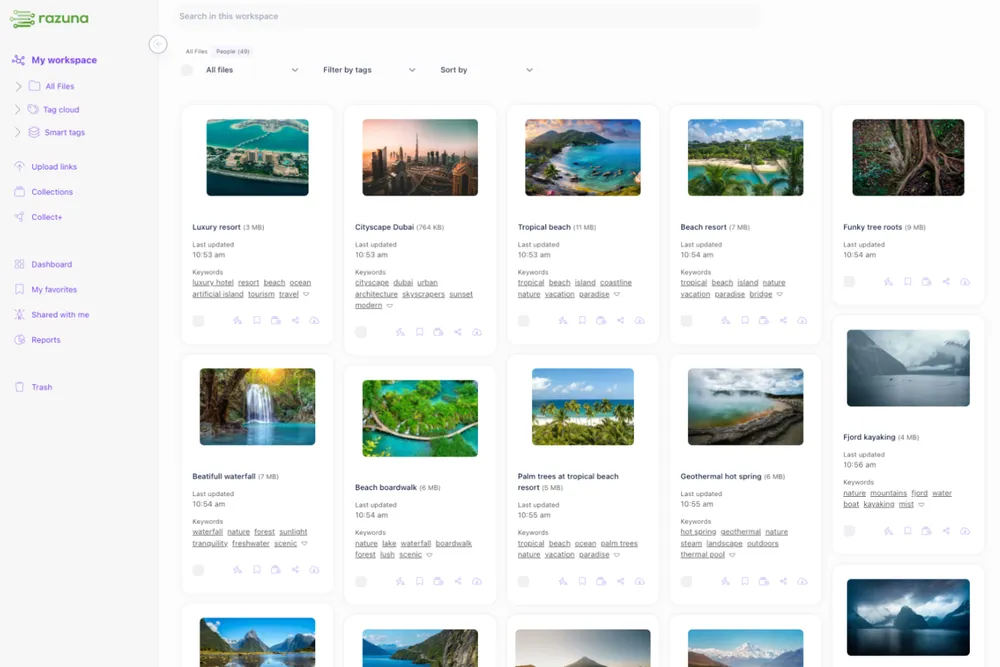
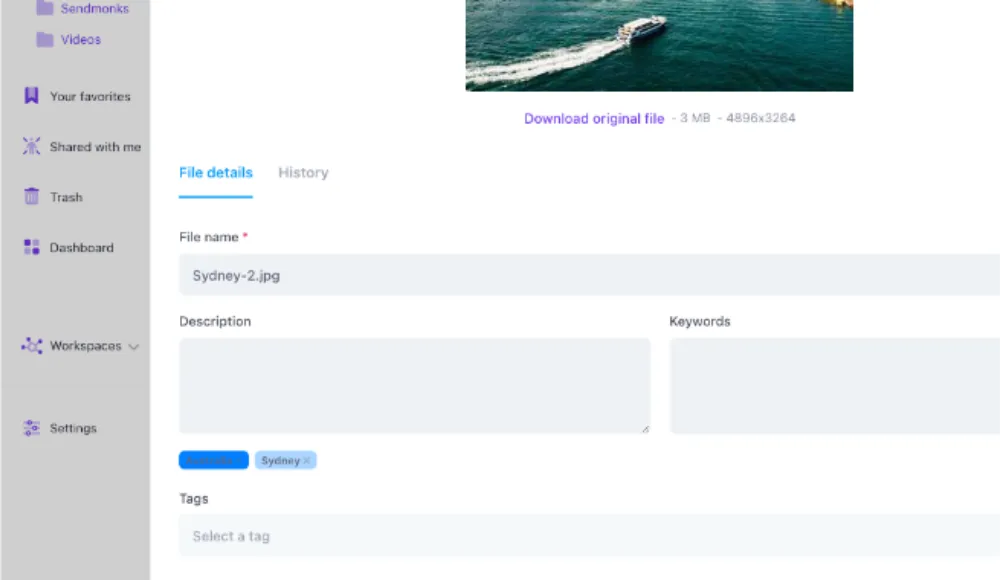
Razuna is a cloud-native DAM built for teams that want the flexibility of a modern API and a clean interface without managing infrastructure. You can explore Razuna's DAM features to see how it compares to what open source tools require you to build and maintain yourself.
Bottom Line
The best open source digital asset management tool depends entirely on your team's size, technical capacity, and asset type. ResourceSpace covers most general-purpose needs. Pimcore is right for product-heavy operations. Phraseanet suits multimedia-heavy workflows. Nuxeo and Alfresco fit compliance-driven environments. Collective Access is built for cultural collections. Lychee works for lightweight image management.
Every tool on this list requires time and expertise to deploy and maintain well. If your team lacks dedicated DevOps support, the total cost of open source can exceed a well-priced SaaS alternative. Weigh that honestly before committing to self-hosted infrastructure.
Compare your requirements with How to Choose DAM Software: What to Actually Check Before You Sign and Brandfolder Alternatives for Teams That Need DAM + Sharing.