Passkey authentication is here, new Razuna Desktop and Chrome extension updates, and other updates
We're thrilled to share the latest Razuna updates from February 5th-8th, 2026. This release brings a major security enhancement with Passkey authentication, important fixes for Razuna Desktop v3.7.3, and improvements to the Collect+ browser extension (now available in the Chrome and Edge stores).
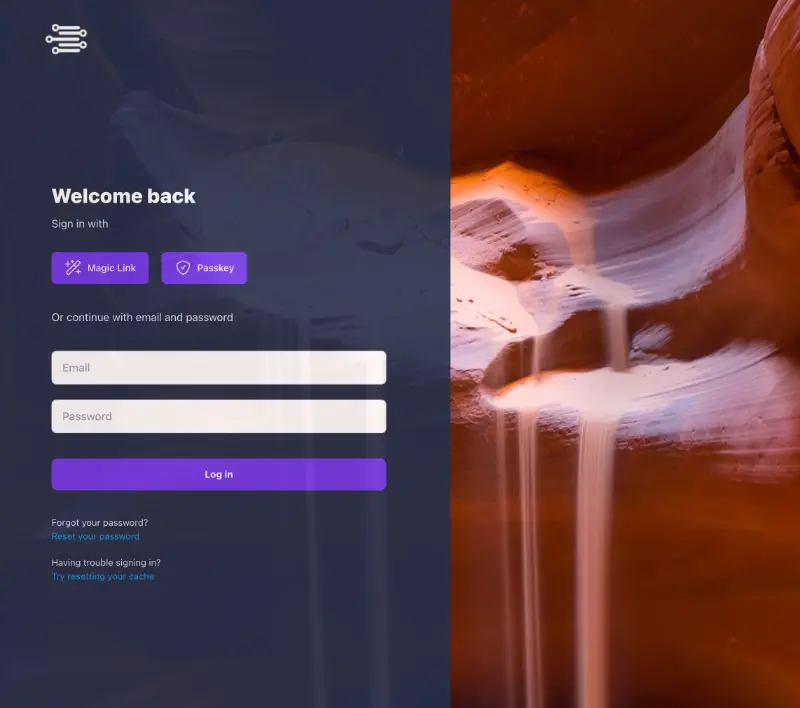
Introducing Passkey Login - The Future of Secure Authentication
Say goodbye to passwords! Razuna now supports Passkey verification, offering you a passwordless login experience that's both more secure and more convenient. Passkeys use biometric authentication (like fingerprint or face recognition) or your device's security features, making your account virtually immune to phishing attacks and password breaches. Simply register your passkey once, and enjoy seamless, secure access to Razuna across all your devices.
Razuna Desktop v3.7.3
Critical Fixes
• Upload reliability improvements - Added failsafe mechanisms to handle cases where upload locations fail, ensuring your files are never lost
• Drag & drop functionality restored - Fixed drag and drop operations following recent engine updates
• Auto-update process fixed - Resolved issues where the update process would either fail to download updates or display a popup window and then do nothing after download completion
Collect+ Browser Extension
The latest version is now available in the Chrome Web Store and Edge Add-ons store.
Bug Fixes
• URL parsing improvements - Fixed an issue where adding a new URL could fail due to parsing problems with page content
• Sidepanel search restored - The search functionality in the sidepanel now works correctly
Enhanced Navigation
• Smarter thumbnail behavior - Items in the sidepanel now intelligently handle clicks: clicking on the thumbnail opens the original URL you collected, while clicking in the bottom area takes you directly to the item in Razuna for full asset management
Platform Enhancements & Fixes
Search & Real-Time Updates
• Similar search fixed - Resolved issues with the similar search functionality
• Collection notes sync - Adding or editing notes in Collect+ now properly updates the file list in real-time
User & Permission Management
• User control settings - Fixed an issue with applying user control settings
• Team/user display fix - Resolved an issue where the UI didn't initially show newly added team members or users
• Contributor download permissions - Fixed an issue where workspace or folder contributors were unable to download files, see direct links, or add notes in the detail view
Upload Links
• Logo sizing - Upload link logos are now limited to a maximum width of 350px for consistent display
• Selective file removal - When manually moving files within an upload link, only the approved files are removed from the view (previously all files in the view were removed)
• Custom branding improvements - Adjusted the login page to better accommodate custom logos. When you upload your logo for the login page, the default icon in the top left corner is now hidden. Your logo will also appear consistently across all subpages (e.g., forgot password), with proper styling to prevent distortion or misalignment
Dashboard & UI
• Dashboard design updates - Made visual design improvements to the Dashboard for better clarity
• Settings clarity - Made UI changes in the Settings area to better explain sections and their functions
• Browser notification detection - Razuna now detects if your browser settings prevent desktop notifications and displays an alert to help you enable them
Thank You
These updates reflect our ongoing commitment to making Razuna more secure, reliable, and user-friendly. The addition of Passkey authentication represents a significant step forward in protecting your digital assets while simplifying your daily workflow.
As always, we welcome your feedback and suggestions. If you encounter any issues or have ideas for future improvements, please reach out to our support team.
Happy asset managing!