How Can Collaboration Improve Team Performance? 8 Proven Ways
Teams that work well together consistently outperform those that do not. That is not a new idea, but in 2026 it carries more weight than ever. Remote work is the default for millions of knowledge workers. Content volume has exploded thanks to AI tools. And the number of digital assets a single marketing or creative team manages has grown by orders of magnitude. In this environment, collaboration is not just a soft skill. It is a structural advantage, and the tools and workflows you put around it determine whether your team moves fast or stays stuck.
Why Collaboration and Team Performance Are Inseparable
Poor collaboration has a measurable cost. According to Salesforce research, 86 percent of employees and executives cite lack of collaboration as the primary reason for workplace failures. The symptoms are familiar: duplicated work, missed deadlines, outdated files shared in the wrong channel, and decisions made without the people who need to be involved.
Collaboration improves team performance by removing these friction points. When people can find the information they need, share work in progress without friction, and review and approve assets in a structured way, they spend less time on coordination and more time on actual output. The result shows up in delivery speed, quality, and team morale.
8 Ways Collaboration Directly Improves Team Performance
1. Shared Access to the Right Files at the Right Time
One of the most common performance killers in creative and marketing teams is file chaos. Someone saved the approved logo in their personal Dropbox. The latest campaign brief exists in three versions across email, Slack, and a shared drive. Nobody is sure which is current.
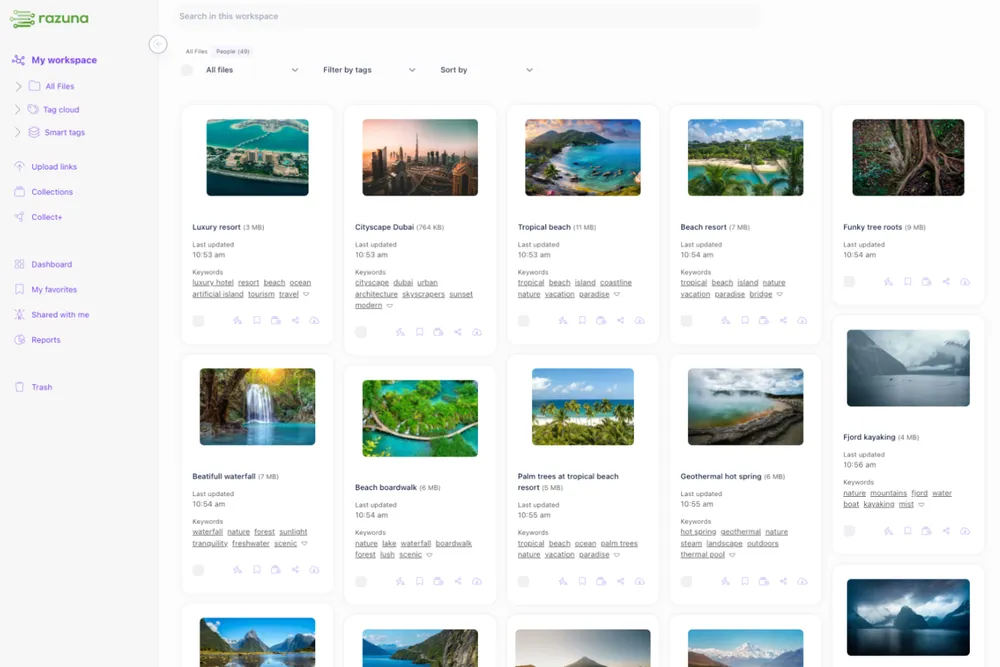
Collaboration improves when everyone works from a single source of truth. A digital asset management system gives teams a central repository where every file is versioned, tagged, and searchable. No more hunting. No more 'can you send me that file again?' The right asset is always one search away.
2. Faster Review and Approval Cycles
Approval bottlenecks are one of the most cited causes of delayed campaigns. When review rounds happen over email or in long Slack threads, context gets lost, feedback contradicts itself, and the person who needs to sign off is three chains deep in a reply thread.
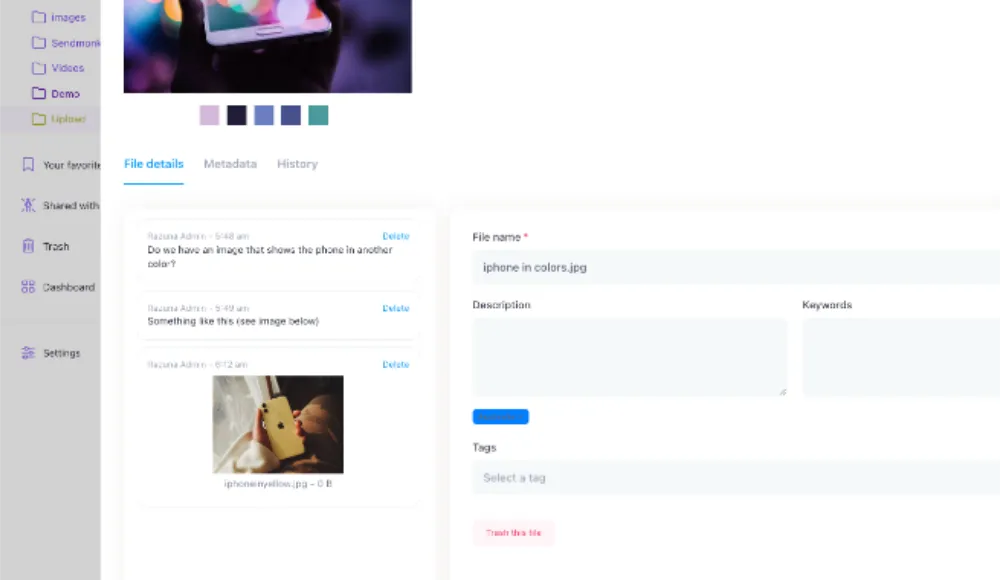
Structured review workflows change this. When reviewers can annotate directly on an asset, see previous feedback from others, and approve with a single click, the cycle shortens dramatically. Teams that implement structured approval workflows report cutting review time by 40 to 60 percent.
This is one area where a purpose-built DAM platform adds real value. You can see who has reviewed, what they said, and whether the final version was approved, all in one place.
3. Clearer Role Clarity and Ownership
Collaboration breaks down when nobody knows who owns what. If five people think they are responsible for the final version of a press release, you will end up with five versions and no clear approval.
Good collaboration tools enforce ownership. Assigning a task or asset to a specific person, with a clear status, removes ambiguity. Teams that use structured workflows with explicit ownership see fewer dropped balls and faster resolution when blockers come up.
4. Better Knowledge Sharing Across Teams
Institutional knowledge locked in one person's head is a performance risk. When that person is on leave, leaves the company, or is simply unavailable, work stops.
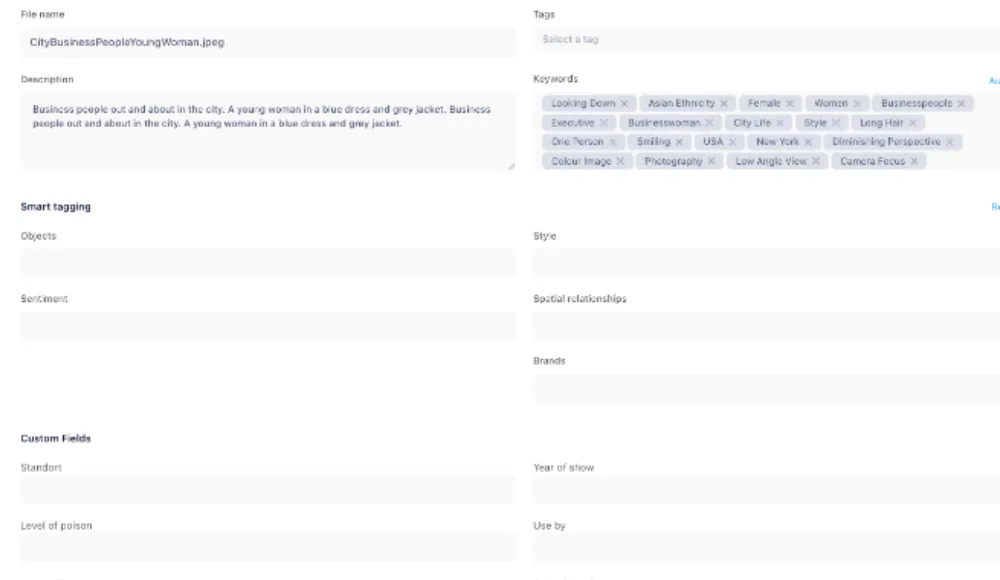
Collaboration systems make knowledge accessible to the whole team. Searchable asset libraries, documented metadata, and shared tagging conventions mean that anyone can find what they need, even if the person who created it is not around. Over time, this builds a team that is more resilient and self-sufficient.
5. Reduced Duplication of Work
Without visibility into what already exists, teams recreate assets from scratch. New hire creates a slide deck that already exists. Designer produces a product shot that was shot six months ago. Writer drafts a case study that was published in another region.
A shared asset library with good search eliminates most of this. When teams can see what already exists, they build on it instead of starting over. This is not just a time saving. It is also a quality improvement, because existing approved assets are already on-brand.
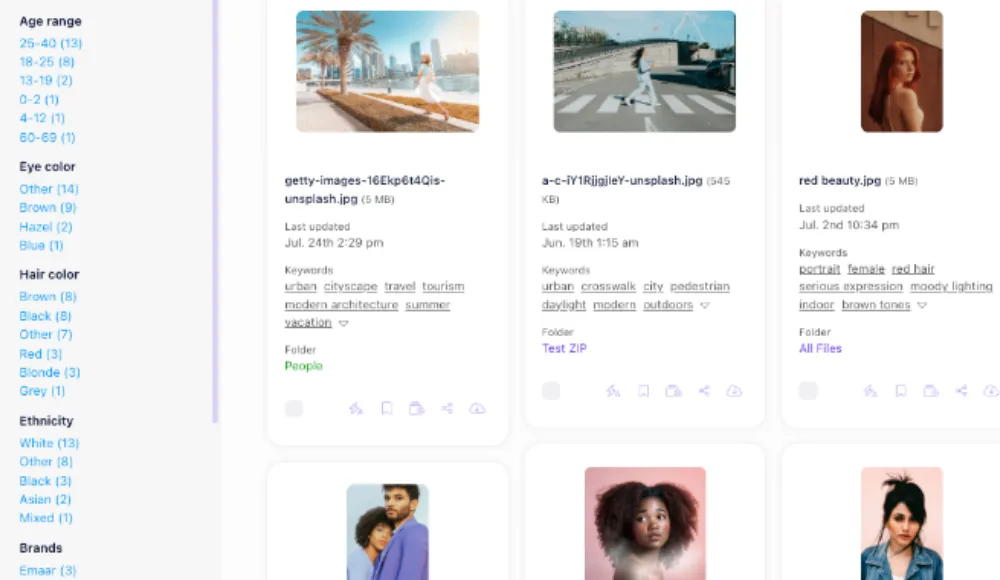
Razuna's asset search and discovery features are built around this problem. Visual search, metadata filters, and automatic tagging make it fast to find existing assets before commissioning new ones.
6. Consistent Brand Output Across the Whole Team
Collaboration without guardrails leads to brand drift. When teams pull assets from unofficial sources, use outdated logo versions, or apply campaign colors from memory, the output looks inconsistent. At scale, that inconsistency damages brand trust.
A well-structured DAM system enforces brand consistency by surfacing only approved, current assets. Expired files can be automatically removed from circulation. The right font files, color palettes, and logo versions are always front and center. Collaboration improves because everyone is working from the same approved materials.
7. Asynchronous Collaboration Across Time Zones
Global teams cannot always collaborate in real time. When the London team finishes work, Singapore is starting. When San Francisco is online, Europe is asleep.
Asynchronous collaboration depends on clear documentation and structured handoffs. If the state of a project is visible in the tool, not just in someone's memory, the handoff is seamless. DAM systems with version history, annotation trails, and task status updates make async work practical. Teams can pick up where others left off without a briefing call.
8. Faster Onboarding for New Team Members
Every time a new person joins a team, there is a ramp-up period. How long that ramp-up takes depends heavily on how well the team's knowledge and assets are organized.
When assets are centralized, tagged, and documented, a new team member can get productive within days instead of weeks. They can search for examples of past campaigns, find the brand guidelines, and understand workflow conventions without needing a dedicated orientation session. This is a direct performance improvement, especially for fast-growing teams.
The Role of Digital Asset Management in Team Collaboration
Most of the eight ways above depend on one structural element: a single, organized place where team assets live. Without that, collaboration tools like Slack, Notion, or project management software only solve part of the problem. Files still scatter. Versions still conflict.
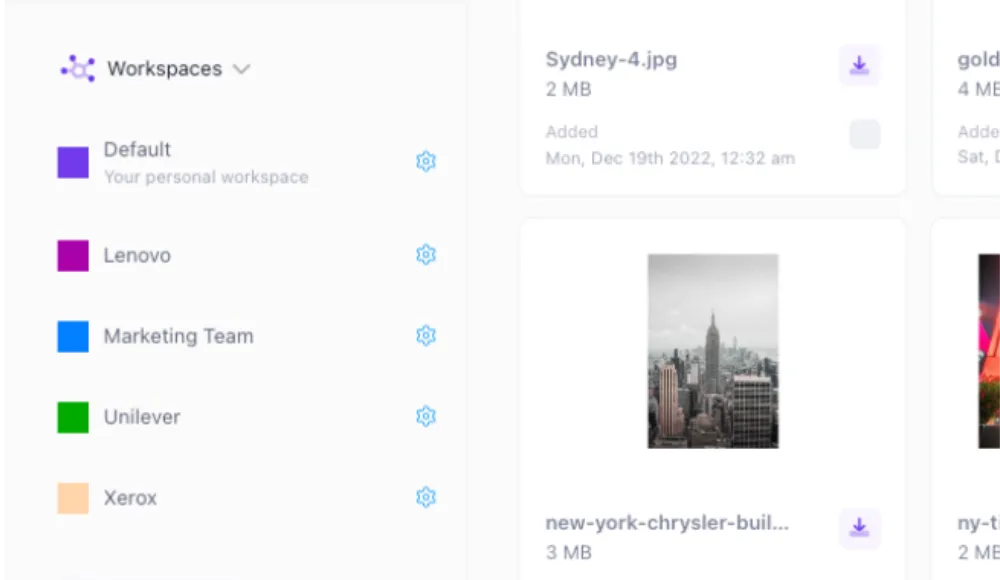
A digital asset management platform acts as the connective tissue between creative teams, marketing teams, and operational teams. It gives everyone the same view of the asset library, enforces structure through metadata and tagging, and supports approval workflows that keep projects moving.
For teams that are still relying on shared drives, collaboration will always be slower than it needs to be. The structure that makes fast, consistent collaboration possible has to be built into the infrastructure, not bolted on top.
What to Look for When Improving Team Collaboration
If your team is experiencing the symptoms described above, the starting point is usually an honest audit of where assets live today. Ask:
- Where do team members actually go when they need an approved asset?
- How many versions of a key file exist across different tools and drives?
- How long does a typical review and approval cycle take?
- How often do new hires or contractors use outdated or off-brand files?
The answers will usually point to the same root problem: there is no single, structured home for team assets. Fixing that is the highest-leverage collaboration improvement most teams can make.
Getting Started
Improving team collaboration does not require a full organizational transformation. It starts with making assets findable, making workflows structured, and making ownership clear.
Razuna is built for exactly this kind of work. If your team is ready to move from scattered files to a single source of truth, the Razuna free trial is the fastest way to see the difference. Centralized assets, structured review workflows, and consistent brand output are not aspirational goals. They are what happens when collaboration infrastructure actually works.
To put these collaboration ideas into practice, see How to Improve Team Collaboration: 8 Proven Strategies and Complete Guide to Content Collaboration.