A Complete Guide to Copyright and Plagiarism Checking Tools
Introduction
In today's digital landscape, protecting your creative work and intellectual property has never been more critical. With content easily copied, images downloaded, and documents duplicated across the internet, businesses and content creators face constant threats to their digital assets. Copyright infringement and plagiarism can damage your brand reputation, erode trust, and result in significant financial losses.
Copyright and plagiarism checking tools serve as your first line of defense against unauthorized use of your digital content. These sophisticated platforms help you verify originality, detect copyright violations, protect intellectual property, and manage usage rights across all your digital assets—from written content and images to videos and documents.
This comprehensive guide explores the best copyright and plagiarism checking tools available in 2025, including detailed comparisons of industry-leading services like Copyscape, Quetext, and Grammarly. You'll also discover how modern digital asset management systems like Razuna combine advanced AI-powered document analysis with comprehensive rights management to protect your entire content ecosystem.
Whether you're a content creator, digital marketer, publisher, or business owner managing thousands of digital assets, this guide will help you:
- Understand the difference between copyright checking and plagiarism detection
- Compare the top plagiarism checking services and their features
- Learn how to protect images, videos, and multimedia content from unauthorized use
- Discover how AI-powered document analysis enhances content protection
- Implement best practices for managing rights across your digital asset library
Understanding Copyright, Plagiarism, and Digital Asset Protection
Copyright vs. Plagiarism: Key Differences
While often used interchangeably, copyright infringement and plagiarism are distinct concepts with different implications:
Copyright Infringement
Copyright is a legal protection that grants creators exclusive rights to their original works. Copyright infringement occurs when someone uses copyrighted material without permission, regardless of whether they attribute the source. This is a legal violation with potential consequences including:
- Legal action and lawsuits from copyright holders
- Statutory damages ranging from $750 to $150,000 per work
- Cease-and-desist orders requiring immediate removal of content
- Court injunctions preventing future use
- Criminal prosecution in cases of willful infringement for commercial advantage
Plagiarism
Plagiarism is the act of presenting someone else's work, ideas, or words as your own without proper attribution. While plagiarism is primarily an ethical violation rather than a legal one, it can have serious consequences:
- Academic expulsion or failure in educational settings
- Termination of employment or professional contracts
- Damage to professional reputation and credibility
- Loss of trust from audiences, clients, or stakeholders
- Potential copyright infringement if the plagiarized content is also copyrighted
Why Digital Asset Protection Matters
In the digital age, your content is your currency. Whether it's blog posts, product descriptions, marketing materials, images, videos, or business documents, protecting these assets is essential for:
- Brand Integrity: Unauthorized use of your content can dilute brand messaging and confuse customers
- Revenue Protection: Stolen content can divert traffic, leads, and sales to competitors
- SEO Performance: Duplicate content can harm search engine rankings and visibility
- Legal Compliance: Ensuring your team doesn't inadvertently use copyrighted material protects against lawsuits
- Competitive Advantage: Original content establishes thought leadership and market differentiation
Types of Digital Assets Requiring Protection
Modern businesses must protect diverse content types across multiple channels:
- Written Content: Blog posts, articles, whitepapers, ebooks, product descriptions, marketing copy
- Visual Assets: Photographs, illustrations, infographics, logos, brand imagery
- Video Content: Product demos, tutorials, promotional videos, webinars, training materials
- Audio Assets: Podcasts, voiceovers, music, sound effects, audio branding
- Documents: Contracts, proposals, research papers, technical documentation, presentations
- Code and Software: Source code, scripts, applications, proprietary algorithms
Each asset type requires specific protection strategies. While plagiarism checkers excel at protecting written content, a comprehensive approach requires tools that handle multimedia assets, manage usage rights, and provide centralized protection across your entire digital library.
Top Plagiarism Checking Tools Compared
Let's examine the leading plagiarism detection services, their features, pricing, and ideal use cases to help you choose the right tool for protecting your written content.
1. Copyscape: The Web Standard for Duplicate Content Detection
Overview
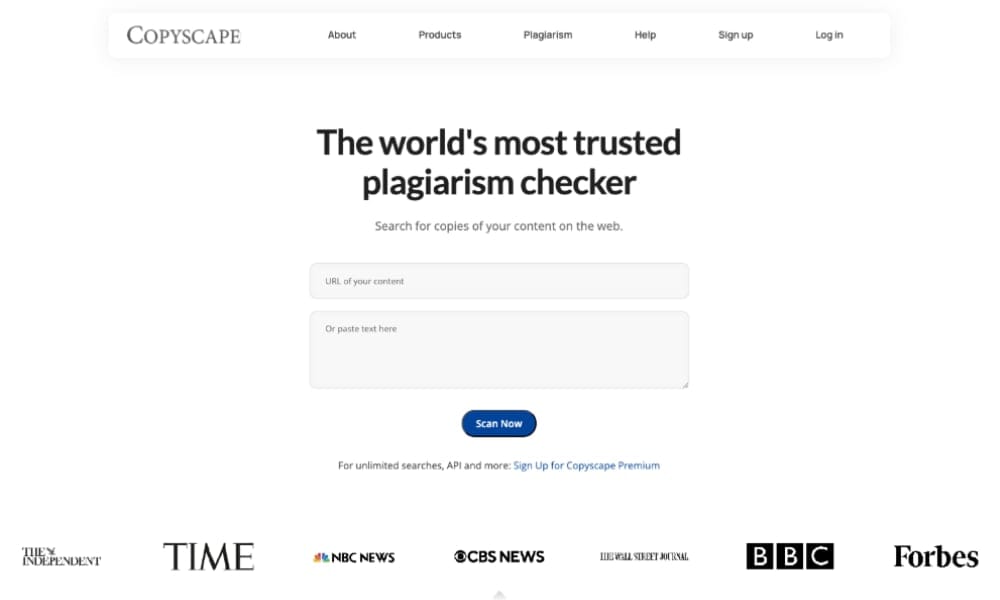
Copyscape has been the gold standard for online plagiarism detection since 2004. It specializes in finding duplicate content across the web, making it invaluable for publishers, bloggers, and SEO professionals concerned about content theft.
Key Features
- Premium Search: Check up to 10,000 words per search across billions of web pages
- Batch Search: Scan multiple pages simultaneously to protect entire websites
- Copysentry: Automated monitoring service that alerts you when your content appears elsewhere online
- API Integration: Integrate plagiarism checking into your workflow or content management system
- Private Index: Compare documents against your own internal database
- Case Tracker: Document and manage copyright infringement cases
Pricing
- Free Version: Basic public search with limitations
- Premium: Pay-as-you-go starting at $0.03 per search (200 words) or $0.10 per search (up to 10,000 words)
- Copysentry: From $4.95/month for weekly monitoring of 10 pages
Best For
- Publishers and bloggers protecting published content
- SEO professionals preventing duplicate content penalties
- Content buyers verifying originality before purchase
- Agencies managing content for multiple clients
Limitations
- Focuses primarily on web-published content
- Limited grammar and writing quality features
- No document or academic database comparison
- Doesn't check unpublished or internal documents
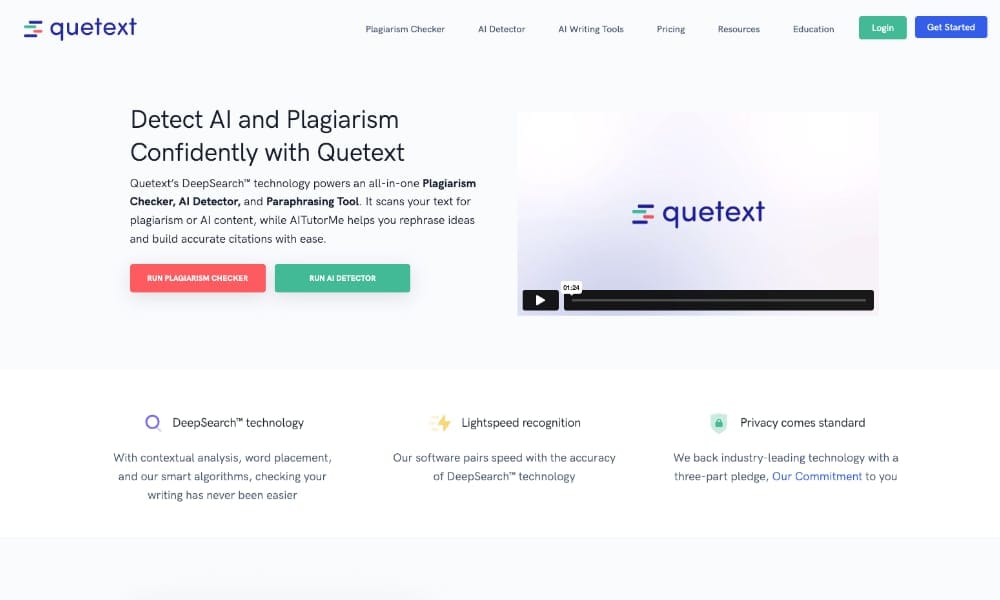
2. Quetext: Advanced AI-Powered Plagiarism Detection
Overview
Quetext uses advanced AI and DeepSearch technology to provide contextual plagiarism analysis. It's particularly popular in academic and professional writing environments where nuanced detection is critical.
Key Features
- DeepSearch Technology: AI-powered contextual analysis identifies paraphrased and reworded content
- ColorGrade Feedback: Visual heat map shows exact matches, similar text, and properly cited content
- Citation Assistant: Helps create proper citations in multiple formats (APA, MLA, Chicago)
- Interactive Snippet Text: Click on highlighted text to see exact source matches
- Conditional Scoring: Exclude quotes, citations, and bibliographies from plagiarism calculations
- Cloud-Based Reports: Generate detailed plagiarism reports accessible anywhere
- API Access: Integrate Quetext into learning management systems or custom applications
Pricing
- Free: 500 words per month with basic features
- Pro Monthly: $9.99/month for 100,000 words, unlimited plagiarism checks
- Pro Yearly: $99.99/year (equivalent to $8.33/month) for 1.2 million words annually
- Team Plans: Custom pricing for organizations and institutions
Best For
- Students and educators verifying academic integrity
- Professional writers and journalists ensuring originality
- Content teams creating high-volume original material
- Researchers checking manuscripts before publication
Limitations
- Smaller database compared to Turnitin for academic sources
- Limited multimedia content checking
- No real-time monitoring for content theft
- Focuses on text analysis without broader asset management
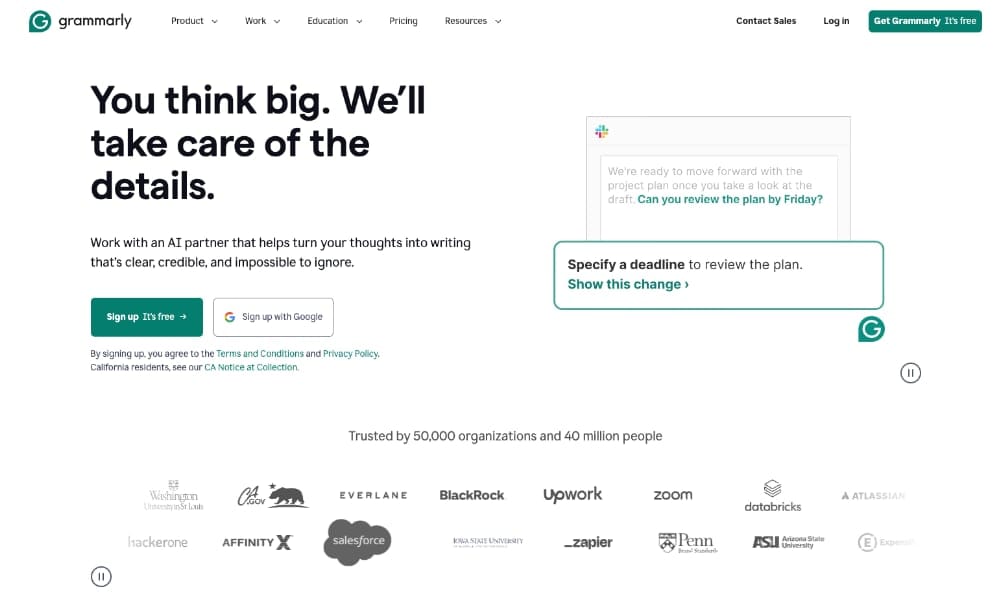
3. Grammarly: Comprehensive Writing Assistant with Plagiarism Detection
Overview
Grammarly is best known as a writing enhancement tool, but its premium and business tiers include powerful plagiarism detection. It's ideal for teams who want to combine writing quality improvement with originality verification.
Key Features
- Real-Time Plagiarism Detection: Checks your writing against 16 billion web pages while you work
- Academic Database Access: Compares content against ProQuest's academic database
- Source Citations: Identifies specific sources and provides citation suggestions
- Grammar and Style Checking: Comprehensive writing improvement beyond plagiarism
- Tone Detector: Analyzes how your writing will be perceived by readers
- Browser Extensions: Works across Google Docs, Gmail, WordPress, social media, and more
- Team Analytics: Business plans include performance tracking and team insights
- Brand Style Guide: Enforce consistent terminology, voice, and style across teams
Pricing
- Free: Basic grammar and spelling checks (no plagiarism detection)
- Premium: $12/month (billed annually at $144) includes plagiarism detection for individuals
- Business: $15/member/month (minimum 3 members, billed annually) with team features
- Enterprise: Custom pricing for large organizations with advanced security needs
Best For
- Content teams needing both quality control and plagiarism detection
- Marketing departments creating diverse content types
- Businesses wanting integrated writing assistance across platforms
- Remote teams collaborating on documents and communications
Limitations
- Plagiarism detection only available in paid plans
- Focuses on English language content
- No monitoring for content theft after publication
- Limited to text analysis without multimedia asset protection
Additional Plagiarism Checking Tools Worth Considering
Turnitin
The academic standard with the largest database of student papers, academic journals, and publications. Essential for educational institutions but expensive for commercial use.
- Best For: Universities, schools, academic publishers
- Pricing: Institutional licensing only
Plagscan
European-based service with GDPR compliance, offering detailed reports and API integration. Strong in academic and professional environments.
- Best For: European organizations prioritizing data privacy
- Pricing: From €5.99/month for 20 pages
Unicheck
Cloud-based plagiarism detector with LMS integration, designed for education and content teams. Offers similarity scoring and detailed reports.
- Best For: Educational institutions, content agencies
- Pricing: From $9.99/month
SmallSEOTools Plagiarism Checker
Free online tool suitable for basic checks of shorter content. Limited features but accessible without registration.
- Best For: Occasional users, bloggers, small businesses
- Pricing: Free with limitations, pro plans available
Comparison Summary Table
| Tool | Best Feature | Starting Price | Database Size | Ideal Use Case |
|---|---|---|---|---|
| Copyscape | Web monitoring & alerts | $0.03 per search | Billions of web pages | Published content protection |
| Quetext | AI contextual analysis | $9.99/month | Large web database | Professional writing verification |
| Grammarly | Integrated writing assistant | $12/month | 16 billion pages + academic | Content teams & collaboration |
| Turnitin | Academic database | Institutional only | Largest academic database | Educational institutions |
| Razuna | Full asset rights management | Free (500GB) | Your digital assets + AI analysis | Complete digital asset protection |
Protecting Images and Multimedia Content from Copyright Infringement
While plagiarism checkers excel at text analysis, modern businesses must also protect visual and multimedia assets. Images, videos, graphics, and audio files are equally vulnerable to unauthorized use and require specialized tools and strategies.
Image Copyright Checking Methods
1. Reverse Image Search
Reverse image search tools help you discover where your images appear online and identify potential copyright infringement.
- Google Images: Upload an image or paste a URL to find visually similar images across the web. Free and comprehensive coverage.
- TinEye: Specialized reverse image search with over 50 billion indexed images. Excellent for tracking image usage over time with timestamps.
- Bing Visual Search: Microsoft's image search with good results, particularly for commercial and licensed imagery.
2. Watermarking and Metadata
Protect your images proactively by embedding ownership information:
- Visible Watermarks: Add logos, copyright notices, or brand marks to images to deter unauthorized use
- EXIF Metadata: Embed copyright information, creator details, and usage rights in image files
- IPTC Data: Add standardized metadata including copyright status, licensing terms, and contact information
3. Image Copyright Monitoring Services
Automated services that continuously scan the web for unauthorized use of your images:
- Pixsy: Monitors your images across 30+ billion sources, identifies infringement, and assists with copyright enforcement. Free to use, charges a commission on recovered damages.
- Berify: Reverse image search monitoring with alerts when your images are found online. Plans from $19.99/month.
- Image Rights: Enterprise-grade image tracking with legal support for copyright claims. Custom pricing for photographers and brands.
Video Content Protection
Video content theft is increasingly common on platforms like YouTube, social media, and streaming services. Protect your video assets with:
- YouTube Content ID: Automatically identifies and manages your copyrighted content on YouTube. Available to qualifying copyright owners.
- Video Fingerprinting: Services like Vimeo's copyright matching identify unauthorized copies of your videos across platforms.
- DRM (Digital Rights Management): Encrypt video content to prevent unauthorized downloading, copying, or redistribution.
- Visible Watermarks in Video: Embed your branding throughout video content to establish ownership and deter theft.
Audio and Music Protection
Podcasts, music, voiceovers, and audio branding require protection strategies including:
- Audio Fingerprinting: Services like ACRCloud identify audio content across streaming platforms, social media, and broadcasts.
- Shazam for Business: Monitors commercial use of music across advertising, film, TV, and streaming platforms.
- Copyright Registration: Register music with performance rights organizations (ASCAP, BMI, SESAC) to track usage and collect royalties.
The Challenge: Comprehensive Multimedia Protection
Managing copyright and usage rights across diverse content types creates significant challenges:
- Using multiple specialized tools increases complexity and cost
- No centralized view of asset protection across text, images, and video
- Difficulty tracking usage rights, licenses, and permissions in one place
- Time-consuming manual checks across different platforms and tools
- Risk of overlooking infringement when assets are scattered across systems
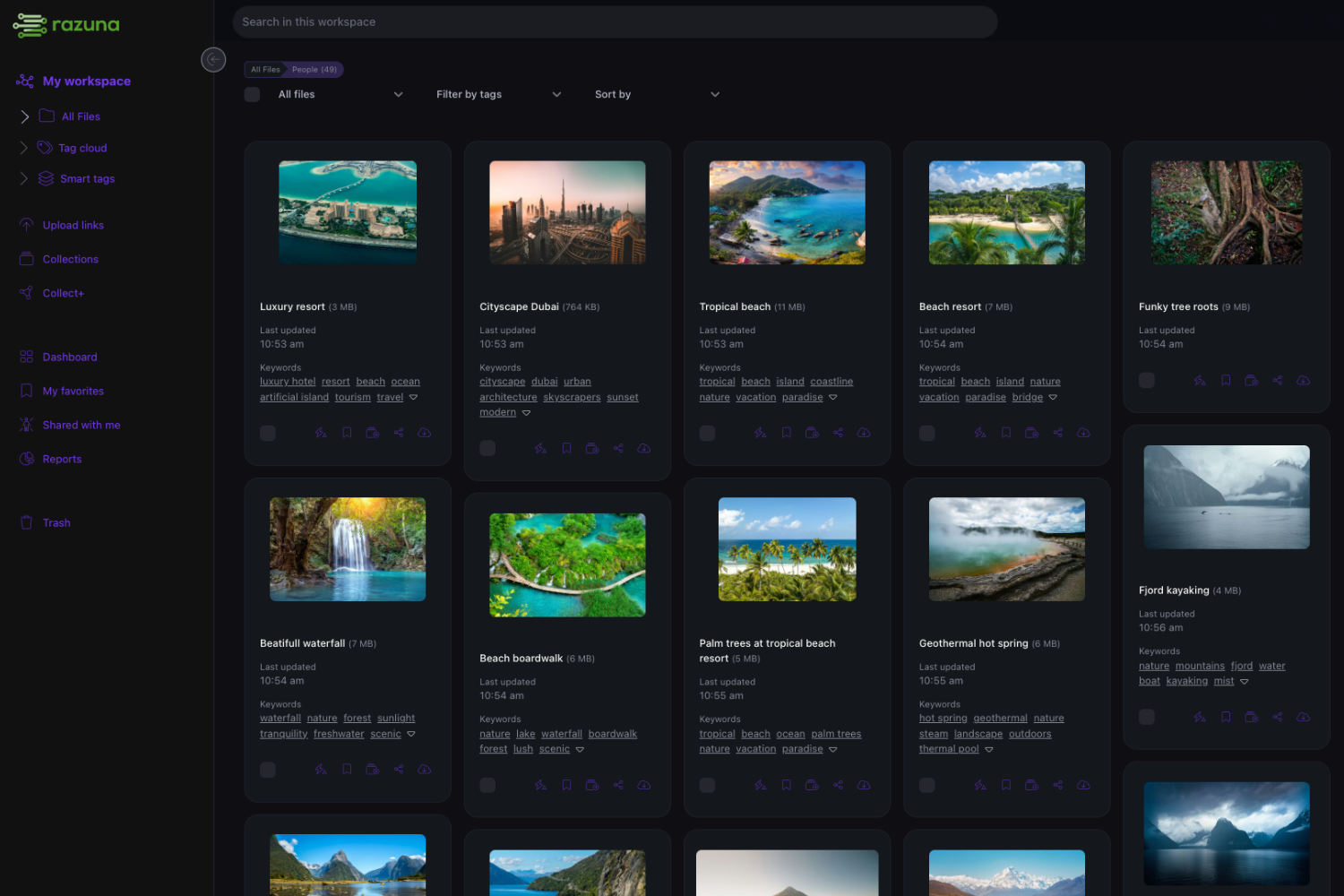
This is where comprehensive digital asset management systems like Razuna provide significant advantages by centralizing protection, rights management, and monitoring across all your content types.
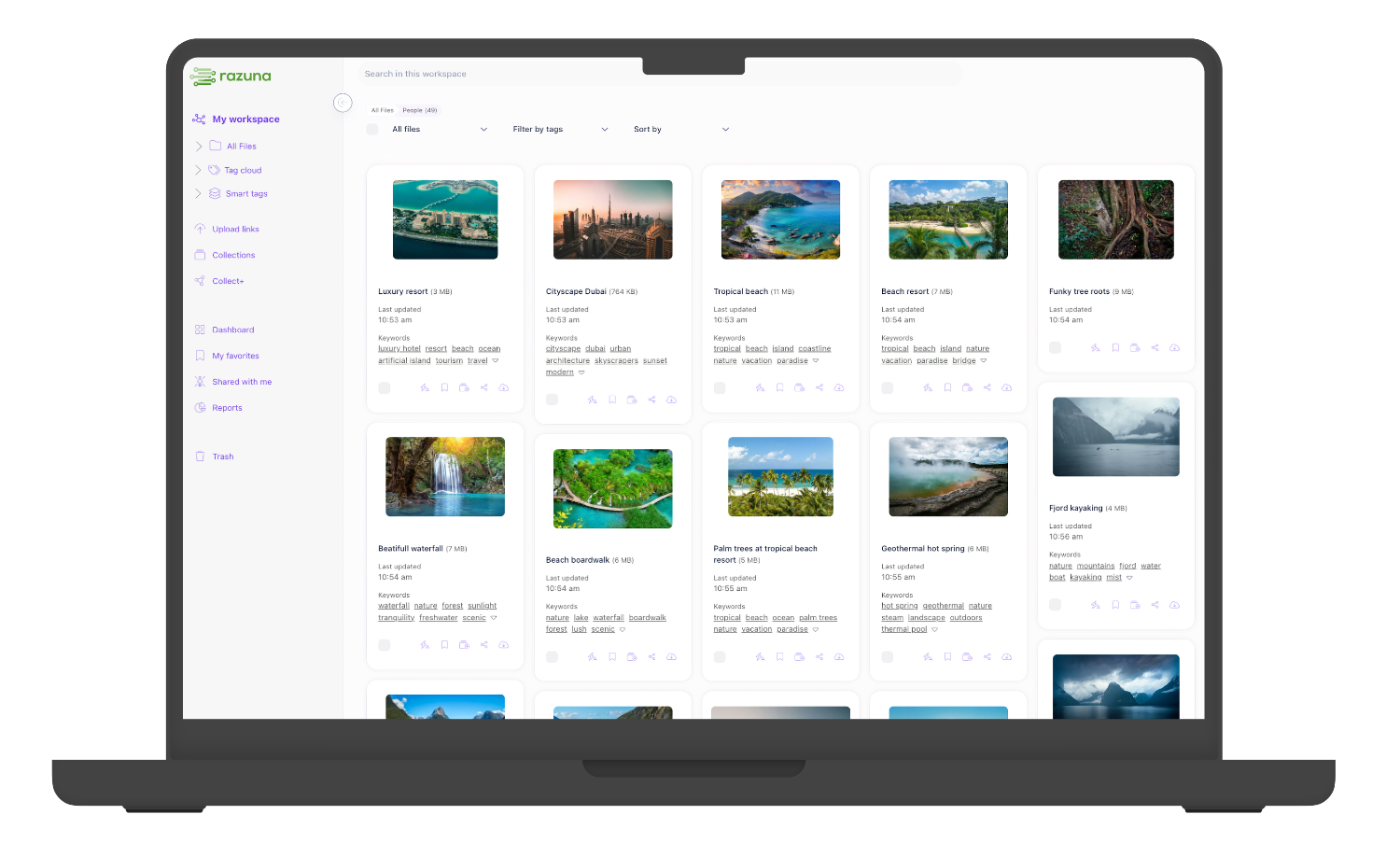
Razuna: Comprehensive Digital Asset Rights Management and Protection
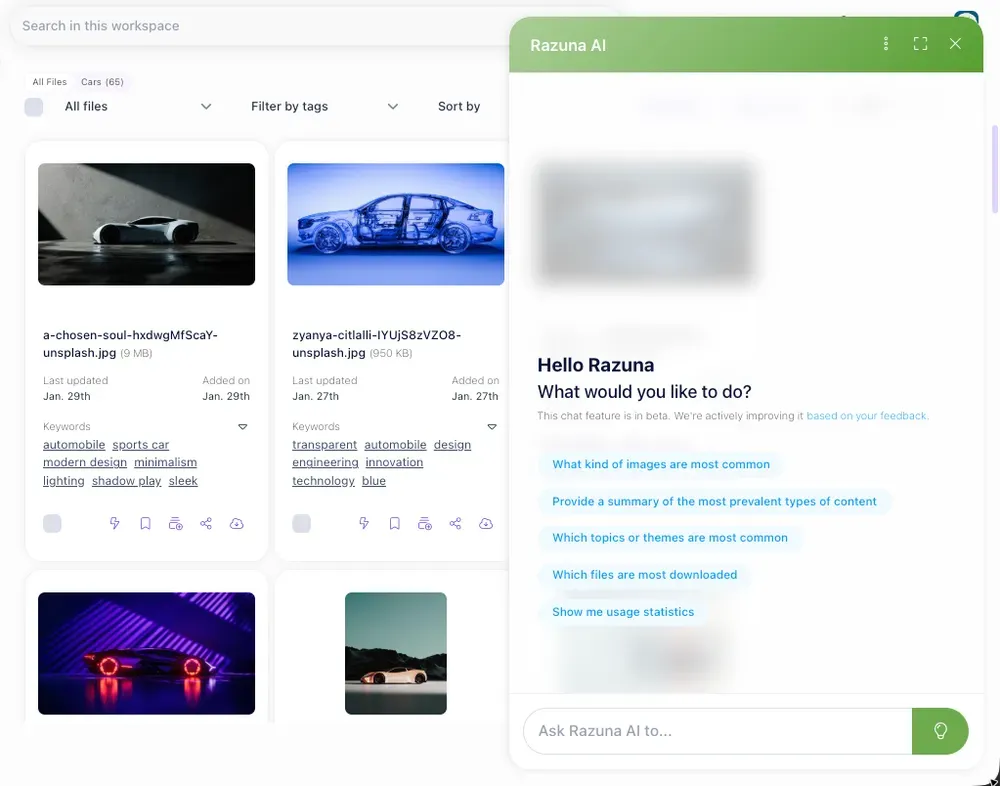
While specialized plagiarism checkers and reverse image search tools serve specific purposes, managing copyright and usage rights across thousands of digital assets requires a centralized, comprehensive approach. Razuna provides enterprise-grade digital asset management (DAM) with integrated rights management, AI-powered document analysis, and comprehensive protection features.
Why Digital Asset Management for Copyright Protection?
Traditional plagiarism checkers and copyright tools address specific needs but fall short when managing diverse digital assets at scale:
- Fragmented Tools: Using separate systems for text, images, video, and documents creates silos
- Manual Tracking: Spreadsheets and folders can't effectively track usage rights, licenses, and permissions
- Version Control Issues: Difficulty ensuring teams use approved, properly licensed versions of assets
- Compliance Risks: No centralized way to prove licensing compliance or track usage restrictions
- Scalability Problems: Manual processes break down as asset libraries grow to thousands of files
A robust DAM system like Razuna solves these challenges by providing a single platform to manage, protect, and monitor all your digital assets regardless of type.
Razuna's Key Copyright and Rights Management Features
1. Centralized Rights Management
Store and manage comprehensive rights information for every asset in your library:
- Copyright Status: Clearly mark assets as copyrighted, licensed, public domain, or Creative Commons
- Usage Rights: Document exactly how each asset can be used—commercial, editorial, internal only, etc.
- Licensing Terms: Track license agreements, restrictions, expiration dates, and renewal requirements
- Creator Attribution: Store photographer, designer, writer, or agency credit information
- Custom Metadata Fields: Create fields specific to your industry or legal requirements
- Expiration Alerts: Receive notifications before licenses expire or usage rights end
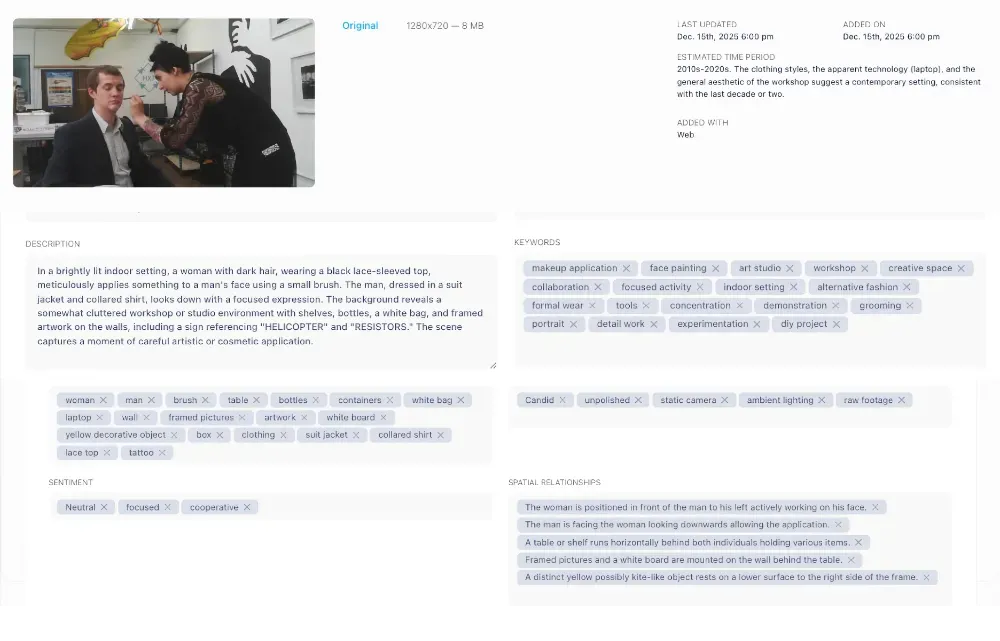
2. Advanced Document AI for Text Assets
Razuna's Advanced AI capabilities now extend to document management, providing powerful protection for written content:
- Automatic Text Extraction: AI reads and indexes content from PDFs, Word documents, presentations, and scanned files
- Full-Text Search: Instantly find any text within your document library, making it easy to locate specific content
- Language Detection: Automatically identify document languages for multilingual asset libraries
- Entity Recognition: AI identifies people, organizations, locations, and key terms within documents
- Sentiment Analysis: Understand the tone and context of written content
- Document Classification: Automatically categorize documents by type, subject matter, or content characteristics
- Version Tracking: Maintain complete history of document revisions with the ability to compare versions
This AI-powered document analysis helps you:
- Quickly identify if similar content already exists in your library before creating new materials
- Find all instances where specific text, phrases, or concepts appear across your documents
- Ensure consistent messaging and avoid accidental duplication within your organization
- Track document lineage and understand content evolution over time
- Maintain organized, searchable archives of all written assets
3. Image and Media Asset Protection
Comprehensive protection for visual and multimedia content:
- Metadata Preservation: Maintain EXIF, IPTC, and XMP metadata including copyright notices and creator information
- Watermark Management: Apply watermarks to images automatically before sharing or downloading
- AI Image Recognition: Automatically detect objects, people, brands, and scenes in images for better organization
- Facial Recognition: Identify and tag individuals across your photo library, useful for managing model releases
- Video Analysis: Extract metadata from video files including duration, resolution, codec, and embedded information
- Audio Fingerprinting: Identify and catalog audio files with technical and rights information
4. Usage Tracking and Audit Trails
Maintain complete visibility into how assets are used across your organization:
- Download Tracking: Record who downloads which assets, when, and for what purpose
- View Analytics: Monitor which assets are viewed most frequently and by whom
- Share History: Track all instances where assets were shared externally via links or exports
- Modification Logs: Document every edit, version change, or metadata update
- Compliance Reporting: Generate reports proving licensing compliance and authorized usage
- Audit Trail: Maintain legally admissible records of asset provenance and usage history
5. Access Control and Permissions
Prevent unauthorized use by controlling who can access, download, and modify assets:
- Role-Based Access: Define user roles (viewer, contributor, editor, administrator) with specific permissions
- Asset-Level Permissions: Set access controls for individual files or entire collections
- Approval Workflows: Require manager approval before assets can be downloaded or used externally
- Watermarked Previews: Allow users to preview assets with watermarks before granting download access
- Expiring Share Links: Create time-limited links for external sharing that automatically expire
- Password Protection: Secure shared folders and links with passwords for added security
6. Integration with Existing Workflows
Razuna integrates seamlessly into your existing creative and business processes:
- Adobe Creative Cloud: Access Razuna assets directly from Photoshop, Illustrator, Premiere Pro, and other Adobe applications
- Microsoft Office: Insert assets into Word, PowerPoint, and Excel without leaving your documents
- CMS Integration: Connect to WordPress, Drupal, or other content management systems
- Marketing Automation: Sync with marketing platforms for automated, compliant asset delivery
- REST API: Build custom integrations with your proprietary systems and workflows
- Browser Extensions: Save images and content from any website directly to Razuna with proper attribution
Razuna vs. Traditional Plagiarism Checkers: The Complete Solution
| Capability | Traditional Tools | Razuna DAM |
|---|---|---|
| Text Plagiarism Detection | ✓ Excellent | ✓ Via AI document analysis + integrations |
| Image Copyright Tracking | Limited to reverse search | ✓ Comprehensive metadata & rights management |
| Video Asset Protection | Not supported | ✓ Full video metadata & usage tracking |
| Document Rights Management | Not supported | ✓ Complete licensing & permissions system |
| Usage Tracking | Not supported | ✓ Detailed audit trails & analytics |
| Version Control | Not supported | ✓ Complete version history & comparison |
| Team Collaboration | Basic sharing only | ✓ Full collaboration with permission controls |
| Centralized Asset Library | Not supported | ✓ Single source of truth for all assets |
| AI-Powered Organization | Text analysis only | ✓ AI tagging, recognition & classification for all asset types |
| Compliance Reporting | Not supported | ✓ Comprehensive compliance & usage reports |
Real-World Use Cases: How Businesses Use Razuna for Copyright Protection
Marketing Agencies
Agencies managing assets for multiple clients use Razuna to:
- Track usage rights for stock photos, licensed music, and third-party content
- Ensure compliance with client brand guidelines and usage restrictions
- Maintain separate workspaces for each client with appropriate access controls
- Generate reports showing proper attribution and licensing compliance
- Prevent accidental use of expired licenses or restricted assets
Publishers and Media Companies
Content publishers leverage Razuna's document AI to:
- Organize and search through thousands of articles, manuscripts, and editorial content
- Track photographer credits and image usage rights across publications
- Manage contributor agreements and payment terms
- Monitor which articles and images are most frequently accessed or reused
- Maintain archives with complete metadata for historical content
Corporate Legal Teams
Legal departments use Razuna to:
- Store contracts, agreements, and legal documents with full-text search capabilities
- Track intellectual property portfolios including patents, trademarks, and copyrights
- Maintain audit trails proving chain of custody for legal proceedings
- Control access to confidential documents with granular permissions
- Generate compliance reports for regulatory requirements
E-commerce and Retail
Online retailers protect their product content by:
- Managing usage rights for product photography and descriptions
- Tracking which product images are licensed vs. owned outright
- Ensuring vendor-supplied assets include proper usage rights
- Monitoring product image usage across marketplaces and affiliates
- Maintaining version control for seasonal campaigns and promotions
Getting Started with Razuna for Copyright Protection
Implementing Razuna as your copyright protection and digital asset management solution is straightforward:
- Start with a Free Account: Sign up for Razuna's free tier offering 500GB storage for up to 5 users—perfect for small teams or pilot projects.
- Upload Your Assets: Begin migrating your digital assets into Razuna's organized, searchable system. Bulk upload features make migration fast and easy.
- Add Rights Metadata: As you upload assets, document copyright status, licensing terms, creator information, and usage restrictions using custom metadata fields.
- Configure Permissions: Set up user roles, access controls, and approval workflows to ensure assets are used appropriately across your organization.
- Enable AI Features: Activate Razuna's AI capabilities for automatic tagging, document analysis, and intelligent organization.
- Integrate Your Tools: Connect Razuna to your existing workflows via browser extensions, Adobe plugins, or API integrations.
- Train Your Team: Educate team members on finding, using, and properly attributing assets from the centralized library.
- Monitor and Refine: Use Razuna's analytics to understand asset usage, identify gaps in rights documentation, and continuously improve your protection strategies.
Best Practices for Copyright and Plagiarism Prevention
Implementing the right tools is only part of the solution. Follow these best practices to create a comprehensive copyright protection strategy:
1. Establish Clear Usage Policies
- Document what constitutes acceptable use of digital assets within your organization
- Define approval processes for using external copyrighted material
- Create guidelines for proper attribution and citation
- Establish consequences for policy violations
- Regularly review and update policies as laws and technologies evolve
2. Educate Your Team
- Provide training on copyright law basics and fair use doctrine
- Teach team members how to properly check content originality
- Demonstrate correct attribution and citation methods
- Show how to verify image licensing and usage rights
- Make education ongoing, not a one-time event
3. Create Original Content When Possible
- Invest in original photography, videography, and graphic design
- Commission custom illustrations and animations
- Write unique content rather than relying on rewritten material
- Build a library of proprietary assets you fully own
- Use licensed stock content only when necessary, with proper documentation
4. Maintain Comprehensive Documentation
- Keep records of all purchased licenses and usage agreements
- Document permissions obtained for using third-party content
- Store creator contracts and intellectual property assignments
- Maintain evidence of when and how assets were acquired
- Organize documentation in a way that's easily accessible during audits or disputes
5. Conduct Regular Copyright Audits
- Periodically review your asset library for expired licenses
- Check websites and marketing materials for proper attributions
- Use plagiarism checkers on new content before publication
- Perform reverse image searches on your key visual assets
- Review third-party content usage to ensure compliance
6. Leverage Technology Proactively
- Integrate plagiarism checking into your content creation workflow
- Set up automated monitoring for your published content
- Use DAM systems to centralize rights management
- Implement approval workflows before content goes live
- Enable alerts for license expirations and usage limit warnings
7. Protect Your Own Content Actively
- Register copyrights for valuable original works
- Use watermarks on images shared online
- Embed copyright notices in digital files
- Implement terms of use on your website clearly stating restrictions
- Monitor the web for unauthorized use of your content
- Be prepared to enforce your rights when infringement occurs
Legal Considerations and Copyright Compliance
Understanding Fair Use
Fair use allows limited use of copyrighted material without permission for purposes such as criticism, commentary, news reporting, teaching, or research. However, fair use is determined case-by-case based on four factors:
- Purpose and Character: Educational, non-commercial uses weigh more favorably than commercial uses
- Nature of the Work: Using factual works is more likely to be fair use than creative works
- Amount Used: Using small portions is more likely to be considered fair than using substantial amounts
- Market Effect: Uses that don't harm the market value of the original work are more favorable
Important: Fair use is a defense, not a right. Don't rely on fair use for commercial purposes without legal consultation, as interpretations vary widely.
Creative Commons Licenses
Creative Commons offers standardized licenses allowing creators to grant specific permissions:
- CC BY: Use freely with attribution, even commercially
- CC BY-SA: Use with attribution; derivatives must use same license
- CC BY-ND: Use with attribution; no derivative works allowed
- CC BY-NC: Non-commercial use only with attribution
- CC BY-NC-SA: Non-commercial use with attribution; share-alike required
- CC BY-NC-ND: Most restrictive; non-commercial use only, no derivatives, with attribution
Always read and understand the specific Creative Commons license before using content, as each has different requirements and restrictions.
International Copyright Considerations
Copyright laws vary by country, but most nations honor each other's copyrights through international agreements:
- Berne Convention: Automatically protects works in 179 member countries
- Universal Copyright Convention: Provides reciprocal protection among member states
- WIPO Treaties: Address digital copyright issues and internet distribution
When operating internationally, consult with legal experts familiar with copyright law in your target markets.
DMCA and Takedown Procedures
If you discover your copyrighted content used without permission:
- Document the Infringement: Screenshot or save evidence of unauthorized use
- Send a Cease-and-Desist Letter: Request removal directly from the infringer
- File a DMCA Takedown Notice: Report infringement to hosting providers or platforms
- Consider Legal Action: Consult an intellectual property attorney for persistent violations
- Monitor Compliance: Ensure the infringing content is actually removed
The Future of Copyright Protection and AI
As artificial intelligence continues to evolve, copyright protection is entering a new era with both opportunities and challenges:
AI-Generated Content Challenges
The rise of AI content generation tools (ChatGPT, DALL-E, Midjourney) creates new questions:
- Who owns copyright on AI-generated text, images, or code?
- Can AI tools inadvertently plagiarize by training on copyrighted material?
- How do you detect AI-generated content that mimics your style or brand?
- What are the ethical implications of AI using copyrighted works for training?
These questions are actively being addressed through new legislation and court cases. Stay informed as laws evolve.
Advanced AI for Copyright Detection
Future copyright protection will increasingly rely on sophisticated AI:
- Semantic Similarity Detection: AI that understands meaning rather than just matching exact text
- Cross-Media Correlation: Systems that identify when text is converted to video, images to audio, etc.
- Real-Time Monitoring: Instant alerts when your content appears anywhere online
- Predictive Infringement Analysis: AI that identifies likely future infringement based on patterns
- Automated Rights Enforcement: Systems that can automatically issue takedown notices and track compliance
Blockchain and Copyright Verification
Blockchain technology offers new possibilities for copyright proof:
- Immutable records of content creation dates and authorship
- Smart contracts for automatic licensing and royalty distribution
- Transparent provenance tracking for digital assets
- Decentralized copyright registries accessible globally
Razuna stays at the forefront of these developments, continuously enhancing its AI capabilities to provide the most advanced copyright protection available.
Conclusion: Building a Comprehensive Copyright Protection Strategy
Protecting your digital assets from copyright infringement and plagiarism requires a multi-layered approach combining specialized tools, comprehensive asset management, and proactive monitoring strategies.
Key Takeaways
- Choose the Right Tools: Select plagiarism checkers like Copyscape, Quetext, or Grammarly based on your specific needs—web monitoring, academic verification, or integrated writing assistance.
- Protect All Asset Types: Don't focus solely on text. Images, videos, audio files, and documents all require protection strategies including reverse search, watermarking, and metadata management.
- Centralize Rights Management: Use a digital asset management system like Razuna to consolidate copyright information, licenses, and usage rights in one accessible platform.
- Leverage AI Capabilities: Take advantage of advanced AI features for document analysis, automatic tagging, entity recognition, and intelligent organization of your entire asset library.
- Implement Proactive Monitoring: Don't wait for infringement to be reported. Use automated monitoring services and regular audits to catch unauthorized use early.
- Document Everything: Maintain comprehensive records of licenses, permissions, creator agreements, and usage rights to protect your organization during audits or legal disputes.
- Educate Your Team: Make copyright compliance part of your organizational culture through regular training, clear policies, and accessible resources.
Why Razuna Stands Out
While specialized plagiarism checkers excel at text analysis, Razuna offers a complete ecosystem for digital asset protection:
- All Assets, One Platform: Manage text, images, video, audio, and documents in a unified system
- Advanced Document AI: Extract text, recognize entities, detect language, and analyze sentiment across all your written content
- Comprehensive Rights Management: Track licensing, permissions, and usage restrictions for every asset
- Usage Analytics: Monitor how assets are used with detailed audit trails and compliance reporting
- Team Collaboration: Enable secure sharing with granular permission controls and approval workflows
- Scalable and Affordable: Start free with 500GB storage, scale to terabytes without per-user fees
- Continuous Innovation: Regular updates bring new AI capabilities and features to enhance protection
Take Action Today
Don't wait until you face a copyright lawsuit or discover your content has been stolen. Implement a comprehensive protection strategy now:
- Audit Your Current Practices: Review how you currently manage copyright, licenses, and usage rights
- Identify Gaps: Determine where your protection strategy is vulnerable—unlicensed content, missing documentation, scattered tools
- Evaluate Tools: Test plagiarism checkers for text content and consider how a DAM system could centralize protection
- Start with Razuna: Create a free Razuna account and begin organizing your digital assets with proper rights management
- Train Your Team: Educate everyone who creates or uses digital content about copyright best practices
- Monitor and Refine: Continuously improve your protection strategies based on new threats and evolving technologies
Ready to protect your digital assets comprehensively? Start your free Razuna account today and discover how combining advanced AI document analysis with complete rights management transforms copyright protection. With support for 450+ file formats, unlimited users, and powerful collaboration tools—all in one platform—Razuna provides the comprehensive solution modern businesses need.
Your digital assets represent significant investment and value. Protect them properly with the right combination of specialized tools and comprehensive asset management. The cost of protection is always less than the cost of infringement.
FAQs: Copyright and Plagiarism Protection
What's the difference between plagiarism and copyright infringement?
Plagiarism is an ethical violation involving presenting someone else's work as your own without attribution. Copyright infringement is a legal violation involving unauthorized use of copyrighted material, regardless of attribution. You can commit copyright infringement while properly attributing the source, and you can plagiarize public domain content without committing copyright infringement.
Which plagiarism checker is best for my needs?
It depends on your use case: Copyscape excels at web monitoring for published content; Quetext offers advanced AI analysis for professional writing; Grammarly combines plagiarism detection with writing improvement; Turnitin is the academic standard for educational institutions. For comprehensive protection across all asset types, consider Razuna's integrated DAM platform.
How can I protect my images from copyright infringement?
Protect images by: adding visible watermarks, embedding copyright metadata (EXIF/IPTC), registering copyrights with official authorities, using reverse image search to monitor usage, implementing image protection services like Pixsy, storing images in a DAM system with rights management, and establishing clear usage terms for image licensing.
Does Razuna check for plagiarism like Copyscape or Grammarly?
Razuna's Advanced Document AI extracts and indexes text from all your documents, enabling you to search your entire asset library and identify similar content within your organization. While not a traditional plagiarism checker, Razuna prevents accidental duplication and helps you manage rights across all content types. It integrates well with specialized plagiarism tools and provides comprehensive asset protection beyond just text analysis.
What is fair use and when does it apply?
Fair use allows limited use of copyrighted material for purposes like criticism, commentary, news reporting, teaching, or research without permission. It's evaluated case-by-case based on purpose, nature of the work, amount used, and market effect. Fair use is a legal defense, not a right—don't rely on it for commercial purposes without legal consultation.
How do I track licensing and usage rights across thousands of assets?
Use a digital asset management system like Razuna to centralize rights management. Create custom metadata fields for license type, expiration dates, usage restrictions, and creator information. Set up automated alerts for expiring licenses, maintain documentation of all agreements, use version control to ensure teams use properly licensed versions, and generate compliance reports for audits.
What should I do if I discover my content has been stolen?
First, document the infringement with screenshots and URLs. Contact the infringer directly requesting removal. If unsuccessful, file a DMCA takedown notice with their hosting provider or platform. For persistent violations or significant damages, consult an intellectual property attorney. Use tools like Copyscape's Copysentry for automated monitoring to catch future infringement early.
Can AI-generated content be copyrighted?
Copyright law for AI-generated content is still evolving. Currently, U.S. Copyright Office requires human authorship for copyright protection—purely AI-generated works without human creative input may not qualify for copyright. However, works with substantial human direction and modification of AI output may be copyrightable. This area of law is rapidly developing through legislation and court cases.
How much does Razuna cost compared to plagiarism checking tools?
Razuna offers exceptional value: the free plan includes 500GB storage for up to 5 users with core DAM features. Paid plans start at $99/TB/month with unlimited users and no per-user fees—making it more affordable than many plagiarism checkers for teams while providing comprehensive asset management, AI document analysis, rights tracking, and protection for all content types, not just text.