Why Dropbox Is Not a DAM (And When That Starts to Matter)

Dropbox works great — until it doesn't. Most teams hit the same wall somewhere between 500 and 2,000 files: the folder structure stops making sense, nobody can find anything, someone publishes the wrong logo version, and the Dropbox bill quietly climbs past $400 a month.
At that point, someone usually asks: "Should we get a proper DAM?”
The honest answer: yes, probably. But the more useful answer is understanding exactly what Dropbox can and cannot do — so you know precisely when you've outgrown it and what you actually need instead.
Dropbox Is Cloud Storage. DAM Is Something Different.
This distinction matters because vendors on both sides blur it. Dropbox calls itself a "collaboration platform." Some DAM vendors call themselves "smart storage." Neither framing is fully honest.
Here is the actual difference:
- Cloud storage (Dropbox, Google Drive, OneDrive) gives you a place to store, share, and sync files across devices. It is organised by folders. It searches by filename. That's it.
- Digital asset management gives you all of that plus: metadata tagging, version control, rights management, approval workflows, role-based access, AI-powered search, format renditions, and usage analytics. It is organised by how your team thinks. It searches by what's in the file.
Dropbox is a filing cabinet with a lock. A DAM is a librarian who knows where everything is, who's allowed to use it, and when the licence expires.
What Dropbox Does Well
Let’s be fair. Dropbox is genuinely good at several things:
- File sync across devices — fast, reliable, works everywhere
- Simple sharing with external parties via links
- Version history on individual files (up to 180 days on paid plans)
- Low-friction onboarding — anyone can use it in five minutes
- Decent integrations with productivity tools (Slack, Zoom, Office)
For a team of 3–5 people managing a few hundred files, Dropbox is perfectly adequate. There is no reason to pay for a DAM you do not need.
Where Dropbox Breaks Down
The failure modes are predictable. They show up at roughly the same inflection points for almost every team.
Search stops working
Dropbox searches by filename and basic content. When your library has 3,000 files, and someone needs "the Q3 product lifestyle shot with the blue background," Dropbox cannot help them. They open 15 files manually. They ask a colleague. They give up and request a reshoot.
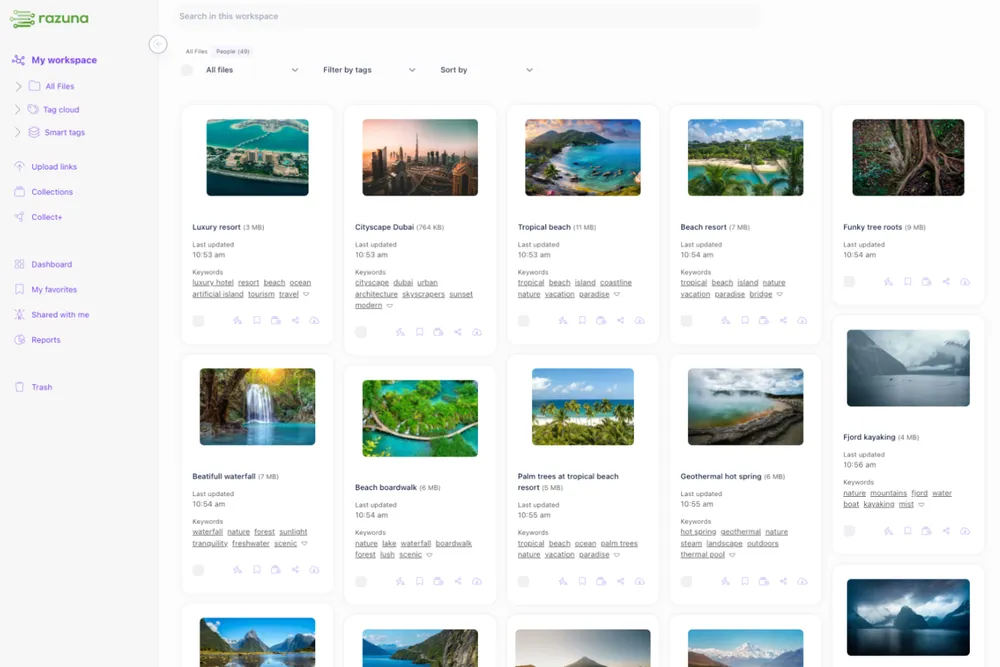
A DAM with AI-powered search understands that query. It searches across metadata, visual content, tags, and context. The asset surfaces in seconds.
Version control becomes a nightmare
Dropbox tracks versions for individual files, but it does not manage relationships between versions across your library. The result: `logo-final.png`, `logo-final-v2.png`, `logo-FINAL-USE-THIS.png`, `logo-approved-March.png` all coexist in the same folder with no clear winner. Someone uses the wrong one. It goes out in a client presentation. Your brand manager has a bad day.
DAM systems maintain a master asset with a clear version history. The current approved version is always unambiguous.
No rights or permissions management
Dropbox access controls are binary: you either have access to the folder, or you do not. There is no way to say “this contractor can download low-res versions but not source files,” or “this image is approved for social but not for print,” or “this licensed photo expires on 31 December.”
Rights violations are not hypothetical. Stock libraries and talent agencies actively monitor for misuse. A single compliance failure can cost more than a year of DAM subscription fees.
No metadata, no findability
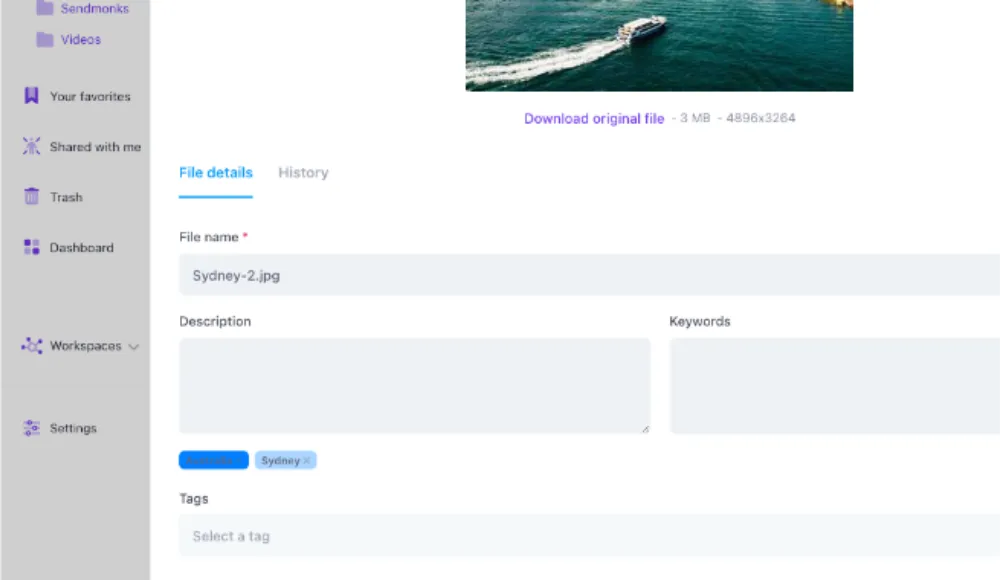
Dropbox has no meaningful metadata layer. Files are identified by their name and their folder location — both of which rely entirely on the person who saved them. When that person leaves, the institutional knowledge of where things are goes with them.
A proper digital asset management system attaches structured metadata to every file: keywords, asset type, campaign, creation date, usage rights, and colour profile. That metadata stays with the file forever, regardless of who uploaded it or where it was moved.
Costs scale badly
Dropbox Business Plus runs at around $18–22 per user per month. At 20 users, that's $4,000+ per year for basic cloud storage with no DAM features. As your team grows, you pay more for the same lack of capability.
Razuna's pricing starts free (500GB) and scales at $99/month per TB — no per-user charges. When Dropbox is costing you real money, Razuna's pricing looks very different.
The Specific Moment You've Outgrown Dropbox
There is no single threshold, but these are the reliable signals:
- Your team regularly recreates assets that already exist somewhere in the library
- You've had a brand incident caused by someone using an outdated or unapproved file
- You manage licensed imagery and track expiry dates in a spreadsheet
- External agencies or contractors need access, but you don't want them to see everything
- Your team spends more than 15 minutes per day searching for files
- You have more than one person responsible for "keeping Dropbox organised.”
- You've added a second tool (Google Drive, SharePoint, WeTransfer) because Dropbox alone isn't enough
If three or more of those apply, you are past the point where storage optimisation will fix the problem. The architecture is wrong.
What the Migration Actually Looks Like
The most common objection to switching is the complexity of migration. It sounds painful. In practice, it is much less painful than the ongoing cost of staying on the wrong tool.
Razuna supports direct migration from Dropbox and S3. You connect your Dropbox account, browse your existing folders, and import directly into Razuna — folder structures, files, and basic metadata intact. No manual re-uploading. No ZIP files. The migration blog post covers the exact steps.
What takes longer is the metadata work: properly tagging assets, establishing naming conventions, and setting up access roles. But that work needs to happen regardless of which tool you're using. Moving to a DAM is the forcing function that makes the cleanup happen — and the infrastructure that ensures it does not degrade again.
Dropbox vs DAM: The Honest Comparison
Here is the direct comparison across the dimensions that matter for growing content teams:
- Search: Dropbox searches by filename only. DAM searches by metadata, tags, visual content, and natural language.
- Version control: Dropbox tracks the history of each file. DAM manages master assets with clear version relationships across the library.
- Rights management: Dropbox has no rights tracking. DAM attaches licence type, expiry, territory, and channel restrictions to every asset.
- Access control: Dropbox offers folder-level access. DAM offers role-based permissions at the asset, folder, and collection levels.
- Metadata: Dropbox has the filename and folder location. DAM has structured, searchable metadata across every field you define.
- Approval workflows: Dropbox has no approval system. DAM routes assets through defined review and sign-off steps with audit trails.
- Format renditions: Dropbox stores what you upload. DAM automatically generates platform-specific renditions (social sizes, web crops, print resolution).
- Cost at scale: Dropbox charges per user. Razuna charges per storage — no per-user fees.
Frequently Asked Questions
Can Dropbox be used as a DAM?
For very small teams with simple needs, yes — temporarily. Dropbox can store and share assets, and with disciplined folder naming, it can work at low volume. It breaks down at scale because it lacks metadata, rights management, version control across the library, and meaningful search. It is not designed to do what a DAM does.
Is Google Drive better than Dropbox for asset management?
They have the same fundamental limitations. Google Drive adds some collaboration features and deeper integration with Google Workspace, but it lacks a metadata layer, rights management, and approval workflows. Both are cloud storage tools, not asset management platforms.
How much does it cost to switch from Dropbox to a DAM?
Migration itself is low-cost — Razuna's Dropbox import is included in all plans. The real investment is setup time: establishing taxonomy, naming conventions, and access roles. Most teams complete an initial migration and setup in two to four weeks. The ongoing cost is typically lower than Dropbox Business at team sizes above 10 users, because Razuna does not charge per user.
What is the best DAM for teams migrating from Dropbox?
The best fit depends on team size and use case. For a broader look at your options, the Dropbox alternatives guide compares the top tools side by side. For marketing teams, agencies, and e-commerce brands that need AI search, version control, branded portals, and no per-user pricing, Razuna is built for exactly this transition. The free plan includes 500GB of storage, with no credit card required.
The Bottom Line
Dropbox is not broken. It is just not designed for what growing content teams need. When your library gets large enough that people cannot reliably find what they are looking for, when brand incidents start happening, when the spreadsheet tracking your licensed image expiry dates has more rows than you can manage — that is when the architecture needs to change.
The good news: switching is not as painful as it sounds. Start with Razuna free — 500GB, no credit card. Connect your Dropbox. See how the same files feel when they are actually findable.