Block Storage vs. File Storage: What's the Difference?

If you have ever debated cloud storage options, you have almost certainly hit the block storage vs. file storage question. The two approaches look similar on the surface -- both store your data -- but they work in fundamentally different ways, serve different workloads, and come with very different tradeoffs. If you pick the wrong one, you are looking at performance bottlenecks, wasted spend, or both.
This guide breaks down both storage types in plain language, when to use each, and how they relate to managing your organisation's digital files -- including images, videos, and other assets you might manage with a Digital Asset Management (DAM) platform like Razuna.
What Is Block Storage?
Block storage splits data into fixed-size chunks called blocks. Each block gets a unique address, and your operating system or application reads and writes those blocks directly -- without caring about what the other blocks contain. Think of it like a spreadsheet: each cell holds a piece of data, and the app assembles them into something meaningful.
Block storage lives close to the compute layer. You typically attach it to a virtual machine or bare-metal server as a raw disk. The OS formats it with a filesystem (ext4, NTFS, XFS), and from that point it behaves exactly like a local hard drive.
When block storage makes sense
- High-performance databases (PostgreSQL, MySQL) that need low-latency random reads and writes
- Virtual machine root disks where an OS needs to boot and run
- Transaction-heavy workloads that update small pieces of data frequently
- Applications that require consistent IOPS (input/output operations per second)
The downside: block storage is expensive and does not scale horizontally the way object or file storage does. Sharing a block volume between multiple servers is possible but complex, and it is not designed for it.
What Is File Storage?
File storage is the model most people are familiar with. Files live in a folder hierarchy -- directories, subdirectories, filenames, extensions. Access is managed through standard protocols like NFS (Network File System) or SMB/CIFS (Server Message Block).
Unlike block storage, file storage is designed to be shared. Multiple users and applications can access the same filesystem simultaneously. A network-attached storage (NAS) device is the classic example; so is a shared network drive in an office.
When file storage makes sense
- Shared team drives where multiple people need concurrent read/write access
- Content repositories: documents, presentations, design files
- Home directories and user profile storage in enterprise environments
- Legacy applications that expect a POSIX-compliant filesystem
The tradeoff: file storage adds overhead. The filesystem layer, locking mechanisms, and metadata management all consume resources. For workloads that need raw throughput or sub-millisecond latency, block storage wins.
Block Storage vs. File Storage: Side by Side
Here is a direct comparison of the two approaches across the dimensions that matter most for practical decisions:
Access method: Block storage uses direct block-level I/O; file storage uses file paths and a filesystem protocol (NFS, SMB).
Sharing: File storage is built for multi-user access. Block storage requires extra work (cluster filesystems) to share safely.
Performance: Block wins on raw IOPS and latency. File storage adds overhead from the filesystem layer.
Scalability: File storage scales more easily across users; block volumes are typically attached to one server at a time.
Cost: Block storage is generally more expensive per GB. File storage is cheaper and optimised for capacity over performance.
Typical use case: Block: databases, VMs. File: shared drives, content libraries.
What About Object Storage?
There is a third option that often comes up in this conversation: object storage (Amazon S3 is the most well-known example). Object storage treats each file as a self-contained object with metadata, accessed via HTTP/HTTPS APIs rather than a filesystem path.
Object storage is not a replacement for block or file storage for transactional workloads. But it is excellent for storing large volumes of unstructured data -- images, video files, audio, documents -- at low cost with near-infinite scalability. This is why most cloud-native digital asset management systems are built on object storage backends.
How Does This Apply to Digital Asset Management?
If you manage a large library of media files -- product images, marketing videos, brand assets, design files -- you are dealing with a workload that neither block nor traditional file storage handles well at scale.
- Block storage is overkill and expensive for storing static assets
- File storage (NAS) works for small teams but becomes a performance and management bottleneck at scale
- Object storage + a proper DAM layer gives you the metadata, search, and access controls your team actually needs
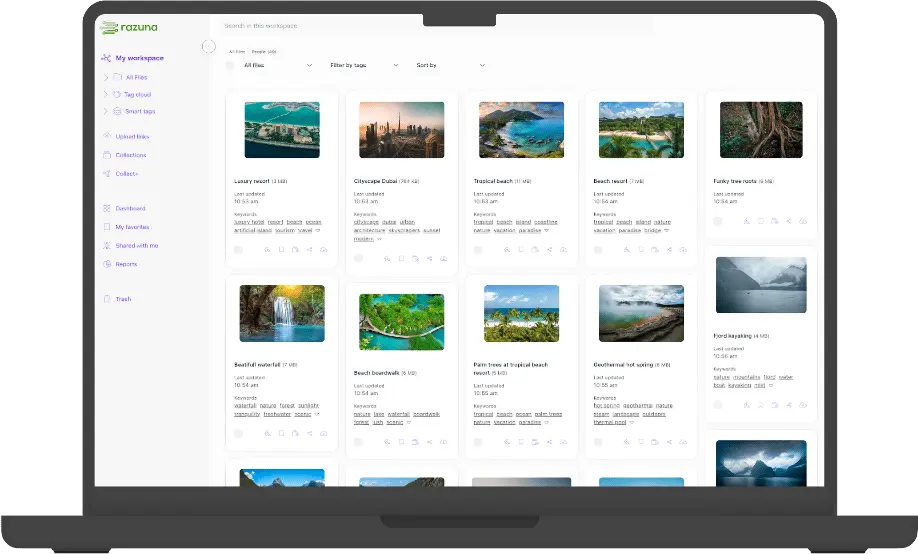
A platform like Razuna sits on top of your storage layer and adds the intelligence: tagging, powerful search, version control, permissions, and integrations with your creative tools. Your storage backend handles the bytes; Razuna handles the meaning.
This is the fundamental insight: the storage type is infrastructure. What turns raw storage into a productive asset library is the management layer on top.
Choosing the Right Storage for Your Use Case
Here is a quick decision framework:
You need block storage if: you are running a database, a VM with an OS, or any workload that demands consistent low-latency I/O at the block level.
You need file storage if: you have multiple users or systems that need concurrent access to a shared filesystem, and your workload does not demand extreme performance.
You need object storage + DAM if: you are managing a library of digital assets at any meaningful scale and you need search, metadata, permissions, and integrations -- not just raw file access.
Common Misconceptions
'File storage is just for small teams'
Not true. Enterprise-grade file storage solutions (NetApp, Pure Storage, Azure Files) can handle massive workloads. The limitation is not scale per se, but the mismatch between file storage semantics and certain workloads (like databases).
'Block storage is always faster'
For random read/write IOPS on a database, yes. For sequential reads of large files (video rendering, bulk downloads), object or file storage can match or beat block, because the bottleneck shifts to network throughput rather than disk seek time.
'A NAS is a DAM'
A shared file server and a Digital Asset Management platform are not the same thing. A NAS stores files. A DAM organises, describes, and governs them. It adds metadata, search, rights management, distribution workflows, and integrations that a file server cannot provide.
Final Thoughts
Block storage and file storage are both mature, reliable technologies that serve different purposes. Understanding the difference helps you avoid over-engineering (paying for block storage performance you do not need) or under-serving your workload (hitting file storage limits on a high-throughput application).
For organisations managing digital assets, the practical answer is almost always: use object storage for the bytes, and use a proper DAM for the experience. If you want to see what that looks like in practice, Razuna offers a free trial -- no credit card required.