AI Auto-Tagging for Digital Assets: Stop Wasting Time on Manual Metadata
Someone on your team just spent 45 minutes searching for the approved product shot from last month's campaign. They found three versions, none labeled clearly, and gave up. This is not a storage problem. It's a metadata problem.
AI auto-tagging for digital assets is the most direct fix available right now. It's not a feature most teams actively seek out, but once they use it, the alternative feels absurd. Here's what it actually does, how it works, and why manual tagging is quietly killing your team's time.
What Is AI Auto-Tagging for Digital Assets?
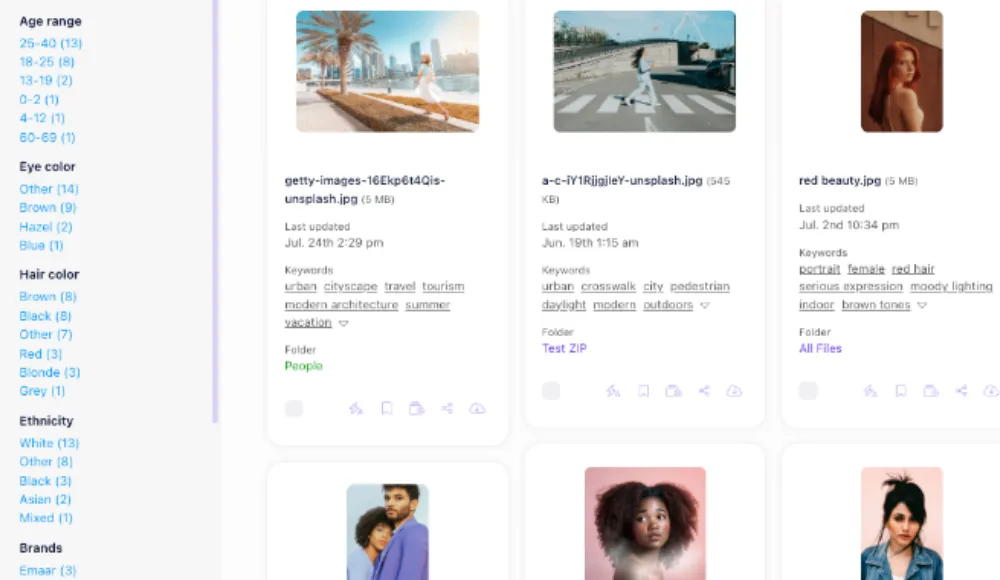
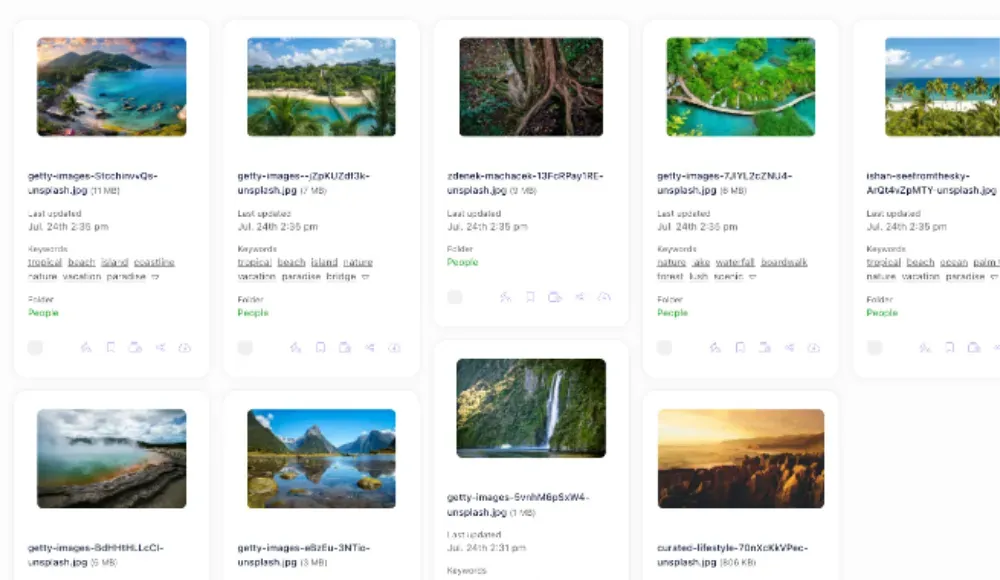
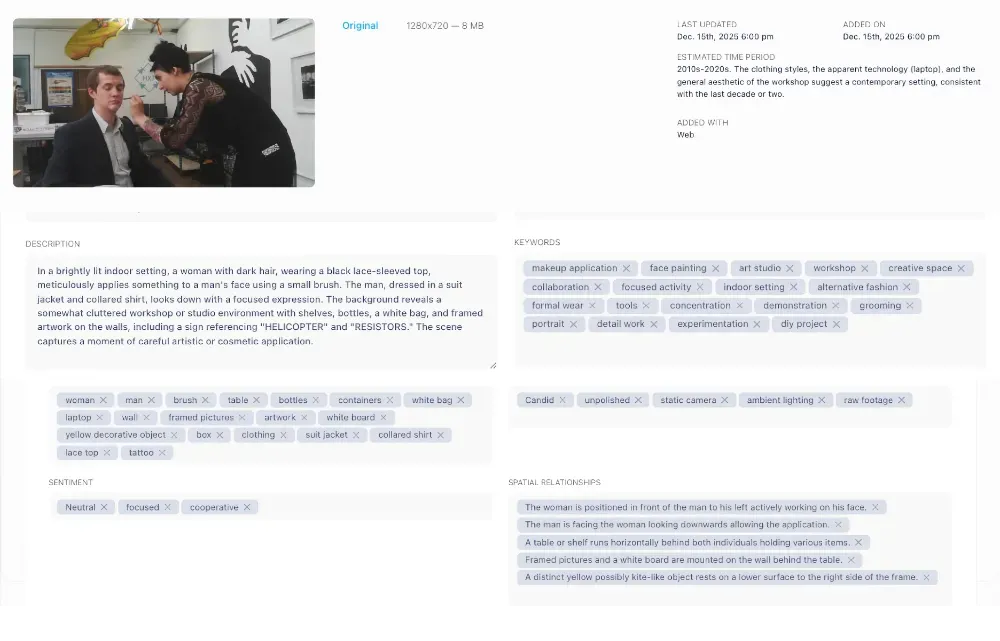
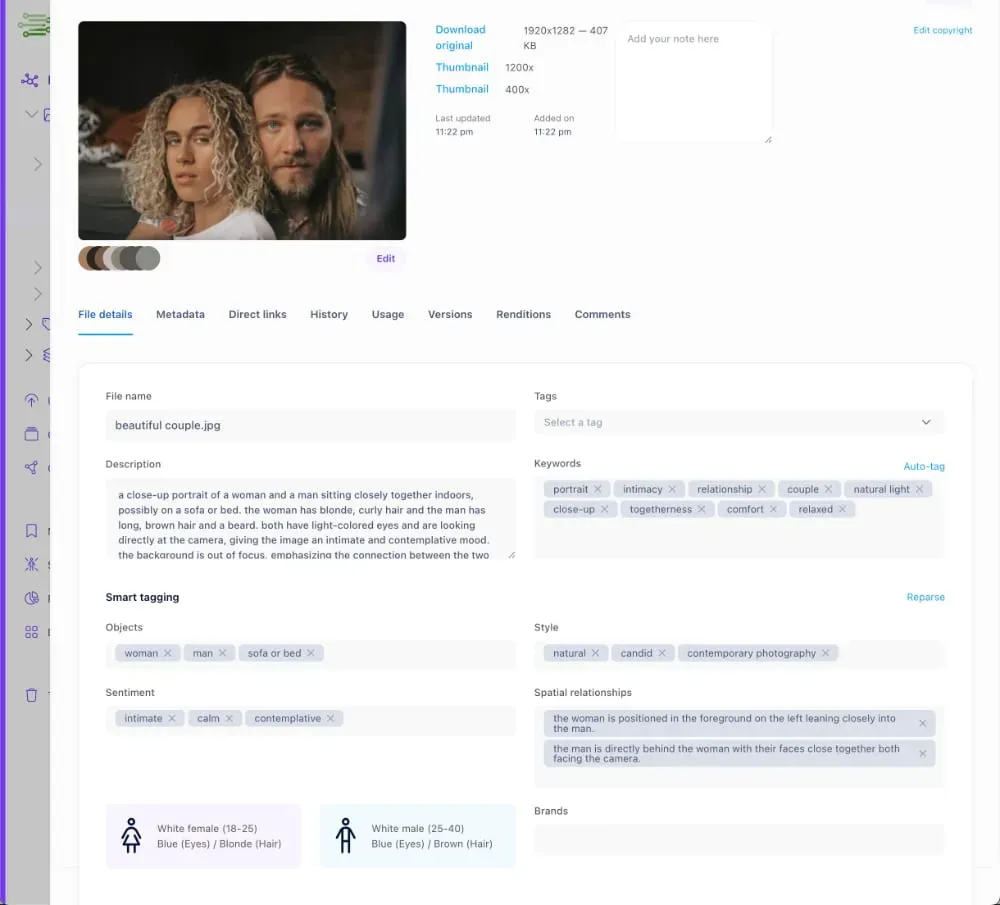
AI auto-tagging is when your digital asset management (DAM) platform automatically assigns descriptive tags to files the moment you upload them. Instead of someone manually writing 'red-dress-model-outdoor-summer-2024,' the system reads the image, recognizes what's in it, and applies the relevant tags itself.
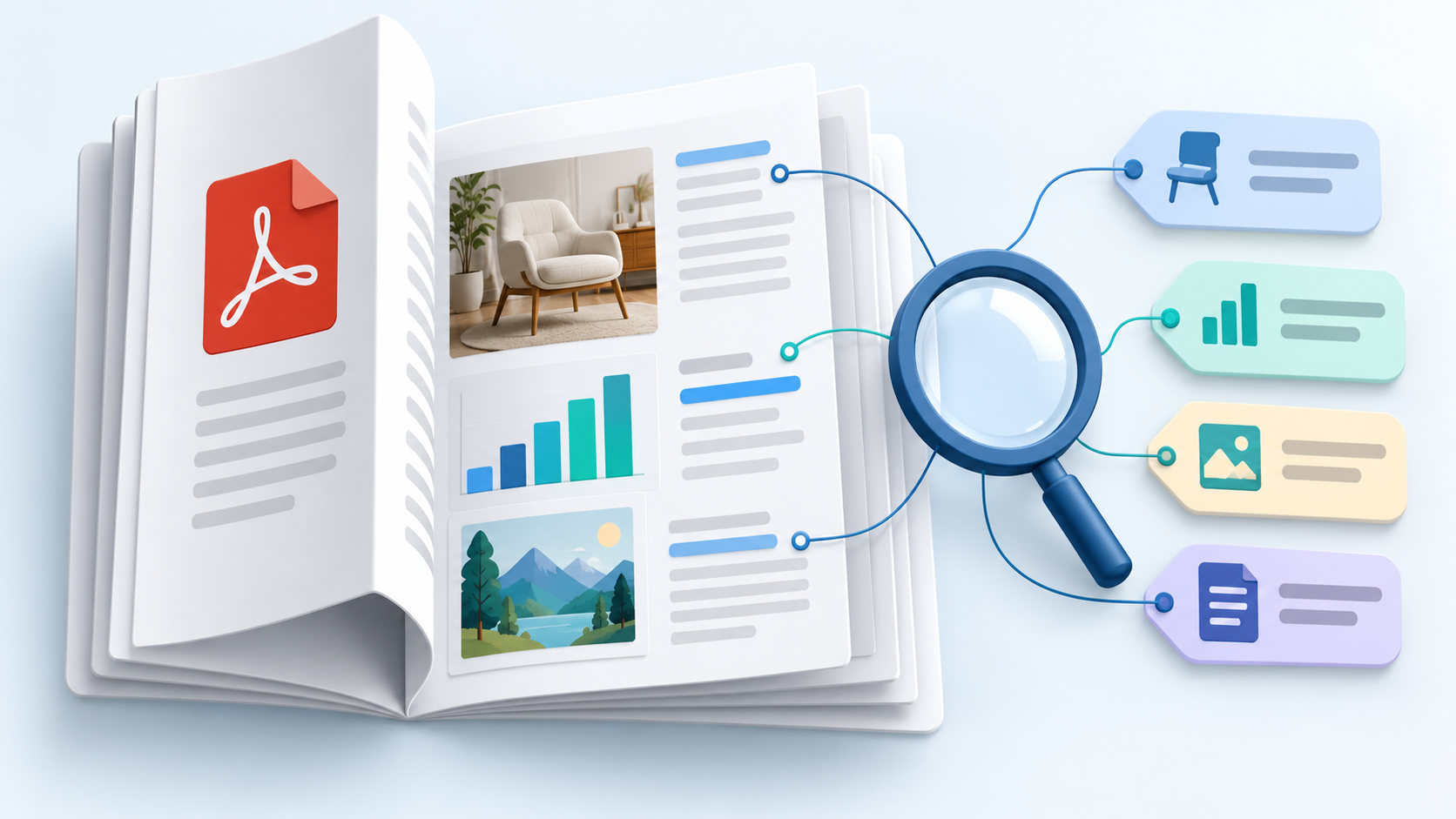
Modern DAM platforms use computer vision and machine learning to identify objects, colors, scenes, faces, and even text within images. For documents, they extract topics, categories, and keywords. The result is a searchable, organized library that grows without burning anyone's time.
This is different from keyword search or folder-based organization. AI auto-tagging creates structured metadata at the file level, so search works regardless of what folder something lives in or what the filename says.
Why Manual Tagging Doesn't Scale
Let's be honest about what manual tagging looks like in practice. A new batch of product photos lands in the system. Someone has to open each one, think about which tags apply, type them in, and move on. For 500 images, that's a full day. For 50,000? It never gets done.
The result is predictable. Nobody tags anything properly. Files get uploaded as 'IMG_4321.jpg' or dumped into vague folders labeled 'Campaign Q3.' Searching for 'blue hoodie product shot white background' returns nothing, because nobody wrote that when uploading the file at 5pm on a Friday.
Manual tagging also breaks down from inconsistency. One person tags an image 'outdoors.' Another tags the same type of shot 'exterior,' 'outside,' or 'nature.' Search for any one term and you miss everything tagged with the others. The library looks organized, but it's not actually findable.
This is exactly the gap that separates a real DAM from just cloud storage. Dropbox and Google Drive give you folders. They don't give you searchable metadata at scale.
How AI Auto-Tagging Actually Works
When you upload a file to a DAM with AI tagging, the platform runs it through a computer vision model. That model has been trained on millions of labeled images, so it recognizes patterns quickly: a person standing in front of a building, a product on a white background, a sunset over a skyline.
The model outputs confidence scores for hundreds of potential tags. Tags above a certain confidence threshold get applied automatically. Many systems let you tune the threshold or flag low-confidence tags for manual review, so you're not locked into whatever the model decides.
For documents, the process is text-based. The system extracts content, identifies topics, and applies tags accordingly. A product spec sheet might get 'PDF,' 'product,' 'specifications,' 'Q3.' A legal contract might get 'agreement,' 'legal,' '2025.' No one has to read and categorize it manually.
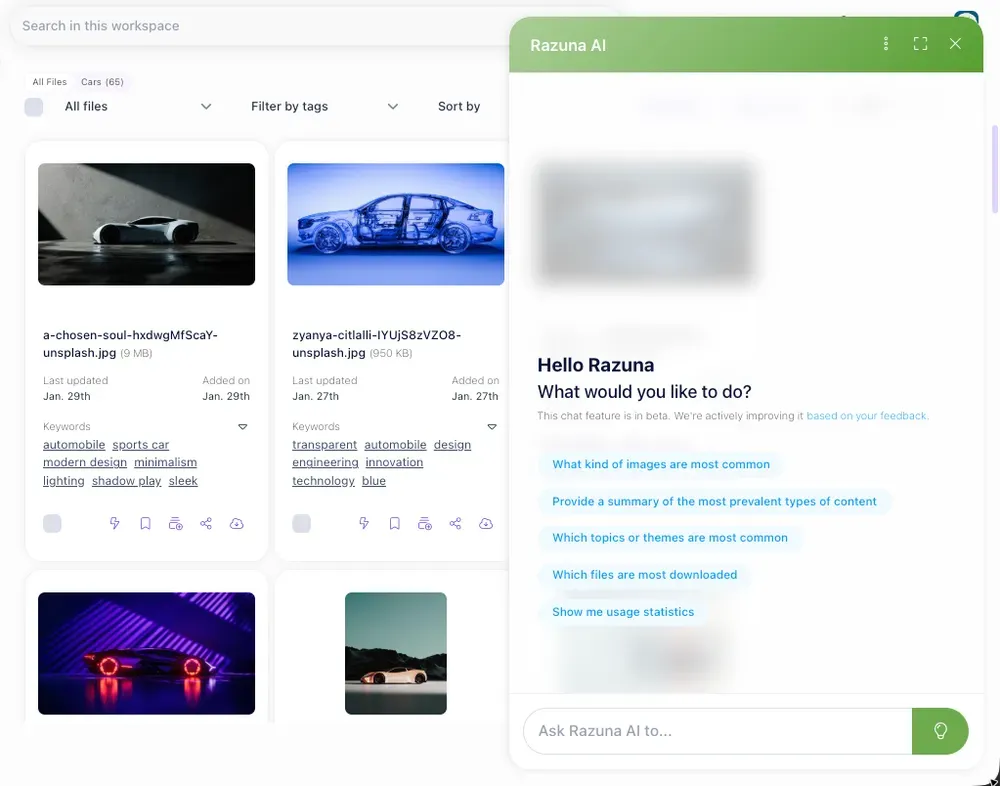
Razuna handles images and documents out of the box. The Unlimited plan at $99/month includes Advanced Images AI and Advanced Documents AI. Video and audio AI tagging are available on Unlimited+ for teams managing multimedia at scale.
What Gets Tagged Well (and Where AI Has Limits)
AI handles common objects, scenes, colors, faces, document topics, and general composition very well. For standard marketing and product photography, it covers 80-90% of the metadata you actually need.
Where it gets less precise: highly specific internal terminology, campaign names, business context. AI won't tag a photo 'approved for EU market' or 'hero shot for Spring 2026 campaign.' That kind of business-specific context still needs a human.
The practical answer is to use AI auto-tagging for baseline metadata, what's visually or textually in the file, and combine it with a small set of required manual fields for business context. You get the speed of automation without losing the context that only your team can add.
- AI handles: objects, colors, scenes, faces, document topics, file types
- Human adds: campaign name, approval status, market region, intended use
- System combines both: full metadata without doubling the workload
A good DAM lets you configure custom fields alongside AI tags so both layers work together. If your current setup doesn't support this, you're not just missing auto-tagging. You're missing the whole metadata layer that makes a library actually useful.
The Real Cost of Getting This Wrong
Marketing teams lose serious hours to asset searching. Estimates vary, but studies consistently put it at 30 minutes to 2 hours per person per day, depending on how disorganized the library is. For a team of five, that's up to 10 hours weekly on search and retrieval that should take seconds.
The cost isn't only time. It's wrong-version mistakes. A campaign launching with last year's logo because the current one wasn't labeled. A designer using an unapproved photo because 'approved' was never actually tagged. A brief sitting in someone's downloads folder instead of the shared system.
These are not hypothetical edge cases. They happen constantly in teams relying on folder structure and manual discipline to keep things organized. Both fail under volume and team turnover.
AI auto-tagging doesn't fix everything. But it removes the biggest single friction point: the gap between what's in your library and what's actually findable when someone needs it fast.
Setting Up AI Auto-Tagging: What to Think About First
Before turning on any AI feature, decide what metadata actually matters for your team. Start with three questions:
- What do people search for most? (file type, product, campaign, date, color)
- What context is specific to your business that AI won't know? (campaign codes, approval status, market region)
- Who needs to find what, and how quickly?
The answers tell you which AI tags to prioritize and which custom fields to require on upload. A setup that answers these questions correctly will be used. One that's technically thorough but misaligned with how people actually search will get ignored.
Start with a pilot batch of 200-300 files. Check the tags. Adjust confidence thresholds if needed. Get one or two people to verify the results before rolling it out to the full library. This takes an afternoon, not weeks.
For existing libraries with missing metadata, most AI-enabled DAMs can run a bulk re-tagging pass. It's not instant, but it's far faster than doing it manually. On larger libraries, you'll want to prioritize by recency or usage volume so the most-needed files get tagged first.
Why Teams Who Switch Don't Go Back
The feedback from teams that have moved from manual tagging to AI-assisted metadata is consistent: the library suddenly feels usable. Search returns relevant results. New team members can find things without a 30-minute orientation to the folder structure. Asset reuse goes up because people can actually find what exists.
This is what a DAM should do. If yours isn't doing it, check the Razuna pricing page to see what's included at each tier. The free plan covers 500GB and five users. The Unlimited plan at $99/month adds full AI tagging with no per-user fees.
The volume of digital assets isn't going down. Every new campaign, product launch, and social channel adds more files. If you're manual tagging now and struggling to keep up, that gap grows every month. AI auto-tagging is one of those investments that pays back from the first upload batch.
Ready to Stop Searching?
If your team spends more than 15 minutes a day looking for files, AI auto-tagging will change that fast. Try Razuna free and see what a properly tagged library feels like. No credit card required, 500GB free, and AI features on day one.