What Are Social Media Assets?

Your marketing team is ready to post. The campaign's live. The brief said "use the approved logo" and "only the summer palette." And yet somehow, an intern just uploaded last year's product shot to Instagram. Again.
This isn't a discipline problem. It's an asset problem.
Social media assets are the files behind every post your team publishes. When they're organized and findable, your brand stays consistent, and your team moves fast. When they're not, you get version chaos, off-brand posts, and a Slack thread that reads like a crime scene.
Here's what social media assets actually are, what types matter most, and what it takes to manage them properly.
What Are Social Media Assets?
Social media assets are any digital files your team creates and uses to publish content across social platforms. This includes images, videos, graphics, logos, templates, captions, and audio. If it appears in a post or gets used to build one, it's an asset.
The term matters because these files are assets in the business sense as well. They cost time and money to produce. A well-shot product photo or a set of on-brand Reels templates has real value, and that value evaporates when nobody can find the file, the latest version, or the right format for a specific platform.
Social media assets sit within the broader category of digital assets. What makes them distinct is that they're purpose-built for social channels, which means they come with specific format requirements, platform constraints, and a much shorter shelf life than, say, a brand identity document.
Types of Social Media Assets
Not all social assets are equal. The main categories your team probably works with:
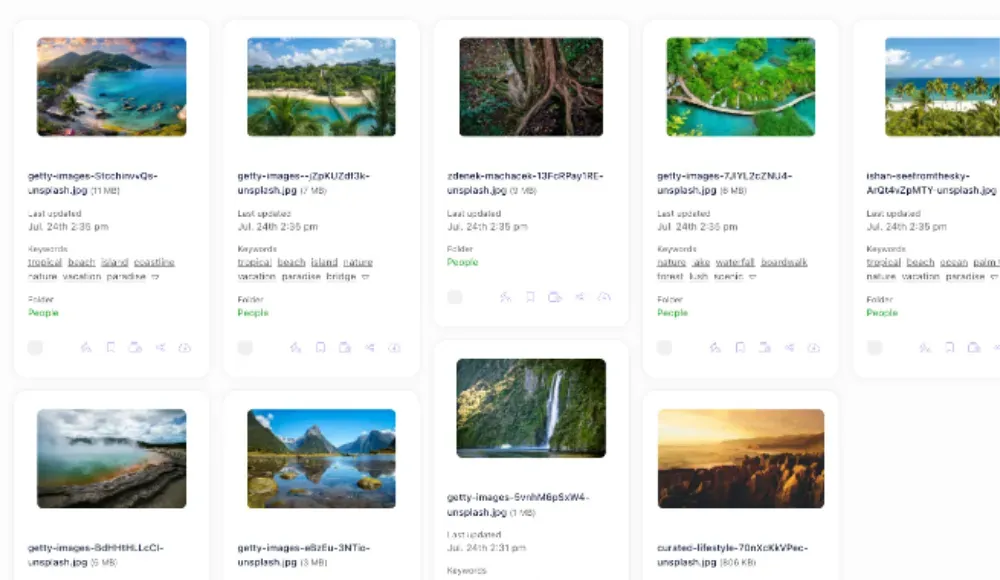
Images and Photography
Product photos, lifestyle shots, campaign imagery, headshots, event photography. These are typically the highest-production-value assets you have. They're also the ones most likely to exist in three different folders with names like "FINAL", "FINAL_v2", and "USE_THIS_ONE."
Each platform needs different dimensions: a 1:1 for Instagram feed, 9:16 for Stories, 16:9 for Twitter/X headers. A single photo shoot generates dozens of crops. Without a system, those crops scatter across desktops and shared drives until nobody's confident which one is current.
Video and Motion
Short-form video is now the highest-reach format on most platforms. That means your Reels, TikToks, and YouTube Shorts — along with the raw footage, B-roll, and edited exports behind them — are all assets that need to live somewhere logical.
Video files are large, format-sensitive, and expensive to recreate. Losing an export because a freelancer's contract expired and they had the only copy on their hard drive is a real thing that happens to real marketing teams.
Branded Templates
Canva files, Figma frames, Photoshop templates, and Keynote slides repurposed for social. These are the structural assets that let your team produce content without having to go back to a designer every time.
Templates are often the most undervalued category. They multiply your team's output and protect brand consistency. But only if people can find them and know which version is approved for use.
Logos, Colours, and Brand Elements
Logo variants (horizontal, stacked, icon-only), brand colour palettes, icon sets, illustration styles. These underpin everything else you produce.
The problem here is proliferation. A brand file set contains dozens of files in formats such as SVG, PNG, EPS, and sometimes PDF. If they're not stored centrally, different people use different versions, and suddenly, your Instagram has a slightly different shade of blue from your LinkedIn.
Copy and Caption Libraries
Post copy, hashtag sets, approved messaging frameworks, and CTA variations. These are text assets, not file assets, but they belong in the same managed system.
Good caption libraries save time and protect brand voice. Without them, every post starts from scratch — and the chance of someone going off-message increases every time.
Why Managing Social Media Assets Is Harder Than It Looks
Most teams underestimate how quickly social asset libraries grow. A campaign produces 50 images. A product launch adds video exports in four formats per platform. A quarterly rebrand means every template needs to be updated. Multiply that across 18 months, and you have hundreds of files, many of them outdated, scattered across places that made sense at the time.
Three problems come up constantly:
Version confusion. Someone posts the old product packaging because Google Drive doesn't show version history clearly, and "newest" isn't always obvious. The right file and the wrong file are often named nearly identically.
Platform fragmentation. Your social team works in Hootsuite. Your designers use Figma. Your photographer delivers to Dropbox. Your brand assets live in Google Drive. None of these talk to each other, so assets get duplicated, downloaded, and re-uploaded with no record of what changed or why.
Access control gaps. External agencies and freelancers need access to assets, but you can't give them access to everything. Most tools force a binary choice: full access or nothing. The result is that people take screenshots of decks rather than use the original files, and quality degrades.
What Good Social Media Asset Management Looks Like
The goal isn't perfect organization. It's making the right asset easy to find and impossible to get wrong.
That requires a few specific things:
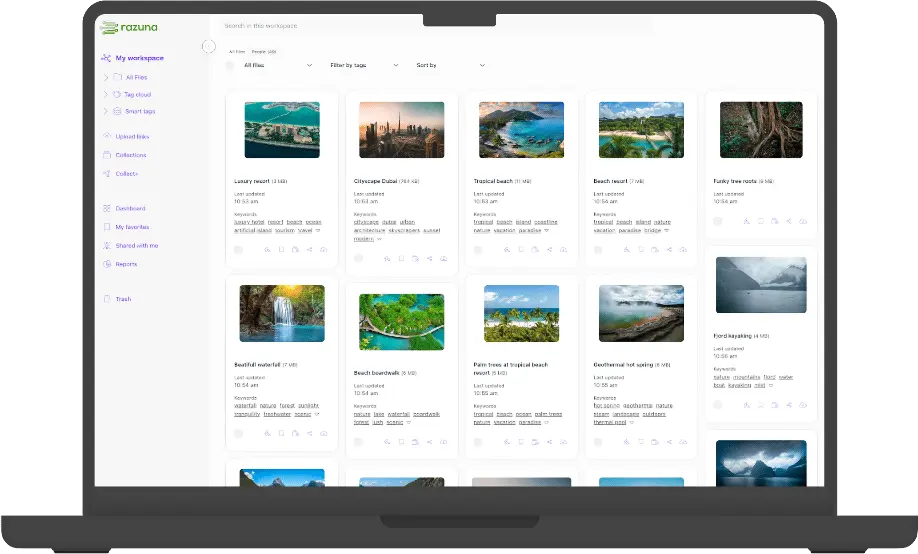
A digital asset management platform is built for exactly this: central storage with metadata, version control, permissions, and approvals.
Metadata that reflects how your team thinks. Search by campaign, by platform, by format, by date range, by usage rights. If your team asks, "Where's the summer launch imagery in the right size for Instagram Stories?" the system should answer that in seconds, not minutes.
Clear version control. Which file is live, which is archived, and which is a working draft? No ambiguity.
Controlled sharing for external collaborators. Agencies and freelancers should be able to access what they need without touching what they shouldn't. Share links with expiry dates, download permissions, and no login requirement for recipients.
Format and channel tagging. A photo exported for LinkedIn should be tagged as such. The 9:16 crop for Stories should be labeled and findable as such. When you're preparing next week's schedule, this alone saves significant time.
The Cost of Getting This Wrong
Here's the thing, teams rarely calculate: the cost of poor asset management isn't just the occasional off-brand post. It's the hours lost searching. It's the designer time spent re-exporting files that already exist somewhere. It's the campaign delay because the approved image was in someone's local folder, and they're on holiday.
A content team spending 30 minutes a day finding assets that should be findable in 30 seconds is losing nearly 120 hours per person per year. That's three working weeks of wasted time on a single administrative failure.
The fix isn't a better naming convention. Naming conventions fail when three people apply them inconsistently. The fix is a system that handles structure and search automatically, leaving your team to focus on the content itself.
Getting Started
If you're currently managing social media assets across Google Drive, Dropbox, or a chaotic shared folder, the migration feels daunting. It doesn't have to be.
Start with the assets that cause the most friction: your live brand files, your most-used templates, and current campaign imagery. Get those into a single managed location. Build the habit of uploading new assets there first. The rest follows.
A proper DAM platform lets you tag assets, set permissions, create shareable collections, and search by any attribute. For a team that publishes across multiple social channels at any kind of volume, it's not a nice-to-have. It's the difference between a content operation that runs and one that just copes.
If you're looking for a DAM that helps social teams (and agencies) stay organized, see digital asset management and Razuna features. Pricing and plans are here: Razuna pricing.