Brand Asset Management Software for Global Teams in 2026
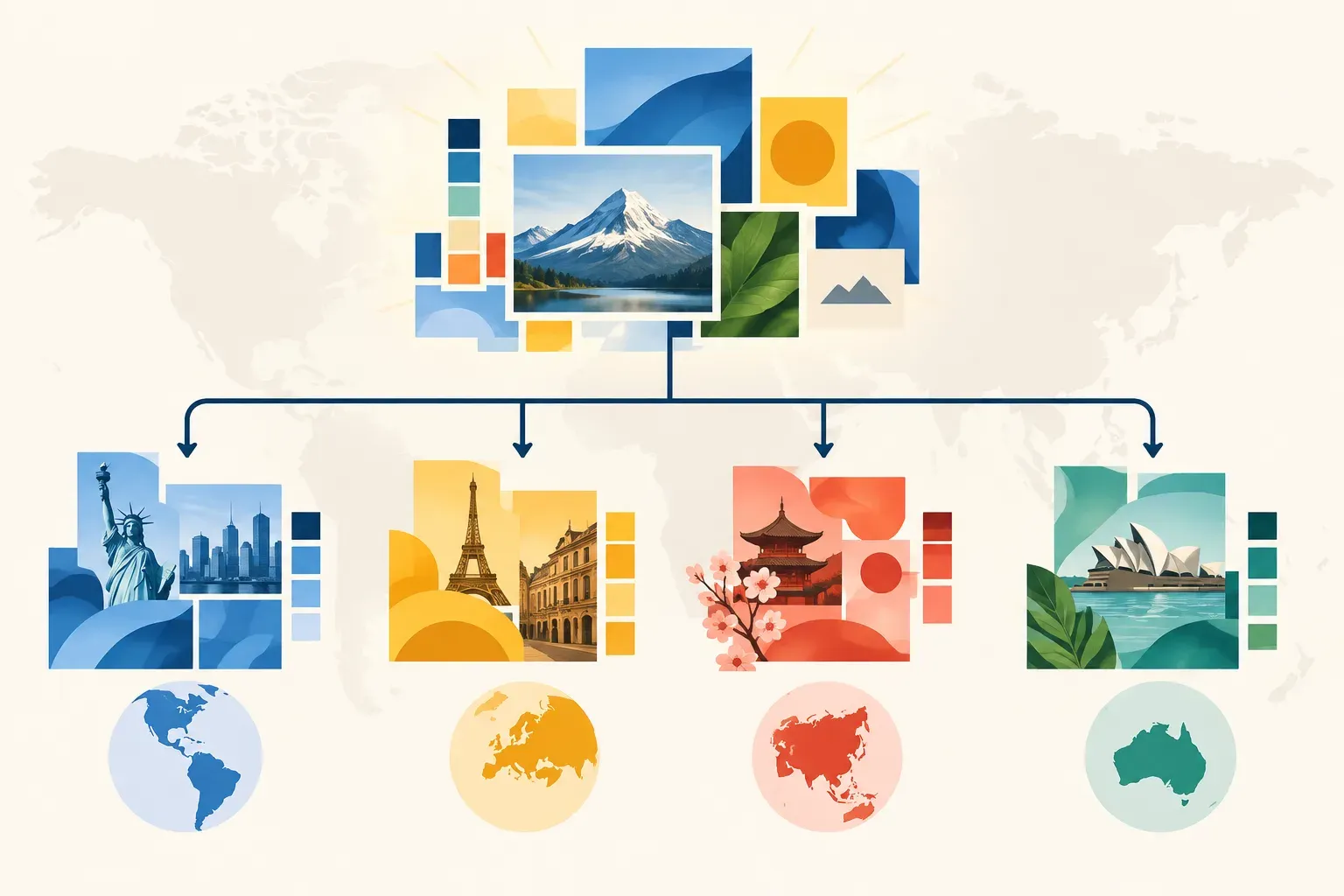
A logo file may be approved for every market, while a campaign image is right for only one region. If teams cannot tell the difference, they may reuse outdated artwork, miss local requirements, or spend time asking colleagues to find the correct version.
Brand asset management software helps teams organize brand files, find approved materials, and control who can access them. For organizations working across markets, the goal is not to make every asset identical. It is to give teams a reliable way to use global brand foundations while finding the versions suited to their audiences.
That is a practical reason to consider brand asset management in 2026: as campaigns and creative libraries grow, shared folders and informal naming conventions can make it harder to know what is current, where it can be used, and who should have access.
Why brand asset management matters across markets
Global brand standards give teams a consistent starting point. Regional teams may still need localized imagery, translated documents, market-specific campaign materials, or versions adapted to local requirements. Without a clear system, those variations can end up scattered across email threads, shared drives, and project folders.
A brand asset management workflow gives the library structure. Teams can group assets by campaign, market, language, channel, or asset type, then add metadata that helps people identify the right file. The aim is to make approved, relevant materials easier to locate without treating every regional variation as an exception.
BrandKity's discussion of brand asset management software for global and localized assets highlights this balance: regional teams need content that fits their audience while remaining aligned with the larger brand.

What to look for in brand asset management software
The value of a system depends on whether it supports the work teams actually do. For a global brand library, assess how it handles organization, discovery, permissions, versions, and sharing.
Organize assets by how teams use them
A useful structure reflects the way people look for work, not just how files arrived. A team might organize brand materials by campaign and then by region, or use separate workspaces for business units with different access needs. The right approach depends on how the organization divides responsibility.
In Razuna, workspaces and folders provide a way to organize assets, with permissions that can be set for access. A team could, for example, group a global campaign's approved master files separately from market-specific materials, then give the relevant regional teams access to their working area. This makes the relationship between shared brand resources and local content easier to manage.
Collections can also gather selected assets from different locations into a convenient set. That can help a team assemble a campaign kit or a group of approved files for a particular audience without changing the underlying folder structure.
Make the right version easier to find
A file's name alone rarely tells the whole story. People may remember the image, campaign, product, or market rather than an exact filename. Search is more useful when it can draw on both file details and the way people describe what they need.
Razuna supports keyword search, semantic search, and similar-image search. That gives users different ways to find assets: searching for a known term, describing a concept, or starting from a visual example. AI-assisted tagging can add more ways to discover files, while metadata helps teams identify details such as market, language, campaign, or approval status.
Metadata is most useful when teams agree on what to record and use those fields consistently. For example, a regional asset record might include its market, language, campaign name, content type, and intended channel. That information can help distinguish a localized version from a global master and make searches more precise.
Keep versions and derivatives connected
Brand files change. A design may be revised, adapted for a new market, or exported in different formats for web and print. When teams upload revised files as unrelated copies, users may not know which one is current.
Versioning helps keep changes associated with an asset's history. Razuna also supports image editing and renditions, so teams can create and manage related image outputs within the library. A practical process is to identify the master asset, make the status of a working or approved version clear, and avoid leaving old exports beside current files without context.
That process does not replace an approval policy. Teams still need to decide who can approve an asset, what counts as ready for use, and how superseded files should be handled. The DAM gives them a shared place to apply those decisions.
Give teams access without losing control
Not everyone needs the same level of access to every asset. A regional marketer may need to download approved campaign materials, while a brand manager may need to update the library or review new versions. Folder and workspace permissions can support those distinctions.
When sharing outside the core team, use a controlled sharing process rather than treating the whole library as public. Razuna supports secure sharing and collections, which can help teams gather and distribute selected files for a particular project or audience. Before sharing, confirm that the recipients should have access and that the files are suitable for their intended use.

Why invest now?
The case for brand asset management is operational. Teams invest when the cost of searching, checking, recreating, or correcting brand materials outweighs the effort of setting up a governed library.
Common signs that the current process is under strain include:
- Regional teams repeatedly asking central marketing for files they should be able to find.
- Several versions of a logo, image, or campaign asset circulating without clear status.
- Localized materials stored separately from the global brand references they should follow.
- People relying on personal knowledge to identify approved files.
- External partners receiving more files than they need, or relying on outdated shared links.
- Teams rebuilding assets because they cannot locate an existing version.
A DAM system will not decide which content suits a market, set brand policy, or replace review by local experts. It can make the approved files and the information around them easier to organize, search, and share. That gives teams a stronger base for consistent work without blocking appropriate local adaptation.
Razuna's guide to branding with brand asset management covers the broader role of brand assets in maintaining identity. For a practical setup, focus first on the information regional teams need to identify and use each file.
A practical rollout for a global brand library
Start with a limited group of assets and users rather than trying to reorganize every file at once.
- Choose a pilot collection. Select a campaign or brand family that includes both global masters and local versions.
- Agree on the structure. Decide how workspaces, folders, and collections will reflect teams, markets, and campaigns.
- Define shared metadata. Choose a short set of fields, such as market, language, campaign, asset type, and status. Use terms consistently.
- Set access by role. Identify who can view, download, edit, or manage each area. Keep access aligned with team responsibilities.
- Bring in current files. Prioritize approved and active assets. Review duplicates and clearly label or retire files that should no longer be used.
- Test discovery and sharing. Ask someone outside the core brand team to find a specific market-ready asset, then check whether the result and access are appropriate.
- Review the workflow. Look for repeated search failures, unclear metadata, and permission requests. Adjust the structure based on what users actually need.
Razuna's semantic search overview explains how meaning-based queries can support asset discovery when people do not know exact filenames or tags.
How to assess the investment
Before choosing software, map a few repeatable tasks: finding an approved logo, locating a regional campaign image, confirming which version is current, and sharing a selected set with an agency. Note where time is lost, where errors can occur, and which teams need access.
Then evaluate whether the system can support those tasks with a clear library structure, useful metadata, search options, version history, and permissions. Include regional users in the test. A setup that makes sense to the central brand team may still be difficult for someone searching in another language or working in a different market.
Brand asset management software is worth considering when teams need both shared standards and local flexibility. With Razuna, organizations can bring brand files into workspaces and folders, add metadata, find assets through different search methods, manage versions, and share selected materials with controlled access. The investment pays off when people can identify and use the right asset with less dependence on scattered copies and one-off requests.